
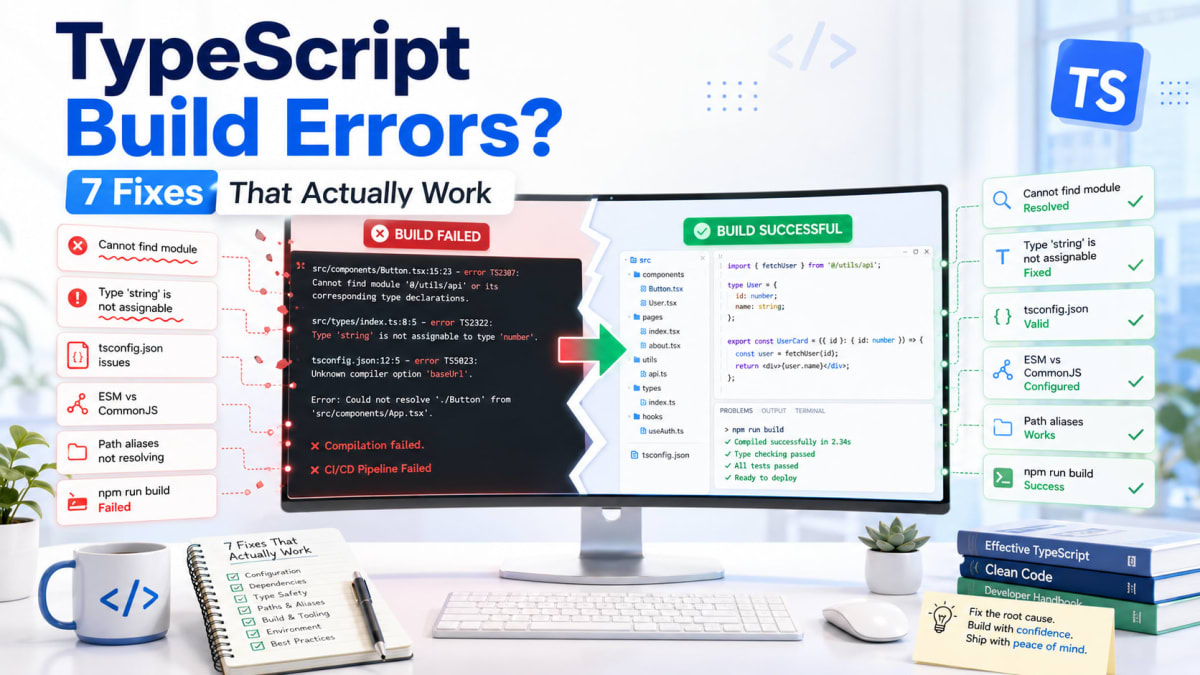
TypeScript Build Errors? 7 Fixes That Actually Work
Skilldham
Engineering deep-dives for developers who want real understanding.
Everything works on your machine.
You push the code. CI runs. Build fails.
You scroll through the error log and see TypeScript errors pointing at files you have not touched in days. Files that worked perfectly in development. Files your editor showed zero warnings on.
You paste the error into Google. You get Stack Overflow answers from 2019. You try three different fixes. One makes the error disappear. Two more appear.
This is what TypeScript build errors feel like the first dozen times you encounter them. The gap between what your editor catches and what the full build catches is real, and it hits you at the worst possible moment - right before a deployment.
Here are the seven TypeScript build errors that kill deployments most often, what actually causes each one, and how to fix them properly.
TypeScript Build Error TS2307 - Module Not Found
You write an import. Your editor shows no error. The build says the module cannot be found.
This happens because your editor might be resolving path aliases through a plugin or extension, but TypeScript's compiler during build only knows what is in tsconfig.json. If the alias is not there, the build fails.
typescript
// Wrong - using path aliases without configuring tsconfig
import { Button } from '@/components/Button'
import { formatDate } from '@utils/date'

// Build output:
// error TS2307: Cannot find module '@/components/Button'
// or its corresponding type declarations.
typescript
// Correct - configure every alias in tsconfig.json
// tsconfig.json
{
  "compilerOptions": {
    "baseUrl": ".",
    "paths": {
      "@/*": ["./src/*"],
      "@utils/*": ["./src/utils/*"],
      "@components/*": ["./src/components/*"]
    }
  }
}

// Now the import works in both editor and build
import { Button } from '@/components/Button'
import { formatDate } from '@utils/date'
Next.js picks up tsconfig.json paths automatically. But if you are using Vite or a custom webpack config, you need to add the same aliases to your bundler config separately. TypeScript knowing about the alias handles the type checking. The bundler knowing about it handles the actual file resolution at runtime.
Missing path aliases are also one of the silent reasons Next.js builds fail on Vercel when local builds pass fine - your local setup has things configured that CI does not.
TypeScript Build Error TS2345 - Wrong Type Passed to Function
Your function expects a specific type. You pass something that looks identical. TypeScript refuses.
This one is almost always caused by API response types being different from your internal types. The API returns id as a string. Your function expects id as a number. Everything looks the same visually but TypeScript knows.
typescript
// Wrong - passing API response directly without checking the shape
interface User {
  id: number
  name: string
  email: string
}

async function saveUser(user: User) {
  await db.users.update(user)
}

const response = await fetch('/api/me').then(r => r.json())
saveUser(response)
// TS2345: Argument of type '{ id: string; name: string; email: string }'
// is not assignable to parameter of type 'User'.
// Type 'string' is not assignable to type 'number'.
typescript
// Correct - separate the API type from your internal type
interface ApiUser {
  id: string   // API sends strings
  name: string
  email: string
}

interface User {
  id: number   // your app uses numbers
  name: string
  email: string
}

async function saveUser(user: User) {
  await db.users.update(user)
}

const response: ApiUser = await fetch('/api/me').then(r => r.json())

// Explicit transformation - this is the right place to handle mismatch
const user: User = {
  ...response,
  id: parseInt(response.id, 10)
}

saveUser(user)
Treating API responses as untrusted external data with their own types is one of those TypeScript habits that feels like extra work until it catches a bug in production. The transformation step forces you to think about every mismatch explicitly rather than discovering it at runtime when a user reports broken behaviour.
TypeScript Build Error TS18047 - Object Is Possibly Null
This is the error that strict mode introduces and that most developers fight hardest against.
You call a function. It can return null. You immediately use the result without checking. TypeScript refuses to build because it is not wrong - the object genuinely could be null at that point.
typescript
// Wrong - using the result without handling the null case
function Header() {
  const user = getCurrentUser()  // returns User | null

  return (
    <header>
      <span>{user.name}</span>
      {/* TS18047: 'user' is possibly 'null' */}
    </header>
  )
}

// Also happens with DOM queries
const form = document.querySelector('#signup-form')
form.addEventListener('submit', handleSubmit)
// TS18047: 'form' is possibly 'null'
typescript
// Correct - handle the null case before accessing properties
function Header() {
  const user = getCurrentUser()

  if (!user) {
    return <header><span>Guest</span></header>
  }

  // TypeScript now knows user cannot be null here
  return (
    <header>
      <span>{user.name}</span>
    </header>
  )
}

// For simple reads - optional chaining
function Avatar() {
  const user = getCurrentUser()
  return <img src={user?.avatar ?? '/default.png'} alt="avatar" />
}

// For DOM elements - check before using
const form = document.querySelector('#signup-form')
if (form) {
  form.addEventListener('submit', handleSubmit)
}
The early return is the cleanest pattern for components. Once TypeScript sees the null check at the top, it narrows the type for everything below it. You write the null check once, and the rest of the component can assume the value exists.
This is the same issue behind why React state behaves unexpectedly when initial state is null - accessing properties on null state causes both TypeScript errors and runtime crashes.
TypeScript Build Error TS7006 - Parameter Has Implicit Any
Strict mode makes this one appear everywhere. Every callback, every event handler, every function where you did not add a parameter type now produces this error.
typescript
// Wrong - no types on callback parameters
const items = [1, 2, 3]

// TS7006: Parameter 'item' implicitly has an 'any' type
const doubled = items.map(item => item * 2)

// TS7006: Parameter 'e' implicitly has an 'any' type
button.addEventListener('click', e => {
  console.log(e.target)
})

// TS7006: Parameter 'err' implicitly has an 'any' type
promise.catch(err => {
  console.log(err.message)
})
typescript
// Correct - explicit types on parameters
const items = [1, 2, 3]

// TypeScript infers number from the array - annotation not needed here
const doubled = items.map(item => item * 2)

// Event handlers need explicit types
button.addEventListener('click', (e: MouseEvent) => {
  const target = e.target as HTMLButtonElement
  console.log(target.value)
})

// Catch blocks - error is 'unknown' in strict mode, not 'any'
promise.catch((err: unknown) => {
  if (err instanceof Error) {
    console.log(err.message)  // safe now
  } else {
    console.log('Unknown error occurred')
  }
})
The catch block case matters more than it looks. Strict TypeScript types caught errors as unknown because anything can be thrown - not just Error objects. A library might throw a string. A Promise might reject with an object. The instanceof Error check before accessing .message is not TypeScript being difficult. It is TypeScript being correct about what can actually happen.
TypeScript Build Error TS2532 - Object Is Possibly Undefined
Similar to the null error but slightly different. This appears when you access array elements by index or access optional properties on objects without checking first.
typescript
// Wrong - accessing array items and optional config without guards
interface AppConfig {
  allowedHosts: string[]
  database?: {
    url: string
    poolSize: number
  }
}

function connect(config: AppConfig) {
  // TS2532: Object is possibly 'undefined'
  const primaryHost = config.allowedHosts[0].trim()

  // TS2532: Object is possibly 'undefined'
  const dbUrl = config.database.url
}
typescript
// Correct - guard before accessing
function connect(config: AppConfig) {
  const primaryHost = config.allowedHosts[0]
  if (!primaryHost) {
    throw new Error('At least one allowed host is required')
  }

  // Now TypeScript knows primaryHost is a string
  const cleanHost = primaryHost.trim()

  // Optional chaining for optional properties
  const dbUrl = config.database?.url

  // Or guard with explicit check
  if (!config.database) {
    throw new Error('Database config missing')
  }
  const dbUrl2 = config.database.url  // safe here
}
Array index access is genuinely unsafe in JavaScript. An array with three items accessed at index ten returns undefined, not an error. TypeScript is right to flag this. The habit of checking the result before using it catches real bugs, not just TypeScript complaints.
TypeScript Build Error TS2339 - Property Does Not Exist on Type
You access a property that exists at runtime. TypeScript says it does not exist on the type. This happens when your type definition is incomplete - it does not include all the properties the object actually has.
typescript
// Wrong - accessing properties not included in the type definition
interface SearchResult {
  items: Product[]
  total: number
}

async function search(query: string) {
  const result: SearchResult = await searchApi(query)

  // TS2339: Property 'error' does not exist on type 'SearchResult'
  if (result.error) {
    throw new Error(result.error)
  }

  // TS2339: Property 'nextCursor' does not exist on type 'SearchResult'
  return { items: result.items, cursor: result.nextCursor }
}
typescript
// Correct - type every possible shape the response can have
interface SearchSuccess {
  items: Product[]
  total: number
  nextCursor?: string
}

interface SearchError {
  error: string
  code: number
}

type SearchResult = SearchSuccess | SearchError

async function search(query: string) {
  const result: SearchResult = await searchApi(query)

  // TypeScript narrows the type based on this check
  if ('error' in result) {
    throw new Error(result.error)  // TypeScript knows this is SearchError
  }

  // TypeScript knows this is SearchSuccess
  return {
    items: result.items,
    cursor: result.nextCursor
  }
}
The 'error' in result pattern is a type guard. TypeScript uses it to narrow a union type to the specific member that has that property. This is cleaner than optional properties on a single interface because TypeScript then knows exactly which shape you are working with in each branch.
TypeScript Build Error TS1005 - Unexpected Token in Build
This one looks like a syntax error in your code but often has nothing to do with your code. It usually means TypeScript is trying to compile files it should not be touching.
json
// Wrong - tsconfig includes everything including generated files
{
  "compilerOptions": {
    "strict": true
  },
  "include": ["**/*"]
}

// TypeScript tries to compile node_modules, .next folder, dist
// TS1005: ';' expected in .next/server/chunks/something.js
// TS1005: '}' expected in node_modules/some-package/lib/index.js
json
// Correct - explicit include and exclude in tsconfig.json
{
  "compilerOptions": {
    "target": "es2017",
    "lib": ["dom", "dom.iterable", "esnext"],
    "allowJs": true,
    "skipLibCheck": true,
    "strict": true,
    "noEmit": true,
    "esModuleInterop": true,
    "module": "esnext",
    "moduleResolution": "bundler",
    "resolveJsonModule": true,
    "isolatedModules": true,
    "jsx": "preserve",
    "incremental": true,
    "plugins": [{ "name": "next" }]
  },
  "include": ["next-env.d.ts", "**/*.ts", "**/*.tsx", ".next/types/**/*.ts"],
  "exclude": ["node_modules", ".next", "dist", "out"]
}
skipLibCheck: true is the other important setting here. It tells TypeScript to skip checking declaration files in node_modules. Library type definitions are sometimes wrong or outdated, and debugging them wastes hours. This is standard in every Next.js project for good reason.
The official TypeScript tsconfig reference documents every compiler option with explanations of what each one does and when to use it.
Key Takeaway
TypeScript build errors are not random. Every one of them has a specific cause and a specific fix.
Run npx tsc --noEmit locally before every push. This runs exactly the same type checking the build runs, without generating any files, without waiting for CI to fail. Most teams that add this to their pre-commit hook stop seeing TypeScript build errors in CI almost entirely.
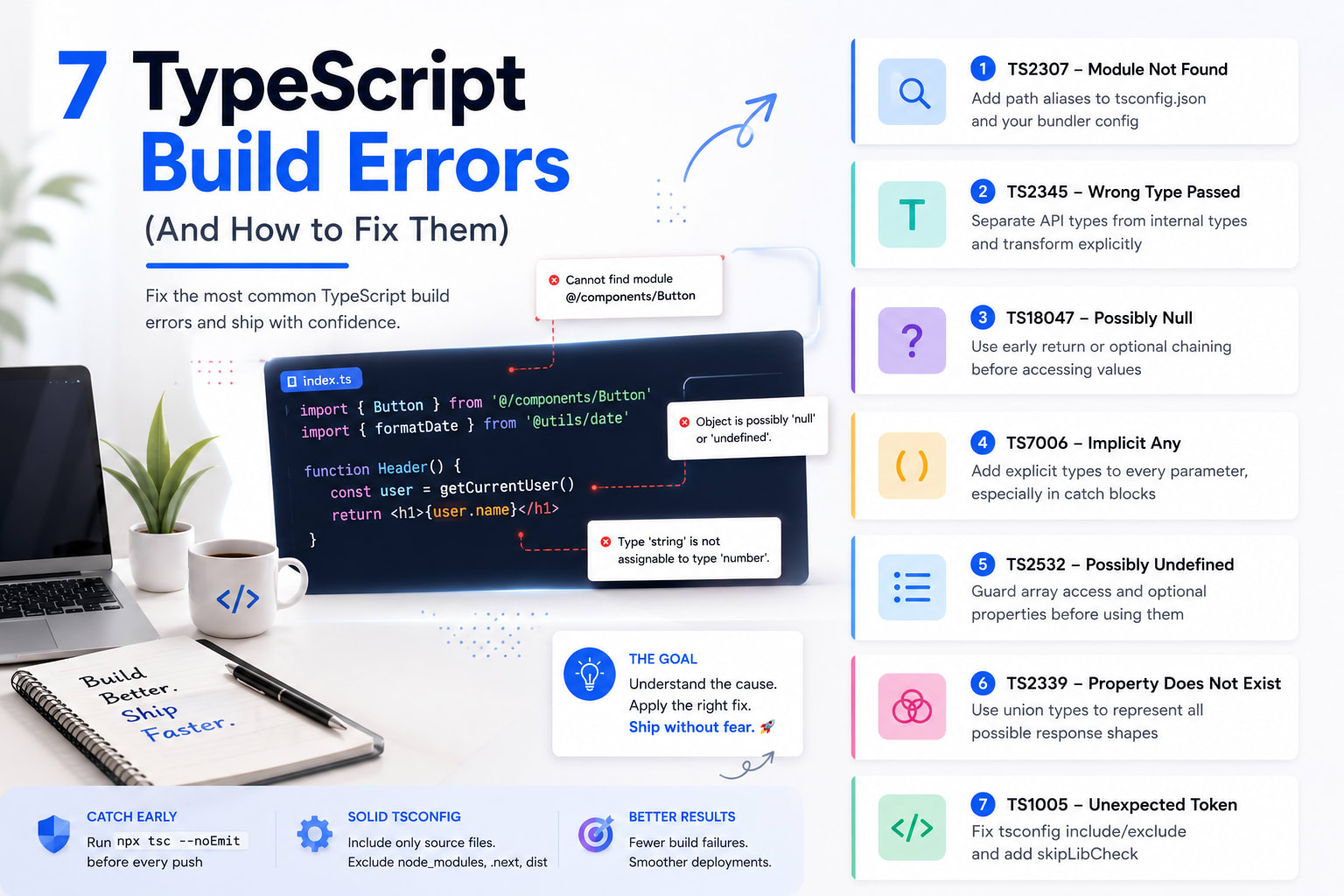
The seven typescript build errors that kill deployments most often:
TS2307 - add path aliases to tsconfig.json, not just your editor config
TS2345 - separate API response types from internal types, transform explicitly
TS18047 - early return or optional chaining before accessing nullable values
TS7006 - explicit types on every parameter, especially catch blocks
TS2532 - guard array access and optional properties before using them
TS2339 - use union types to represent all possible response shapes
TS1005 - fix tsconfig include and exclude, add skipLibCheck
TypeScript's job is to find these problems before your users do. The build errors are not TypeScript being difficult. They are TypeScript doing exactly what you set it up to do.
FAQs
Why do TypeScript build errors appear only in CI and not locally? Your local editor uses incremental type checking that only checks recently changed files. The build runs a complete TypeScript compilation from scratch with all strict mode checks enabled. Some errors also get suppressed by editor plugins that are not installed in your CI environment. Running npx tsc --noEmit locally before pushing catches the same errors the build would find.
How do I fix TypeScript error TS2345 argument not assignable? The types do not match somewhere - usually a property that is string in one type and number in another, or a required property that is missing. Create separate interfaces for external data like API responses and internal data, then write an explicit transformation function between them. Never pass raw API responses directly where typed internal objects are expected.
What does TypeScript TS18047 possibly null actually mean? TypeScript has determined that a value might be null or undefined at the point where you are accessing its properties or methods. The fix is an early return that checks for null before any property access. Once TypeScript sees the check, it narrows the type and knows the value cannot be null in the code below it.
Is skipLibCheck true safe to use in tsconfig? Yes for production Next.js projects. It skips type checking of declaration files in node_modules, which prevents errors from poorly typed third-party libraries from blocking your build. It trades a small amount of type safety for library code - code you cannot change anyway - in exchange for avoiding hours of debugging library type errors. Every default Next.js tsconfig includes this setting.
How do I check for TypeScript errors without running the full build? Run npx tsc --noEmit in your project root. The --noEmit flag runs type checking without generating any JavaScript output files. It catches exactly the same TypeScript errors that would fail your build, in a fraction of the time. Add it to your package.json scripts as "typecheck": "tsc --noEmit" and run it before pushing.
Why does TypeScript say property does not exist when I see it in the API response? Your TypeScript type definition does not include that property. Update the interface to include it, or use a union type if the response can come back in different shapes. If you are getting data from a third-party API, consider using a library that generates TypeScript types from the API schema, or use a runtime validator like Zod to both validate and type the response at the same time.
What causes TypeScript TS1005 unexpected token errors in build? Usually TypeScript is trying to compile files it should not be touching - generated files in .next, compiled output in dist, or JavaScript files in node_modules. Fix your tsconfig include and exclude arrays to point TypeScript only at your source files. Adding skipLibCheck: true also prevents TypeScript from tripping over declaration files with syntax errors.