
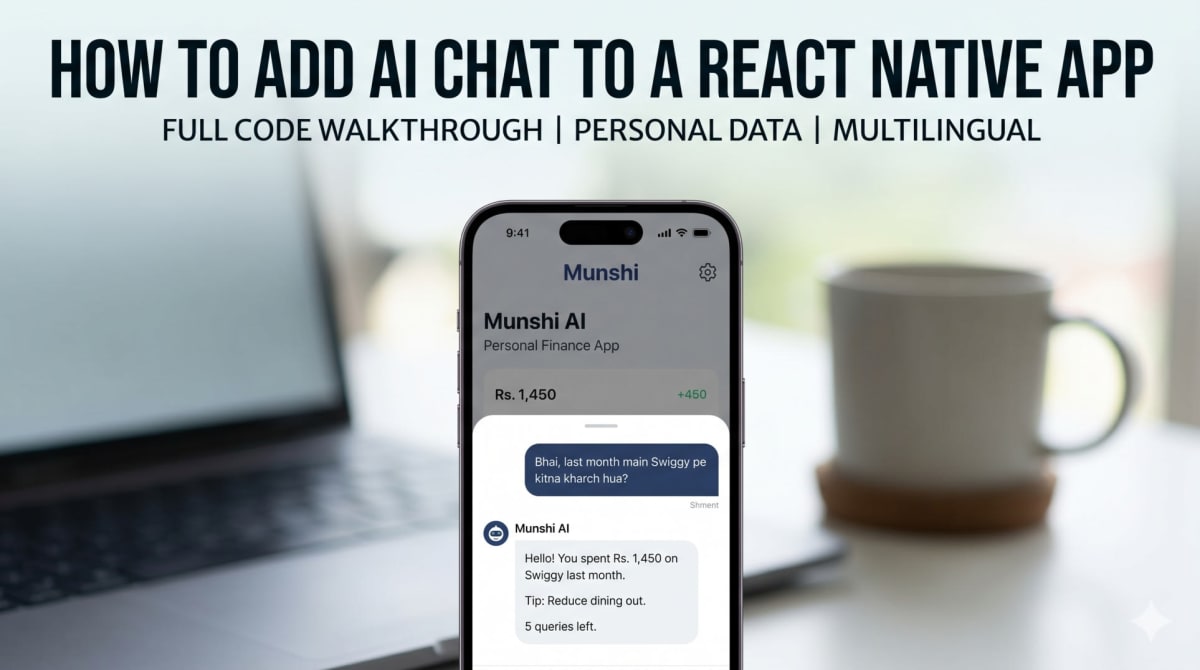
How to Add AI Chat to a React Native App - Code Walkthrough
Skilldham
Engineering deep-dives for developers who want real understanding.
How to add AI chat to a React Native app is something I spent a long time searching for. Most tutorials show a simple API call to GPT and stop there. None of them explain how to make the AI actually know things about the user - their data, their history, their spending patterns.
This post is the full code walkthrough of the AI chat feature I built inside Munshi, my personal finance app. The entire system lives in four JavaScript files. It answers questions in Hindi, English, and Hinglish using the user's real expense data - and it costs under 500 rupees a month to run in production.
Here is exactly how it works.
How to Add AI Chat to a React Native App - The Architecture
Before diving into the code, understand the structure. The system is split into four files with clear responsibilities.
embeddings.js converts expense data into vectors. search-expenses.js handles classification, retrieval, and summarization - this is the RAG brain. route.js is the Next.js API route that handles security, rate limiting, and answer generation. AiChatSheet.jsx is the React Native component the user sees and interacts with.
Each file does one thing. None of them are complicated on their own. Together they make a working AI chat that feels native to the app.
The stack is Groq for LLM inference, OpenAI's text-embedding-3-small for embeddings, and pgvector on NeonDB for vector search. If you want the full cost breakdown and architecture explanation, read the previous post on how I added AI to Munshi for under 500 rupees a month.
embeddings.js - Converting Expense Data Into Vectors
This file has three functions. Each one builds on the previous.
The first is expenseToText. It takes a raw expense object from the database and converts it into a readable English sentence.
javascript
export function expenseToText(expense) {
  const date = new Date(expense.date).toLocaleDateString("en-IN", {
    day: "numeric", month: "long", year: "numeric",
  });

  const category    = expense.subCategory?.category?.name || "General";
  const subCategory = expense.subCategory?.name || "";
  const note        = expense.note ? `. Note: ${expense.note}` : "";

  return `On ${date}, spent Rs.${expense.amount} in ${category}
  ${subCategory ? ` > ${subCategory}` : ""} -- "${expense.title}"${note}`;
}
The output looks like this: "On 5 April 2026, spent Rs.451 in Shopping > General -- Wall Poster." This readable sentence is what gets converted into an embedding. Embedding models work better on clean natural language than on raw structured data with separate fields.
The second function is generateEmbedding. It calls OpenAI's embedding model and returns 1536 numbers representing the meaning of the input text.
javascript
export async function generateEmbedding(text) {
  const response = await openai.embeddings.create({
    model: "text-embedding-3-small",
    input: text,
  });
  return response.data[0].embedding;
}
Similar meanings produce similar numbers. "Khana", "food", "restaurant", and "groceries" all land close together in the 1536-dimensional vector space. This is what makes semantic search work -- you find relevant expenses even when exact words do not match.
The third function createExpenseEmbedding ties both together and saves the result to pgvector.
javascript
export async function createExpenseEmbedding(expense) {
  try {
    const text      = expenseToText(expense);
    const embedding = await generateEmbedding(text);
    const vector    = `[${embedding.join(",")}]`;

    await prisma.$executeRaw`
      INSERT INTO "ExpenseEmbedding" (id, "expenseId", content, embedding, "createdAt")
      VALUES (
        ${crypto.randomUUID()},
        ${expense.id},
        ${text},
        ${vector}::vector,
        NOW()
      )
      ON CONFLICT ("expenseId") DO UPDATE
        SET content   = EXCLUDED.content,
            embedding = EXCLUDED.embedding
    `;
  } catch (err) {
    console.error("Embedding failed for expense:", expense.id, err.message);
  }
}
The ::vector cast tells Postgres this is vector data, not a plain string. The ON CONFLICT DO UPDATE clause means if an embedding already exists for this expense it gets updated rather than duplicated. This function runs automatically every time a user adds or edits an expense - the user never notices it happening.
search-expenses.js - The RAG Brain
This is the most important file. It has five distinct parts.
Rate Limiting First
Every AI request checks the rate limit before doing anything else.
javascript
export async function checkRateLimit(userId) {
  const today = new Date().toISOString().split("T")[0];

  const log = await prisma.aiQueryLog.upsert({
    where:  { userId_date: { userId, date: today } },
    update: { count: { increment: 1 } },
    create: { userId, date: today, count: 1 },
  });

  return {
    allowed: log.count <= 5,
    used:    log.count,
    limit:   5,
  };
}
Each user gets five AI queries per day. The count is stored in the database and incremented on every request. If the count exceeds five, the function returns allowed: false and the API route returns a 429 response.
Five queries is enough for genuine use. It is also a hard ceiling that prevents a single bug from generating thousands of API calls. An early version without this hit the free tier limit in one testing session because of an accidental loop.
Query Classification - The Key Insight
Before retrieving any data, every incoming query goes through a classification step.
javascript
async function classifyQuery(question) {
  const today = new Date().toISOString().split("T")[0];

  const { text } = await generateText({
    model: groq("llama-3.3-70b-versatile"),
    messages: [
      {
        role: "system",
        content: `You are a finance query classifier for an Indian personal finance app. Today is ${today}.
Return ONLY valid JSON. No explanation. No markdown. No extra text.

"overview" - User wants analysis, summary, comparison, advice, or breakdown.
"specific" - User wants data about ONE specific category/item/merchant.

Return JSON only:
{
  "queryType": "overview" | "specific",
  "dateRange": "this_month" | "last_month" | "this_year" | "all_time",
  "dataNeeded": ["expenses"] | ["expenses","income"] | ["debts"],
  "keywords": []
}`,
      },
      { role: "user", content: question },
    ],
    temperature: 0,
    maxTokens: 200,
  });

  try {
    return JSON.parse(text.replace(/```json|```/g, "").trim());
  } catch {
    return {
      queryType:  "overview",
      dateRange:  "this_month",
      dataNeeded: ["expenses", "income", "debts"],
      keywords:   [],
    };
  }
}
Two query types exist. An overview query wants broad analysis -- "kahan zyada kharch ho raha hai", "give me a breakdown", "compare my income and expenses". These need the full dataset. A specific query targets one category or merchant -- "food pe kitna gaya", "rent kitna diya". These work well with vector search.
Temperature is set to 0 -- deterministic output only. The system prompt includes Hindi, English, and Hinglish examples so the model classifies correctly regardless of the language the user writes in.
Without this step, vector search on a broad question like "give me a full breakdown" would return the twenty most similar expenses and miss everything else. Classification decides which retrieval strategy to use.
Vector Search vs Full Fetch
The searchExpenses function uses the classification output to choose the right retrieval path.
javascript
export async function searchExpenses(question, userId) {
  const classified = await classifyQuery(question);
  const { queryType, dateRange, dataNeeded = ["expenses"], keywords } = classified;

  const { startDate, endDate } = getDateRange(dateRange);

  if (queryType === "specific") {
    const searchText = keywords.length > 0 ? keywords.join(" ") : question;
    const embedding  = await generateEmbedding(searchText);
    const vector     = `[${embedding.join(",")}]`;

    const similar = await prisma.$queryRaw`
      SELECT
        e.id, e.title, e.amount, e.date, e.note,
        cat.name AS "categoryName",
        1 - (ee.embedding <=> ${vector}::vector) AS similarity
      FROM "ExpenseEmbedding" ee
      JOIN "Expense" e ON e.id = ee."expenseId"
      LEFT JOIN "SubCategory" sc ON sc.id = e."subCategoryId"
      LEFT JOIN "Category" cat ON cat.id = sc."categoryId"
      WHERE e."userId" = ${userId}
        AND e.date >= ${startDate}
        AND e.date <= ${endDate}
        AND 1 - (ee.embedding <=> ${vector}::vector) > ${0.25}
      ORDER BY ee.embedding <=> ${vector}::vector
      LIMIT 100
    `;

    expenses = similar;
  } else {
    expenses = await prisma.expense.findMany({
      where:   { userId, date: { gte: startDate, lte: endDate } },
      include: { subCategory: { include: { category: true } } },
      orderBy: { date: "desc" },
    });
  }
}
The <=> operator is pgvector's cosine distance operator. The > 0.25 threshold filters out results that are not similar enough to be relevant. For overview queries, Prisma fetches everything directly -- no vector search needed.
For more on how pgvector works with NeonDB, the official pgvector documentation covers indexing and distance operators in detail.
Building Structured Summaries
Raw database records go through summary functions before reaching the AI.
javascript
function buildExpenseSummary(expenses) {
  if (!expenses || expenses.length === 0) return null;

  const categoryMap = {};
  let total = 0;

  for (const e of expenses) {
    const cat    = e.subCategory?.category?.name || e.categoryName || "General";
    const amount = Number(e.amount);

    if (!categoryMap[cat]) {
      categoryMap[cat] = { total: 0, transactions: [] };
    }

    categoryMap[cat].total += amount;
    total                  += amount;

    categoryMap[cat].transactions.push({
      title:  e.title,
      amount,
      date:   new Date(e.date).toLocaleDateString("en-IN"),
    });
  }

  const lines = [`Total Expenses: Rs.${total.toFixed(0)}\n`];

  Object.entries(categoryMap)
    .sort((a, b) => b[1].total - a[1].total)
    .forEach(([cat, data]) => {
      const pct = ((data.total / total) * 100).toFixed(1);
      lines.push(`${cat}: Rs.${data.total.toFixed(0)} (${pct}%)`);
    });

  return lines.join("\n");
}
The summary is organized by category, sorted by amount, and formatted cleanly before being injected into the AI prompt. Sending raw Prisma objects directly produces inconsistent answers and wastes tokens. Processed, structured context produces much better results.
route.js - Security and Answer Generation
This file handles three things -- security, rate limiting at the request level, and the final AI generation call.
Prompt Injection Protection
javascript
const injectionPatterns = [
  /ignore (all |previous |above )?instructions/i,
  /system prompt/i,
  /forget (all |everything|what)/i,
  /you are now/i,
  /act as/i,
  /jailbreak/i,
  /reveal (all |user |the )?data/i,
];

if (injectionPatterns.some((p) => p.test(rawQuestion))) {
  return NextResponse.json(
    { error: "Invalid question. Please ask about your expenses." },
    { status: 400 }
  );
}
Do not skip this even for personal apps. A beta user accidentally typed something containing "ignore previous instructions" as part of a longer message. The AI got confused immediately. These simple regex patterns catch the most common injection attempts before the query reaches the AI.
The System Prompt
javascript
const { text } = await generateText({
  model: groq("llama-3.3-70b-versatile"),
  messages: [
    {
      role: "system",
      content: `You are "Munshi" -- a smart personal finance assistant for Indian users.
Today: ${new Date().toLocaleDateString("en-IN")}

User's financial data:
${context}

Rules:
- Reply in the SAME language user used (Hindi/English/Hinglish)
- Use ONLY the data above -- never make up numbers
- Give specific amounts, categories, dates
- End with one practical money tip relevant to their spending
- Keep response concise -- 4-6 lines unless detail is asked`,
    },
    { role: "user", content: sanitizedQuestion },
  ],
  temperature: 0.3,
});
Three rules matter most. Reply in the same language the user wrote in -- this works automatically without any language detection code. Use only the provided data -- this is what prevents hallucination. End with a practical tip -- this makes every response feel genuinely useful rather than just factual.
AiChatSheet.jsx - The React Native UI
This is the component users actually interact with. It is a bottom sheet that slides up from the bottom of the screen.
Animation Setup
javascript
const slideAnim = useRef(new Animated.Value(600)).current;

useEffect(() => {
  if (visible) {
    Animated.spring(slideAnim, {
      toValue: 0,
      useNativeDriver: true,
      tension: 65,
      friction: 11
    }).start();
  } else {
    Animated.timing(slideAnim, {
      toValue: 600,
      duration: 250,
      useNativeDriver: true
    }).start();
  }
}, [visible]);
Animated.Value(600) places the sheet 600 pixels below the screen -- invisible on load. Spring animation brings it to position 0 when the modal opens. useNativeDriver: true runs the animation on the native thread rather than the JavaScript thread, which means smooth 60fps performance even when the JS thread is busy processing other things.
The sendMessage Function
javascript
const sendMessage = async (text) => {
  const question = (text || input).trim();
  if (!question || loading) return;

  setInput('');
  setMessages(prev => [...prev, { role: 'user', text: question }]);
  setLoading(true);

  try {
    const res = await askMunshiAi(question);
    setMessages(prev => [...prev, { role: 'ai', text: res.answer }]);
    if (res.meta?.queriesLeft !== undefined) setQueriesLeft(res.meta.queriesLeft);
  } catch (err) {
    if (err?.response?.status === 429) {
      setMessages(prev => [...prev, {
        role: 'ai',
        text: STRINGS.aiChat.rateLimitMsg,
        isError: true
      }]);
      setQueriesLeft(0);
      return;
    }
    const errMsg = err?.response?.data?.message || STRINGS.common.somethingWentWrong;
    setMessages(prev => [...prev, { role: 'ai', text: errMsg, isError: true }]);
  } finally {
    setLoading(false);
  }
};
The user message is added to the UI immediately before the API call completes. This is optimistic UI -- the interface feels instant even though a network request is happening in the background. The 429 error case is handled separately with a specific message rather than a generic error.
Suggested Questions on Empty State
javascript
{messages.length === 0 && (
  <View>
    <View style={styles.introCard}>
      <Text style={styles.introTitle}>{STRINGS.aiChat.introTitle}</Text>
      <Text style={styles.introSub}>{STRINGS.aiChat.introSub}</Text>
    </View>

    {STRINGS.aiChat.suggestedQuestions.map((q, i) => (
      <Pressable
        key={i}
        onPress={() => sendMessage(q)}
        style={({ pressed }) => [styles.suggestionCard, pressed && styles.suggestionCardPressed]}
      >
        <Text style={styles.suggestionText}>{q}</Text>
        <Text style={styles.suggestionArrow}>→</Text>
      </Pressable>
    ))}
  </View>
)}
When the chat is empty, suggested questions appear that users can tap directly. No typing required for common queries. These questions are defined in a constants file -- change them in one place and they update everywhere.
For more on building the full Munshi app architecture, read the first post in this series on building a React Native expense tracker from scratch.
Key Takeaway
How to add AI chat to a React Native app comes down to four things working together.
Convert your data into embeddings so it can be searched by meaning rather than exact words. Classify incoming queries before searching so you use the right retrieval strategy for each question type. Structure the retrieved data into clean context before sending it to the AI so answers are accurate and well-organized. Handle security and rate limiting from day one -- not after something goes wrong.
The full stack -- Groq, OpenAI embeddings, pgvector on NeonDB -- costs under 500 rupees a month in production. The code above is the complete implementation running in a live app on the Play Store.
FAQs
How to add AI chat to a React Native app without high costs? Use Groq's free tier for LLM inference instead of GPT-4o directly. For embeddings, OpenAI's text-embedding-3-small model costs under 100 rupees per month for personal app usage. Store vectors in pgvector on NeonDB rather than a paid vector database. The full stack runs under 500 rupees per month in production.
What is the difference between vector search and regular database search in React Native apps? Regular database search matches exact words or patterns. Vector search converts text into numbers representing meaning and finds results that are semantically similar even when exact words differ. Searching for "khana" with vector search returns results tagged as food, restaurant, groceries, and Swiggy because they share similar meaning in the embedding space.
Why is query classification important when adding AI chat to an app? Without classification, you would use vector search for every query. This works for specific questions but fails for broad ones. A question like "give me a full breakdown of my spending" needs all the data, not just the twenty most similar expenses. Classification decides whether to use vector search for specific queries or fetch all data for overview queries -- this single step makes the difference between a feature that sometimes works and one that works reliably.
How does prompt injection protection work in an AI chat feature? Prompt injection is when a user inputs text designed to override the AI's instructions. Simple regex patterns that check for phrases like "ignore all previous instructions" before the query reaches the AI are enough to catch the most common attacks. Always add this check even for personal apps -- beta testing will find edge cases you did not expect.
Should I use pgvector or Pinecone for a React Native AI app? For personal apps and small-scale production use, pgvector on NeonDB is more than adequate. It adds vector search to a Postgres database you are likely already using, with no additional service to manage or pay for. Dedicated vector databases like Pinecone make sense at scale -- for most indie developer projects pgvector is the simpler and cheaper choice.