
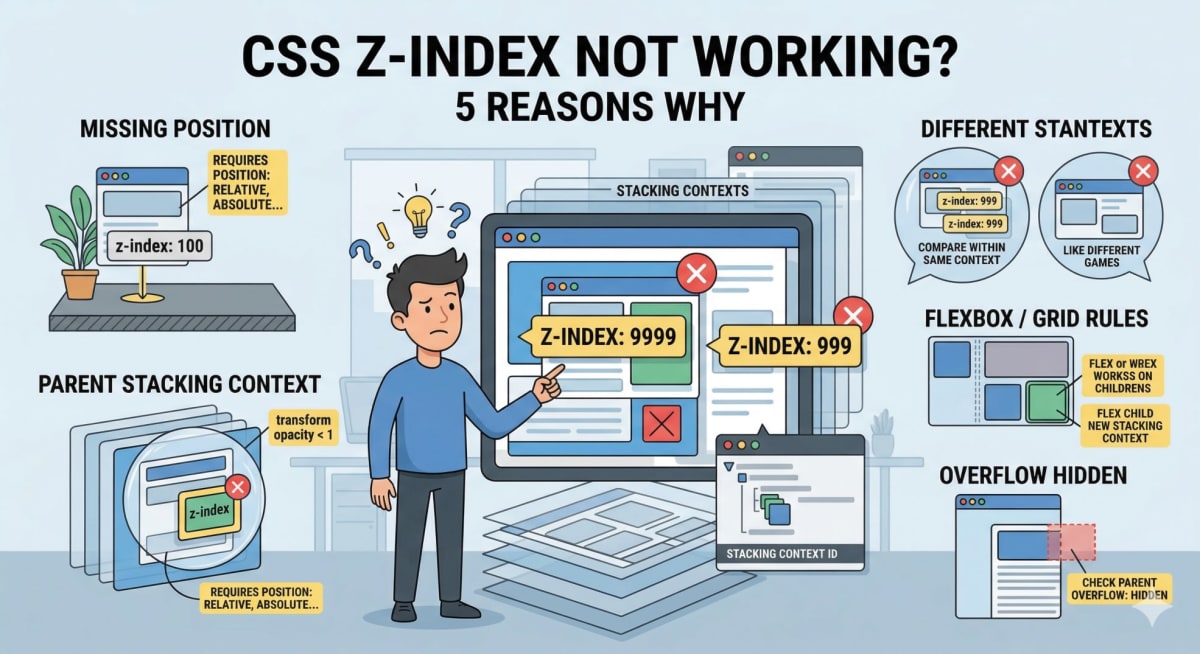
CSS Z-Index Not Working? 5 Reasons Why
Skilldham
Engineering deep-dives for developers who want real understanding.
You set z-index: 999 on an element. You refresh the page. It is still hiding behind something it should be on top of. You try z-index: 9999. Still broken. You google it, find a Stack Overflow answer, paste the code, and nothing changes.
This is one of those CSS problems that feels personal. Like the browser is specifically ignoring you.
The truth is that CSS z-index not working almost never means your number is wrong. It means something structural about your layout is preventing z-index from behaving the way you expect. Once you understand the actual rules, the fix is usually one or two lines.
Here are the five reasons z-index stops working, and exactly how to fix each one.
Z-Index Does Nothing Without a Position Property
This is the most common reason CSS z-index is not working, and it catches nearly every developer at least once.
Z-index only works on elements that have a position value other than static. Static is the default for every HTML element - so if you have not explicitly set position, your z-index is being silently ignored by the browser.
css
/* Wrong - z-index does nothing here */
.card {
  z-index: 10;
}

/* Correct - position is required */
.card {
  position: relative;
  z-index: 10;
}
The position values that activate z-index are relative, absolute, fixed, and sticky. Any of these will work. Most of the time position: relative is the right choice because it does not pull the element out of normal document flow - it just establishes a positioning context.
If you add position: relative and your z-index still does not work, keep reading - there is another rule that may be overriding it.
A Parent Element Is Creating a New Stacking Context
This is the rule that trips up even experienced developers. It is called the stacking context, and understanding it is the real key to fixing CSS z-index problems.
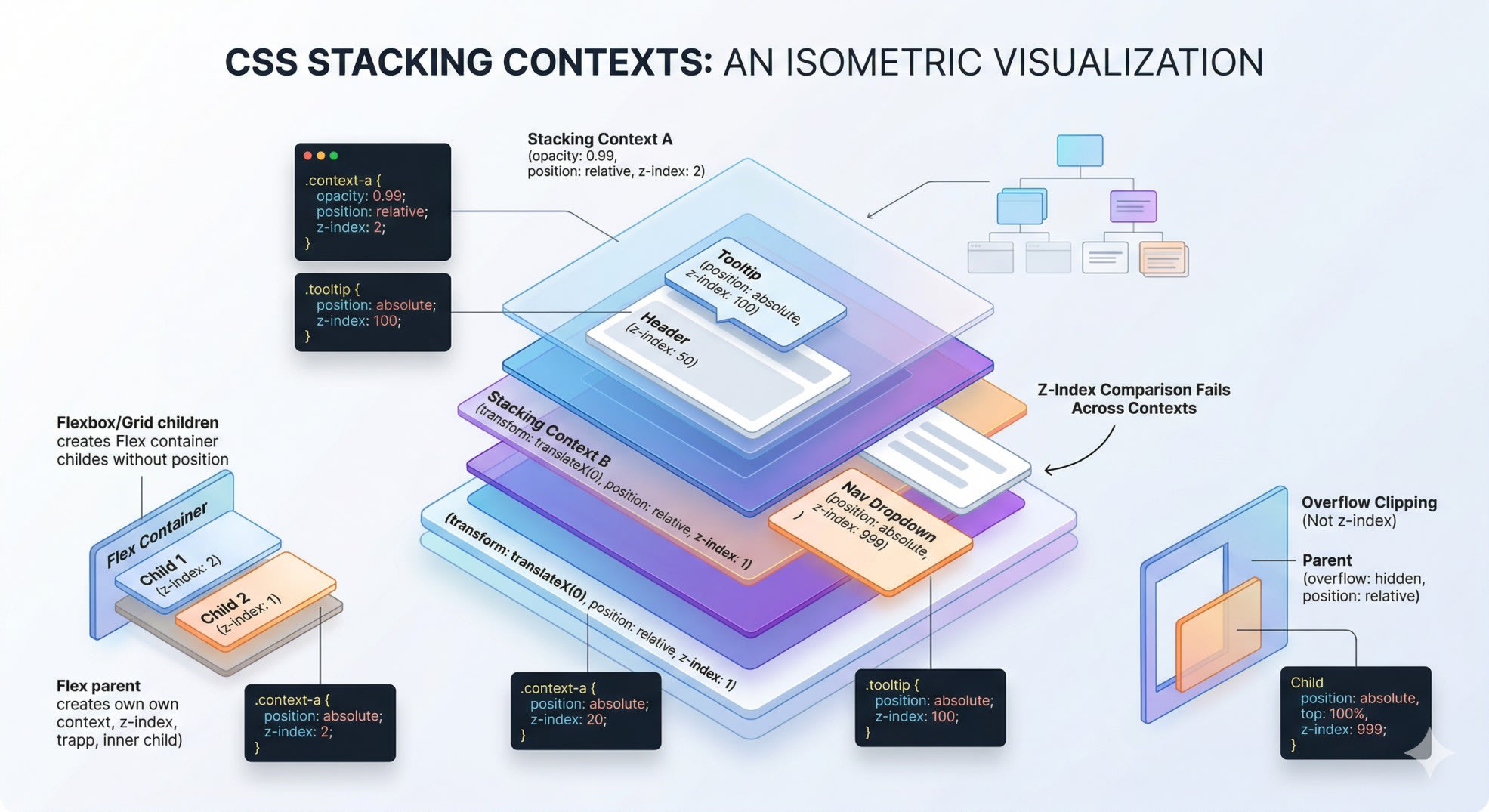
A stacking context is an isolated layer in the page. Elements inside a stacking context are stacked relative to each other, but the entire context is stacked as a single unit against the rest of the page. No matter how high you set z-index on a child element, it cannot escape its parent stacking context.
Here is what creates a new stacking context:
css
/* Any of these on a parent element creates a new stacking context */

.parent {
  position: relative;
  z-index: 1; /* z-index + position = new stacking context */
}

.parent {
  opacity: 0.99; /* opacity less than 1 = new stacking context */
}

.parent {
  transform: translateX(0); /* any transform = new stacking context */
}

.parent {
  filter: blur(0); /* any filter = new stacking context */
}

.parent {
  isolation: isolate; /* explicit stacking context */
}
The classic version of this problem looks like this:
css
/* Parent has a stacking context */
.modal-wrapper {
  position: relative;
  z-index: 1;
}

/* Child can never go above elements outside .modal-wrapper */
.modal {
  position: relative;
  z-index: 9999; /* this 9999 is relative to .modal-wrapper only */
}

/* This element is outside .modal-wrapper and has z-index: 2 */
/* Your modal will always be behind it, no matter what */
.overlay {
  position: relative;
  z-index: 2;
}
The fix is usually to move your element higher in the DOM so it is not trapped inside a stacking context parent, or to remove the property creating the stacking context from the parent.
To debug this in Chrome: right-click the element → Inspect → look at the Layers panel or check parent elements for transform, opacity, filter, or position + z-index combinations.
For more on how CSS positioning and layout interact, our guide on CSS not working? 7 reasons your styles are not applying covers the broader set of CSS problems that come from similar root causes.
You Are Comparing Z-Index Values Across Different Stacking Contexts
This is closely related to the stacking context issue but deserves its own section because it creates a specific type of confusion - your z-index numbers look like they should work, but the comparison is meaningless.
Z-index values only compete within the same stacking context. Comparing a z-index: 10 inside one stacking context to a z-index: 2 in a different stacking context is like comparing scores from two different games. The numbers do not interact.
html
<!-- This is a common broken setup -->
<div class="wrapper-a" style="position: relative; z-index: 1;">
  <div class="tooltip" style="position: absolute; z-index: 100;">
    <!-- This tooltip is stuck inside wrapper-a's stacking context -->
    <!-- z-index: 100 is only relative to other children of wrapper-a -->
  </div>
</div>

<div class="wrapper-b" style="position: relative; z-index: 2;">
  <!-- wrapper-b has z-index: 2 which is higher than wrapper-a's z-index: 1 -->
  <!-- So everything in wrapper-b will appear above the tooltip -->
  <!-- even though the tooltip has z-index: 100 -->
</div>
The fix here is to look at the stacking context level, not the element level. The z-index that matters is the one on the stacking context containers themselves - wrapper-a vs wrapper-b - not the z-index on the children inside them.
Flexbox and Grid Children Have Their Own Stacking Rules
This one surprises people who have not encountered it before. Flex children and grid children create their own stacking order even without explicit position or z-index values.
Inside a flex or grid container, children are painted in order by their order property and their z-index - even if they do not have a position set. This is different from normal flow where z-index requires position.
css
/* Inside a flex container, z-index works without position */
.flex-container {
  display: flex;
}

/* This works - no position needed inside flex */
.flex-child-on-top {
  z-index: 2;
}

.flex-child-below {
  z-index: 1;
}
But here is where it creates problems - flex children also form their own stacking contexts when you give them a z-index, which means their children have the same stacking context trapping problem described earlier.
css
/* Wrong - dropdown is trapped inside .nav-item's stacking context */
.nav-item {
  display: flex;
  z-index: 1; /* This creates a stacking context on the flex child */
}

.dropdown {
  position: absolute;
  z-index: 999; /* Meaningless - can't escape .nav-item */
}

/* Fix - don't set z-index on .nav-item if you need children to escape */
.nav-item {
  display: flex;
  position: relative; /* position without z-index = no new stacking context */
}

.dropdown {
  position: absolute;
  z-index: 999; /* Now competes at the right level */
}
If you have run into similar layout issues with Tailwind specifically, our guide on Tailwind CSS not working in Next.js covers the configuration problems that cause unexpected styling behavior.
The Element Is Clipped by Overflow Hidden on a Parent
This one does not technically involve z-index at all, but it is so commonly confused with a z-index problem that it belongs here.
When a parent has overflow: hidden, any absolutely positioned child that moves outside the parent's boundaries gets clipped - it simply does not render outside the box. This looks exactly like a z-index problem because the element appears to be hidden behind something.
css
/* Wrong - dropdown gets clipped */
.nav-item {
  position: relative;
  overflow: hidden; /* This is the culprit */
}

.dropdown {
  position: absolute;
  top: 100%;
  left: 0;
  z-index: 100;
  /* The dropdown renders below .nav-item but gets clipped */
  /* Looks like a z-index problem but is actually overflow */
}
css
/* Fix - remove overflow hidden from the parent */
.nav-item {
  position: relative;
  /* overflow: hidden removed */
}

.dropdown {
  position: absolute;
  top: 100%;
  left: 0;
  z-index: 100;
  /* Now renders correctly */
}
The diagnostic question is: does the element appear at all, just in the wrong stacking order? That is a z-index problem. Does the element get cut off at a boundary? That is overflow hidden.
To check: temporarily add overflow: visible to every ancestor of your element. If it suddenly appears, you found the culprit.
The MDN documentation on z-index and the stacking context reference are worth bookmarking - they cover every edge case with clear diagrams.
Key Takeaway
When CSS z-index is not working, go through these five checks in order:
Does the element have position: relative, absolute, fixed, or sticky? Without this, z-index is completely ignored.
Is a parent element creating a stacking context through transform, opacity, filter, or position + z-index? If so, your element is trapped and cannot escape it.
Are you comparing z-index values across different stacking contexts? Those numbers do not interact - fix the z-index at the container level instead.
Is the element inside a flex or grid container? Z-index behaves differently there and flex children with z-index create their own stacking contexts.
Is the element being clipped by overflow: hidden on a parent? That looks like a z-index problem but the fix is removing overflow, not changing the z-index value.
Z-index gets confusing because the browser is not just sorting elements by number. It is sorting stacking contexts, and each context is self-contained. Once that model clicks, CSS z-index stops feeling random and starts feeling logical.
FAQs
Why is my CSS z-index not working even with a high value like 9999? A high z-index value does not help if the element is trapped inside a stacking context created by a parent. When a parent has transform, opacity less than 1, filter, or position combined with z-index, it creates an isolated layer. Your element's z-index only competes within that layer, not against the rest of the page. Fix the stacking context on the parent, not the z-index value on the child.
Does z-index work without position in CSS? In normal document flow, no. Z-index has no effect on elements with position: static, which is the default for every element. You need to add position: relative, absolute, fixed, or sticky to activate z-index. The one exception is inside flex and grid containers, where z-index works on children even without an explicit position property.
What creates a stacking context in CSS? Several CSS properties create a new stacking context: position combined with any z-index value other than auto, opacity less than 1, any transform value including transform: none, any filter value, isolation: isolate, will-change with certain values, and contain with layout or paint values. Any of these on a parent element will trap its children in a separate stacking layer.
Why does my dropdown menu go behind other elements even with z-index? This is almost always the stacking context problem. The parent of your dropdown - often a nav item or header component - has a property that creates a new stacking context, trapping the dropdown inside it. Check parent elements for transform, opacity, filter, or position + z-index combinations. Remove the one creating the stacking context, or restructure your HTML so the dropdown is not a descendant of the problematic element.
What is the difference between z-index and the order elements appear in HTML? Without any positioning or z-index, elements stack in source order - elements that appear later in the HTML render on top of earlier ones. Z-index overrides this natural stacking order, but only for positioned elements within the same stacking context. If you just need one element to appear above another and they are siblings with no stacking context complications, you can sometimes solve the problem by reordering the HTML instead of fighting with z-index.