
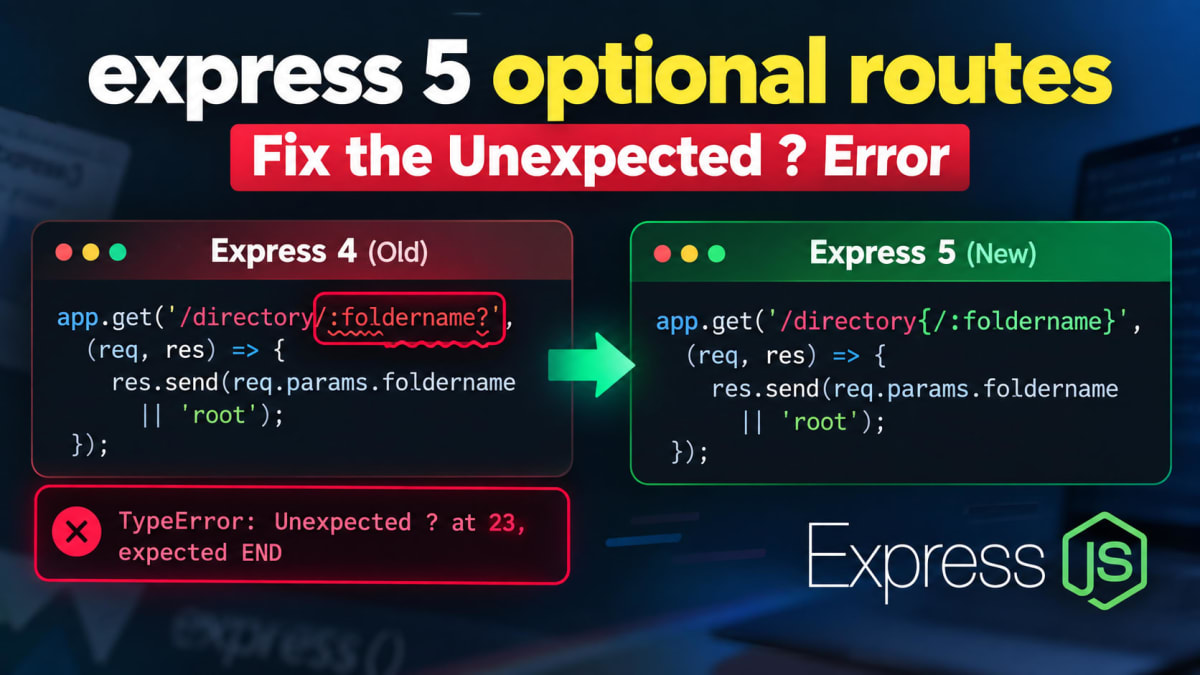
Express 5 optional routes - Fix the Unexpected ? Error
Skilldham
Engineering deep-dives for developers who want real understanding.
Last updated: October 2026
Quick Answer
TL;DR
Express 5 no longer supports ? for optional route parameters. Replace /:foldername? with /directory{/:foldername} when the slash and parameter should both be optional. Express 5 uses a newer path-to-regexp version. This change also affects wildcards, file extensions, and older regex-style routes.
You upgrade Express.
Your app starts.
Then it crashes before the first request.
The error points into path-to-regexp.
You see something like:
TypeError: Unexpected ? at 23, expected ENDThe route looks harmless:
// Wrong: Express 4 style optional parameter
app.get('/directory/:foldername?', (req, res) => {
  res.send(req.params.foldername || 'root');
});
You check the route again.
The syntax looks familiar.
It worked in Express 4.
That is the trap.
Express 5 changed route matching syntax. The ? modifier is no longer supported in string route paths. Express 5 uses path-to-regexp v8 for route matching.
If you only replace the question mark, you can still build the wrong route shape.
The slash position matters too.
This guide fixes the exact error.
It also maps common Express 4 routes to their Express 5 versions.
Why Express 5 Rejects ?
Express 5 changed its path matching rules.
The route parser now follows path-to-regexp v8.
The older ? modifier is not supported in the new string route syntax. Express documents braces as the new way to mark optional segments.
That is why this route fails:
// Wrong: Express 4 optional parameter syntax
app.get('/directory/:foldername?', (req, res) => {
  res.send(req.params.foldername || 'root');
});
The parser sees ? where it expects the route to end.
You may get an error like this:
TypeError: Unexpected ? at 23, expected END: https://git.new/pathToRegexpErrorThe exact index can change with your route.
The important part is Unexpected ?.
This is not a Node.js bug.
It is not an Express middleware bug.
Your route uses Express 4 syntax.
The Express 5 migration guide calls out this change directly. The Express team also explains that the underlying path-to-regexp version changed.
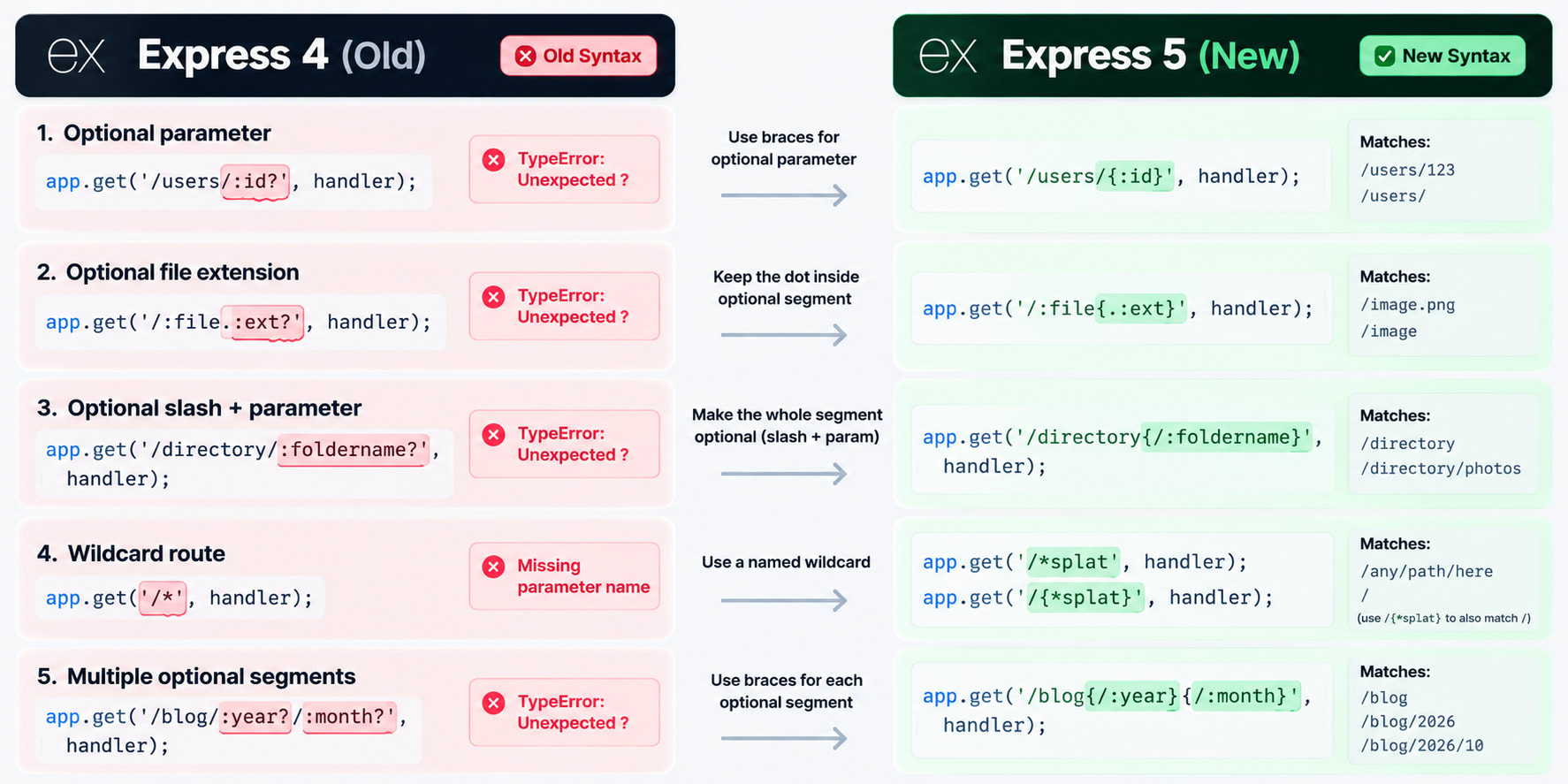
Fix Express 5 Optional Routes
The fix depends on what you want to make optional.
Make the whole segment optional
Suppose you want these URLs:
/directory
/directory/photos
Use this route:
// Correct: slash and parameter are optional together
app.get('/directory{/:foldername}', (req, res) => {
  res.send(req.params.foldername || 'root');
});
The braces wrap the whole optional segment.
That makes /:foldername optional.
The route matches both /directory and /directory/photos.
Express documents the same pattern with /order{/:id}.
This is the most common replacement for an Express 4 route like:
// Wrong: old Express 4 syntax
app.get('/directory/:foldername?', handler);
Make only the parameter optional
There is another useful form:
// Correct: only the parameter is optional
app.get('/user/{:id}', (req, res) => {
  res.send(req.params.id || 'no id');
});
This route behaves differently.
/user/42 matches.
/user/ also matches.
But /user does not match.
The slash stays outside the optional braces.
Express calls out this difference in its routing guide.
The rule is simple:
/user/{:id}      -> parameter is optional
/user{/:id}      -> slash and parameter are optional
Most Express 4 migrations need the second form.
Express 4 vs Express 5 Route Syntax
The fastest way to avoid this error is to treat it as a syntax migration.
Several old route patterns changed together.
Optional parameters
This is the pattern behind the Unexpected ? error.
// Wrong: Express 4 syntax
app.get('/:file.:ext?', handler);

// Correct: Express 5 syntax
app.get('/:file{.:ext}', handler);
Now /image.png gives you both parameters.
/image gives you only file.
Express 5 omits a missing optional parameter from req.params.
That differs from older Express behavior.
Optional slash and parameter
This pattern is common in nested routes.
// Wrong: Express 4 syntax
app.get('/blog/:slug?', handler);

// Correct: Express 5 syntax
app.get('/blog{/:slug}', handler);
The new route matches:
/blog
/blog/hello-express
The slash belongs inside the optional group.
That is the part quick fixes often miss.
Wildcard routes
Express 5 also changed unnamed wildcards.
// Wrong: Express 4 wildcard
app.get('/*', handler);

// Correct: Express 5 wildcard
app.get('/*splat', handler);
If you also need the root / path, use:
app.get('/{*splat}', handler);Express 5 requires wildcard names.
Wildcard values are also returned as arrays of path segments.
If your existing app throws Missing parameter name, see the Express 5 Missing Parameter Name guide for that separate migration problem.
Regex-style route patterns
Some Express 4 routes used regex characters inside string paths.
Those patterns also need migration.
app.get('/[discussion|page]/:slug', handler);

app.get(['/discussion/:slug', '/page/:slug'], handler);
Express 5 no longer supports regex characters inside string route paths.
The migration guide recommends explicit paths or a real regular expression.
Why Replacing ? Is Not Enough
A common fix is simple.
Search for ?.
Replace it with braces.
That can still create the wrong route.
Look at these two routes:
app.get('/user/{:id}', handler);

app.get('/user{/:id}', handler);
They are not equivalent.
The first route keeps the slash outside the optional part.
The second route makes the entire /:id segment optional.
That changes which URLs match.
This is why route migration needs URL tests.
Do not stop after the application starts.
Test the URLs your Express 4 app supported.
Test the root path.
Test the path with the parameter.
Test file extensions if your route uses them.
Then inspect req.params:
app.get('/order{/:id}', (req, res) => {
  console.log(req.params);
  res.json(req.params);
});
For /order, the id parameter is omitted.
For /order/42, req.params.id is "42".
Express 5 documents this behavior directly.
Common Express 5 Migration Mistakes
The Unexpected ? error is only one migration clue.
Existing applications often contain several old route patterns.
Keeping the old ?
This is the direct cause.
router.get('/users/:id?', handler);Use braces instead:
router.get('/users{/:id}', handler);Do not escape the question mark.
Do not add a backslash.
The route grammar changed.
Putting the slash outside the braces
This is another common mistake.
router.get('/users/{:id}', handler);If you need both URLs, use:
router.get('/users{/:id}', handler);The braces define the optional segment.
Using an unnamed wildcard
This causes a different Express 5 migration error.
app.use('/*', handler);Use a named wildcard:
app.use('/*splat', handler);Use /{*splat} when / must also match.
If you see Missing parameter name, use the dedicated Express 5 wildcard fix.
Assuming req.params is unchanged
Optional parameters that do not match are omitted in Express 5.
That differs from older behavior.
app.get('/file{.:ext}', (req, res) => {
  console.log(req.params);
  res.json(req.params);
});
For /file, ext is absent.
Do not assume the key always exists.
The Express 5 API docs confirm this behavior.
When Should You Use a Regular Expression?
You do not need a regular expression for normal optional parameters.
Use braces for normal Express 5 optional segments.
app.get('/products{/:id}', handler);A regular expression makes sense for more complex matching rules.
For example:
app.use(/^\/file\/(.*)$/, (req, res) => {
  res.send(req.params[0]);
});
Express still supports regular expression route paths.
The change is about regex syntax inside string routes.
Express 5 rejects that old pattern.
It still accepts a regular expression as the route path.
So do not convert every route to regex.
Use the simplest route syntax that describes the URL.
Express 4 to 5 Migration Checklist
If you upgraded an existing application, search your route files.
Look for these patterns:
:param?
*
/*
[...]
(...)
Then check each match.
Here is the migration map:
Express 4 patternExpress 5 pattern/:name?/{:name}/:file.:ext?/:file{.:ext}/*/*splat/* including //{*splat}`/[discussionpage]/`['/discussion/:slug', '/page/:slug']
Do not blindly replace text.
Each route has a URL contract.
Test the old URLs after the migration.
Also test the URLs that should return 404.
This catches routes that start cleanly but now match too much or too little.
If your Express upgrade is part of a larger Node.js migration, check the other dependency changes separately. A Node 24 native module build failure is a different problem with a different fix.
What Changed in path-to-regexp?
This is the part many migration guides skip.
Express 5 uses path-to-regexp v8 for route matching.
The newer parser changed the grammar for string route paths.
That is why the error points to a file like:
node_modules/path-to-regexp/dist/index.jsIt does not mean path-to-regexp is broken.
The parser is rejecting an unsupported route pattern.
An Express maintainer discussion confirms the breaking change.
It also calls out ? as an operator that no longer exists.
Once you understand that, the error becomes easier to debug.
You are not debugging the controller.
You are debugging the route string.
For the official migration details, see Express 5's migration guide.
Key Takeaways
express 5 optional routes use braces instead of the old ? modifier.
Replace /:id? with /{:id} when only the parameter is optional.
Use /x{/:id} when the slash and parameter should both be optional.
Replace unnamed wildcards with names such as splat.
Use /{*splat} when a wildcard must also match /.
Express 5 uses path-to-regexp v8 for string route matching.
Missing optional parameters are omitted from req.params.
Test every old URL after an Express 4 to Express 5 migration.
FAQ
Why does Express 5 throw Unexpected ??
Express 5 no longer supports the old ? modifier in string route paths. The new route parser uses a different syntax. Optional segments now use braces.
What replaces :id? in Express 5?
Use {:id} when the parameter is optional. Use {/:id} when the slash and parameter should be optional together.
What replaces /:file.:ext??
Use /:file{.:ext}. This keeps the dot and extension inside the optional segment.
Does Express 5 still support wildcard routes?
Yes. Wildcards must have names. Use /*splat for a named wildcard. Use /{*splat} when the root path must also match.
Why does /{:id} differ from /user{/:id}?
The first form makes the parameter optional. The slash remains outside the braces. The second form makes the slash and parameter optional together.
Can I escape the ? instead?
No. The issue is not an escaping problem. The route grammar changed in Express 5. Rewrite the optional segment with braces.
Does Express 5 change req.params?
Yes. Missing optional parameters are omitted from req.params. Wildcard parameters are returned as arrays of path segments.
Should I downgrade to Express 4?
Usually no. If your application is moving to Express 5, migrate the route patterns. Downgrading only delays the migration work.
Conclusion
The Unexpected ? error is not random.
Express 5 changed the route grammar.
The old Express 4 :param? syntax is no longer valid.
The fix is simple once you know the rule.
Use braces for optional segments.
Keep the slash inside the braces when the slash should also be optional.
This change affects optional parameters, file extensions, wildcards, and older regex-style routes.
If you are migrating a larger JavaScript stack, use the same debugging process.
Match the error to the version change first.
Then test the smallest route that reproduces it.
For more practical React, Next.js, TypeScript, Prisma, Node.js, and backend debugging guides, explore SkillDham.