
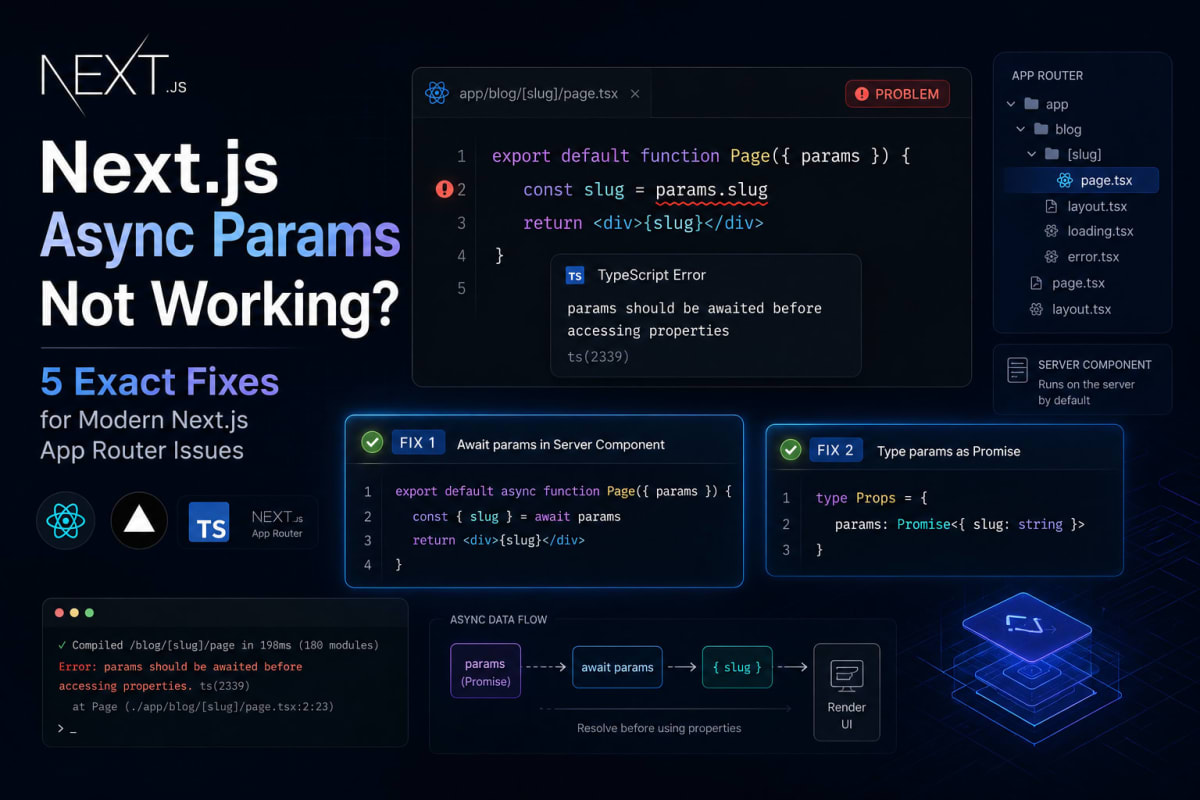
Next.js Async Params Not Working? 5 Exact Fixes
Skilldham
Engineering deep-dives for developers who want real understanding.
Last updated: July 2026
TL;DR - Quick Fix
nextjs async params not working after upgrading to Next.js 15? params and searchParams are now Promises.
Fix in every case:
typescript
// Wrong: Next.js 14 style
export default function Page({ params }: { params: { slug: string } }) {
  return <div>{params.slug}</div>;
}

// Correct: Next.js 15 style
export default async function Page({
  params
}: {
  params: Promise<{ slug: string }>
}) {
  const { slug } = await params;
  return <div>{slug}</div>;
}
Same rule applies to:
generateMetadata — await params before data fetch
searchParams — also a Promise now
Client Components — use useSearchParams() hook instead
Tested on: Next.js 15 - Next.js 16 - App Router - Vercel
Quick Answer
In Next.js 15, params and searchParams in page components are no longer plain objects - they are Promises. You must await them before accessing any property. This is a breaking change from Next.js 14. The five most common reasons next.js async params not working are: destructuring params directly in the function signature, forgetting to await in generateMetadata, using searchParams synchronously in Client Components, missing the async keyword on the page function, and reading params inside nested components without passing them down.
You upgrade to Next.js 15. Your dynamic routes stop working.
The page either throws a runtime error, renders with undefined, or silently returns an empty object. You check your [slug] folder. The file is there. The route exists. But params.slug is just... undefined.
You copy your old Next.js 14 code into a fresh v15 project. Same thing.
Then you find a GitHub discussion from someone else hitting the same wall, and buried three replies down, someone says: "params is a Promise now."
That is the whole problem. This is the complete guide to fixing next.js async params not working - every case, every edge case, with wrong code and right code for each.
Why Next.js 15 Made Params a Promise
Before understanding the fix, you need to understand why this changed. The frustration makes more sense once you do.
The Old Behavior Was Technically Broken
In Next.js 14, params was injected into your page component as a synchronous object. This worked in most cases, but it created a problem: Next.js's App Router is built on React's streaming model. Dynamic params sometimes need to be resolved asynchronously as part of that rendering pipeline.
Passing them as a synchronous object meant Next.js had to block streaming in certain edge cases. It was a leaky abstraction that worked until it didn't.
The New Contract in Next.js 15
In Next.js 15, the contract is explicit: params and searchParams are Promises. You await them, then use them. The rendering pipeline no longer needs to do anything special to make them synchronous for you.
typescript
// Wrong: Next.js 14 style - breaks in v15
export default function Page({ params }: { params: { slug: string } }) {
  console.log(params.slug); // undefined or TypeError in v15
  return <div>{params.slug}</div>;
}
typescript
// Correct: Next.js 15 style
export default async function Page({ params }: { params: Promise<{ slug: string }> }) {
  const { slug } = await params;
  return <div>{slug}</div>;
}
The params type changes from { slug: string } to Promise<{ slug: string }>. Missing this in TypeScript projects surfaces as a type error. In JavaScript projects, it silently returns a Promise object - which is why you see [object Promise] on screen or undefined when you access a property.
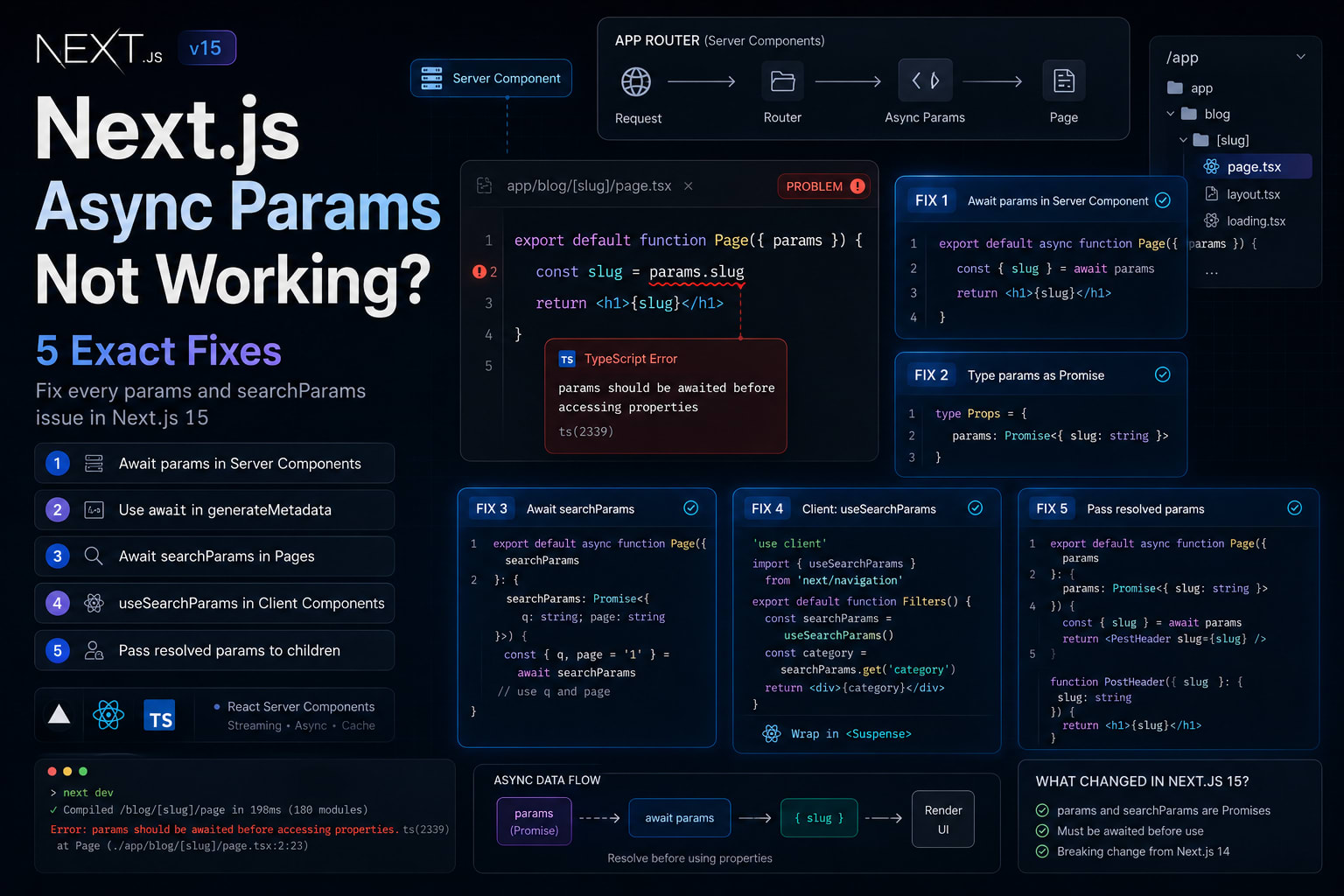
Fix 1 - Awaiting Params in Server Components
This is the most common reason next.js async params not working shows up after a v15 upgrade. You have a [slug] dynamic route and the page is a Server Component.
Why It Breaks Without Await
When you destructure params in the function signature, you are destructuring the Promise object itself - not its resolved value. { slug } pulled from a Promise is always undefined.
typescript
// Wrong: Destructuring the Promise directly
export default async function BlogPost({
  params
}: {
  params: { slug: string }
}) {
  return <article><h1>{params.slug}</h1></article>;
}
typescript
// Correct: Await the Promise, then destructure
export default async function BlogPost({
  params
}: {
  params: Promise<{ slug: string }>
}) {
  const { slug } = await params;
  return <article><h1>{slug}</h1></article>;
}
When You Have Multiple Params
If your route is [category]/[slug], both live in the same Promise. Await once, destructure both.
typescript
// Wrong: Accessing params before awaiting
export default async function Post({
  params
}: {
  params: Promise<{ category: string; slug: string }>
}) {
  const title = `${params.category} - ${params.slug}`; // Breaks
  return <h1>{title}</h1>;
}
typescript
// Correct: One await, then use freely
export default async function Post({
  params
}: {
  params: Promise<{ category: string; slug: string }>
}) {
  const { category, slug } = await params;
  const title = `${category} - ${slug}`;
  return <h1>{title}</h1>;
}
Fix 2 - Async Params in generateMetadata
generateMetadata is where next.js async params not working breaks most silently. Your page renders fine, but the metadata is wrong - titles show as undefined or the description is blank.
Why This Is Easy to Miss
When you are writing generateMetadata, it is easy to focus on the metadata output and forget to await the input. The function already returns a Promise, so TypeScript does not always surface the params problem immediately.
typescript
// Wrong: params accessed before awaiting
export async function generateMetadata({
  params
}: {
  params: { slug: string }
}) {
  const post = await getPost(params.slug); // params.slug is undefined
  return {
    title: post.title,
    description: post.excerpt
  };
}
typescript
// Correct: Await params first, then use
export async function generateMetadata({
  params
}: {
  params: Promise<{ slug: string }>
}) {
  const { slug } = await params;
  const post = await getPost(slug);
  return {
    title: post.title,
    description: post.excerpt
  };
}
If you are fetching the same data in both generateMetadata and the page component, Next.js deduplicates fetch requests automatically. You do not need to worry about double-fetching.
Fix 3 - searchParams in Page Components
searchParams follows the same rule as params - it is also a Promise in Next.js 15. This is another common spot where next.js async params not working errors appear after upgrading.
The Pattern That Breaks
typescript
// Wrong: searchParams used as a plain object
export default async function SearchPage({
  searchParams
}: {
  searchParams: { q: string; page: string }
}) {
  const results = await search(searchParams.q); // searchParams.q is undefined
  return <ResultsList results={results} />;
}
typescript
// Correct: Await searchParams before reading any key
export default async function SearchPage({
  searchParams
}: {
  searchParams: Promise<{ q: string; page: string }>
}) {
  const { q, page = '1' } = await searchParams;
  const results = await search(q, parseInt(page));
  return <ResultsList results={results} />;
}
One detail worth knowing: searchParams does not have a fixed shape, so the strictest TypeScript type is Promise<{ [key: string]: string | string[] | undefined }>. Most teams use Promise<{ [key: string]: string }> and handle edge cases at runtime.
Fix 4 - Client Components and useSearchParams
This one trips up developers who mix Server and Client Components. In a Client Component, you cannot await at the top level. The solution is different here.
The Wrong Approach
tsx
// Wrong: Treating searchParams as a prop in a Client Component
'use client';

export default function FilterPanel({
  searchParams
}: {
  searchParams: { category: string }
}) {
  return <div>{searchParams.category}</div>; // Does not work
}
The Correct Pattern for Client Components
Use useSearchParams from next/navigation instead. This hook is designed for Client Components and gives you the current search params synchronously.
tsx
// Correct: useSearchParams hook in a Client Component
'use client';

import { useSearchParams } from 'next/navigation';

export default function FilterPanel() {
  const searchParams = useSearchParams();
  const category = searchParams.get('category') ?? 'all';
  return <div>{category}</div>;
}
Any component using useSearchParams must be wrapped in a Suspense boundary. Without it, you will see a warning in development and broken behavior in production.
tsx
// Correct: Wrapping the Client Component in Suspense
import { Suspense } from 'react';
import FilterPanel from './FilterPanel';

export default function Page() {
  return (
    <main>
      <Suspense fallback={<div>Loading filters...</div>}>
        <FilterPanel />
      </Suspense>
    </main>
  );
}
Fix 5 - Params in Nested Components
The last pattern where next.js async params not working appears: you await params at the page level, then accidentally pass the unresolved Promise to a child component.
What This Looks Like
tsx
// Wrong: Passing the Promise to a child before awaiting
export default async function Page({
  params
}: {
  params: Promise<{ slug: string }>
}) {
  return <PostHeader params={params} />; // Child receives a Promise object
}
tsx
// Correct: Await at the page level, pass resolved values down
export default async function Page({
  params
}: {
  params: Promise<{ slug: string }>
}) {
  const { slug } = await params;
  return <PostHeader slug={slug} />;
}

function PostHeader({ slug }: { slug: string }) {
  return <h1>{slug}</h1>;
}
The rule is simple: await at the top-level Server Component, then pass plain resolved values down to children. Never pass a Promise through your component tree.
If your build is failing after this upgrade, the Next.js Build Fails on Vercel guide covers the most common post-upgrade deployment issues.
For patterns around dynamic data fetching, our article on [Next.js Data Fetching - fetch, cache, and revalidate Explained] covers the full caching model.
The official React documentation on Suspense explains why the Suspense boundary is required for useSearchParams.
Key Takeaways
In Next.js 15, params and searchParams are Promises - await them before accessing any property in every Server Component and every generateMetadata function
The next.js async params not working error almost always traces back to a missing await or the old TypeScript type { slug: string } instead of Promise<{ slug: string }>
generateMetadata needs the exact same treatment - await params before any data fetching
Client Components cannot await - use the useSearchParams hook and wrap the component in a Suspense boundary
Pass resolved values to child components, not the Promise itself - await at the page level, destructure, then pass plain primitives down
FAQs
Why did Next.js 15 change params to a Promise?
The App Router is built on React's streaming model. Synchronous params injection required Next.js to block streaming in some edge cases. Making params a Promise aligns with the async rendering pipeline and removes that implicit blocking.
Does this affect Next.js 14 projects that have not upgraded?
No. In Next.js 14, params is still a synchronous object. This is strictly a Next.js 15 breaking change. Every dynamic route page and every generateMetadata function needs to be updated when you upgrade.
My TypeScript types still show the old type. Will the code break at runtime?
Yes. TypeScript may compile without error in some configurations, but at runtime you will get a Promise object where you expected a plain object. Always update the type from { slug: string } to Promise<{ slug: string }> when upgrading to v15.
Can I await params at the top of the component before the return statement?
Yes, and that is the recommended pattern. await params at the very top of your async Server Component function, then use the resolved values freely throughout the rest of the component.
What happens if I forget the Suspense boundary with useSearchParams?
In development, you will see a warning. In production with static rendering, Next.js bails out to client-side rendering for that component subtree, which can break SSR and cause layout shifts.
Does this apply to layout.tsx files too?
Yes. If your layout.tsx receives params in a dynamic route, the same rule applies - params is a Promise and must be awaited before use.
Is there a codemod to update existing projects automatically?
Yes. Run npx @next/codemod@canary next-async-request-api . in your project root. The official Next.js codemod updates params and searchParams usages in page and layout files automatically. Review the changes before committing.
I am using a library that accesses params internally. Will it break?
Possibly. Libraries built for Next.js 14 that access params internally need updates for v15. Check the library's changelog for a v15 compatibility release before upgrading.
Conclusion
Next.js 15's async params are not a bug - they are a deliberate alignment with how the App Router actually works under the hood. Once you understand that the runtime was always asynchronous and v14 was papering over it, the change makes complete sense.
Every case of next.js async params not working comes down to the same root cause: code written for a synchronous API running against an asynchronous one. Update the types, add the awaits, wrap Client Components in Suspense, and the problem disappears.
If you are in the middle of a v14 to v15 migration, the Next.js 15 upgrade guide covers every other breaking change worth knowing before you push to production.