
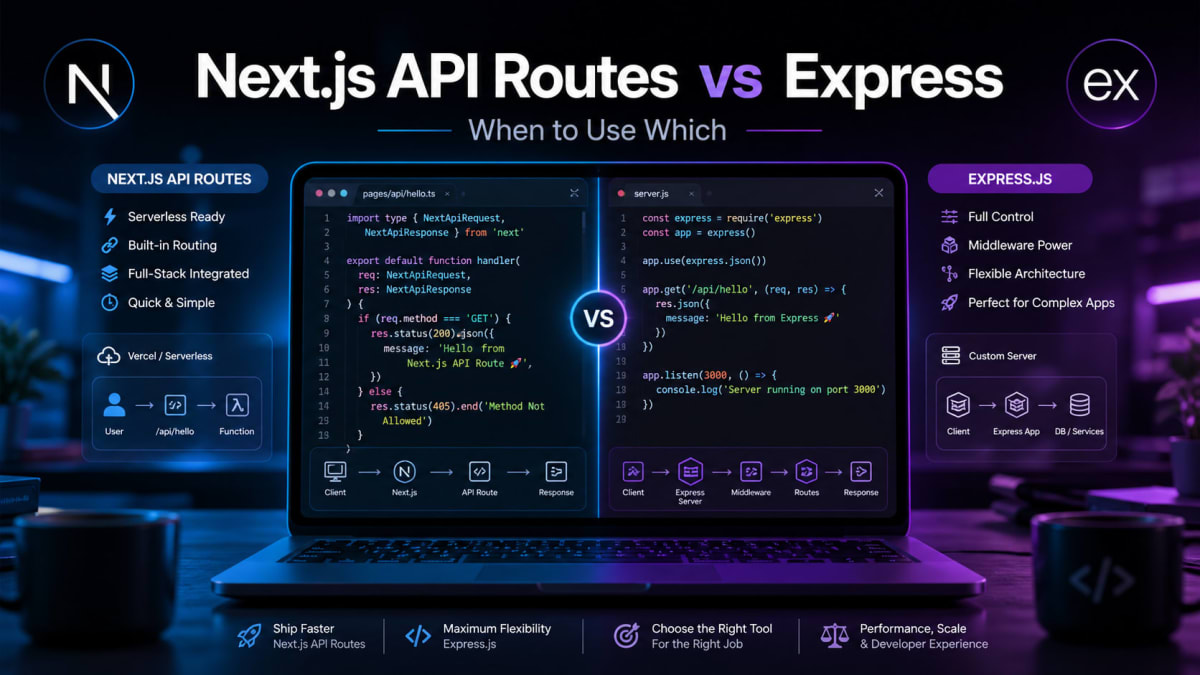
Nextjs API Routes vs Express - Which One to Pick
Skilldham
Engineering deep-dives for developers who want real understanding.
Last Updated : July 2026
TL;DR - Quick Answer
nextjs api routes vs express in one line:
Next.js API routes are serverless functions. Express is a persistent server.
Choose Next.js API routes when:
Building a single full-stack app on Vercel
Your API does simple CRUD, auth, or content
Solo developer or small team
Every request completes in under 10 seconds
Choose Express when:
You need WebSockets or real-time features
Multiple frontends share one backend
Background jobs run longer than 10 seconds
You are building a standalone mobile app backend
Use both when:
Your app has outgrown simple CRUD
Some operations fit serverless, some need persistence
Tested on: Next.js 15 - Express 5 - Vercel
You start a new project. Full-stack. Next.js on the frontend. And then the question hits you.
Do I write API routes inside Next.js? Or do I set up a separate Express server?
You Google it. You get ten different opinions. Some say Next.js API routes are fine for small projects. Some say always use Express for anything serious. Some say it depends. Nobody actually explains what it depends on.
You pick one, ship the project, and six months later hit a wall that the other approach would have handled easily.
This is the next.js api routes vs express decision that most developers make once without fully understanding the trade-offs. By the time the trade-offs become obvious, the project is already built around the wrong choice.
Here is the actual difference, where each one breaks down, and how to decide before you start building.
What Next.js API Routes Actually Are Under the Hood
Most developers treat Next.js API routes like a built-in Express server. They are not. Understanding what they actually are explains every limitation you will eventually hit.
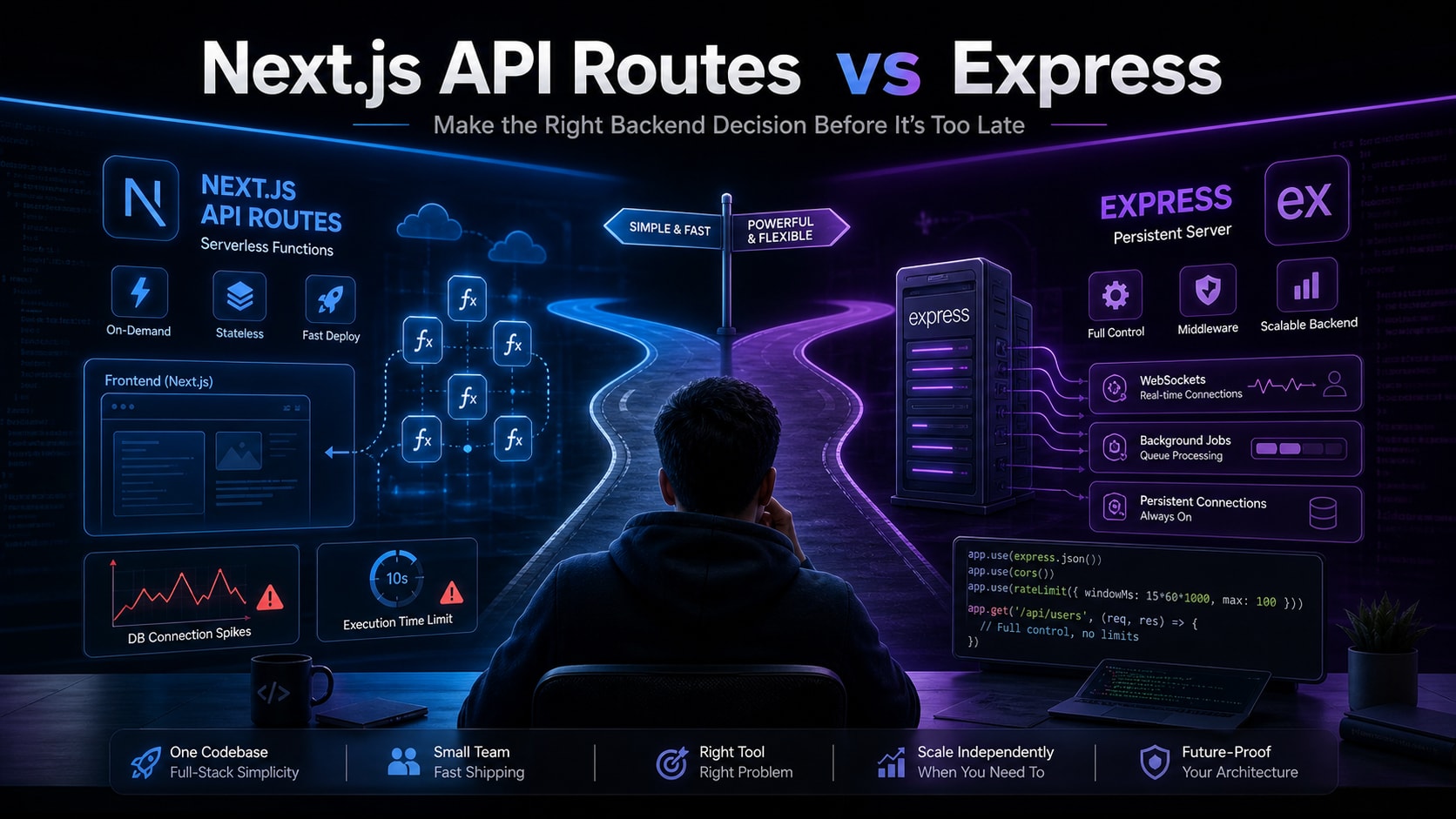
Next.js API routes are serverless functions. When you deploy to Vercel, each route in your app/api folder becomes an independent function that spins up on demand, handles one request, and shuts down. There is no persistent process. There is no shared memory between requests. There is no long-running server.
javascript
// Wrong mental model - treating API route like Express middleware
// app/api/users/route.js

// This connection gets created on EVERY request
// No connection pooling, no reuse
import { PrismaClient } from '@prisma/client'

const prisma = new PrismaClient() // new instance every cold start

export async function GET() {
  const users = await prisma.user.findMany()
  return Response.json(users)
}
javascript
// Correct - singleton pattern for serverless
// lib/prisma.js
import { PrismaClient } from '@prisma/client'

const globalForPrisma = global as typeof globalThis & {
  prisma: PrismaClient
}

export const prisma =
  globalForPrisma.prisma ||
  new PrismaClient()

if (process.env.NODE_ENV !== 'production') {
  globalForPrisma.prisma = prisma
}

// app/api/users/route.js
import { prisma } from '@/lib/prisma'

export async function GET() {
  const users = await prisma.user.findMany()
  return Response.json(users)
}
The singleton pattern exists specifically because of the serverless nature. Without it, you hit database connection limits almost immediately in production. This is one of the most common reasons Next.js builds fail in production when everything worked perfectly locally.
Understanding this mental model - serverless functions, not a server - is the foundation for every other decision in the next.js api routes vs express comparison.
Where Next.js API Routes Work Well
Next.js API routes are genuinely the right choice for a specific category of projects. Not every project. Not most projects. A specific one.
The right fit is a full-stack application where the API and the frontend are tightly coupled, the team is small, deployment simplicity matters, and request volume is predictable.
javascript
// Correct - Next.js API routes shine here
// app/api/blogs/route.js

import { prisma } from '@/lib/prisma'
import { getServerSession } from 'next-auth'

export async function GET(request) {
  const { searchParams } = new URL(request.url)
  const category = searchParams.get('category')

  const blogs = await prisma.blog.findMany({
    where: { category, published: true },
    orderBy: { createdAt: 'desc' },
    take: 10,
  })

  return Response.json(blogs)
}

export async function POST(request) {
  const session = await getServerSession()

  if (!session) {
    return Response.json({ error: 'Unauthorized' }, { status: 401 })
  }

  const body = await request.json()
  const blog = await prisma.blog.create({ data: body })

  return Response.json(blog, { status: 201 })
}
This works well. One codebase. One deployment. One set of environment variables. Type safety across the full stack if you are using TypeScript. No CORS configuration because the frontend and API are on the same domain.
For Skilldham and Munshi - both are built exactly this way. API routes handle blog CRUD, authentication, and data fetching. One Vercel deployment covers everything. For a solo developer or small team shipping fast, this is the right call. The Munshi RAG system runs entirely through Next.js API routes and handles real production traffic without issues.
The breaking point comes when your requirements step outside what serverless functions handle well.
Where Next.js API Routes Break Down
Three specific situations will push you toward Express regardless of how much you prefer the simplicity of Next.js API routes.
Situation 1: WebSockets or long-running connections
Serverless functions cannot maintain persistent connections. Each function call starts fresh and ends when the response is sent. WebSockets, Server-Sent Events for real-time updates, and long polling all require a persistent process.
javascript
// Wrong - this will never work in Next.js API routes
// app/api/chat/route.js

import { WebSocketServer } from 'ws' // This cannot work serverless

const wss = new WebSocketServer({ port: 8080 })

wss.on('connection', (ws) => {
  ws.on('message', (message) => {
    // broadcast to all clients
    wss.clients.forEach((client) => client.send(message))
  })
})
javascript
// Correct - Express with a persistent Node.js process
// server.js

import express from 'express'
import { createServer } from 'http'
import { WebSocketServer } from 'ws'

const app = express()
const server = createServer(app)
const wss = new WebSocketServer({ server })

wss.on('connection', (ws) => {
  ws.on('message', (message) => {
    wss.clients.forEach((client) => {
      if (client.readyState === WebSocket.OPEN) {
        client.send(message.toString())
      }
    })
  })
})

server.listen(3001)
Situation 2: CPU-intensive background processing
Serverless functions have execution time limits. Vercel's limit is 60 seconds on Pro, 10 seconds on the free tier. Video processing, PDF generation, large data exports, or any operation that takes more than a few seconds will timeout.
Situation 3: Complex middleware chains
Express middleware runs in sequence on a persistent server. Shared state, request queuing, rate limiting with in-memory stores, and complex authentication flows are all straightforward with Express. Recreating these patterns in serverless functions requires external services (Redis for rate limiting, external session stores) that add cost and complexity.
Where Express Is the Clear Winner
Express is the right choice when your backend needs to be independent of your frontend, when multiple frontends will consume the same API, or when your requirements include anything that needs a persistent server process.
javascript
// Wrong - trying to fake Express patterns in Next.js
// app/api/middleware.js - this doesn't work the way you think

// Next.js middleware runs at the edge, not the API layer
// You cannot chain middleware the way Express does

export function middleware(request) {
  // Limited to edge runtime
  // No Node.js APIs
  // No database access
}
javascript
// Correct - Express gives you full middleware control
// server.js

import express from 'express'
import cors from 'cors'
import rateLimit from 'express-rate-limit'
import helmet from 'helmet'

const app = express()

// Security headers
app.use(helmet())

// CORS for multiple frontend origins
app.use(cors({
  origin: [
    'https://app.yourdomain.com',
    'https://admin.yourdomain.com',
    'http://localhost:3000'
  ]
}))

// Rate limiting with in-memory store
const limiter = rateLimit({
  windowMs: 15 * 60 * 1000,
  max: 100
})
app.use('/api/', limiter)

// Request logging
app.use((req, res, next) => {
  console.log(`${req.method} ${req.path} - ${Date.now()}`)
  next()
})

app.get('/api/users', async (req, res) => {
  const users = await db.query('SELECT * FROM users')
  res.json(users)
})

app.listen(3001)
The other strong case for Express is a mobile app backend. If you are building a React Native app like Munshi that talks to a backend, the backend should not be tied to a Next.js frontend deployment. They scale independently, deploy independently, and can be maintained by different teams as the product grows.
For teams where backend developers and frontend developers are separate people, Express with a clearly defined API contract is far easier to work with than Next.js API routes where the backend lives inside the frontend project.
The Hybrid Approach That Most Production Apps Use
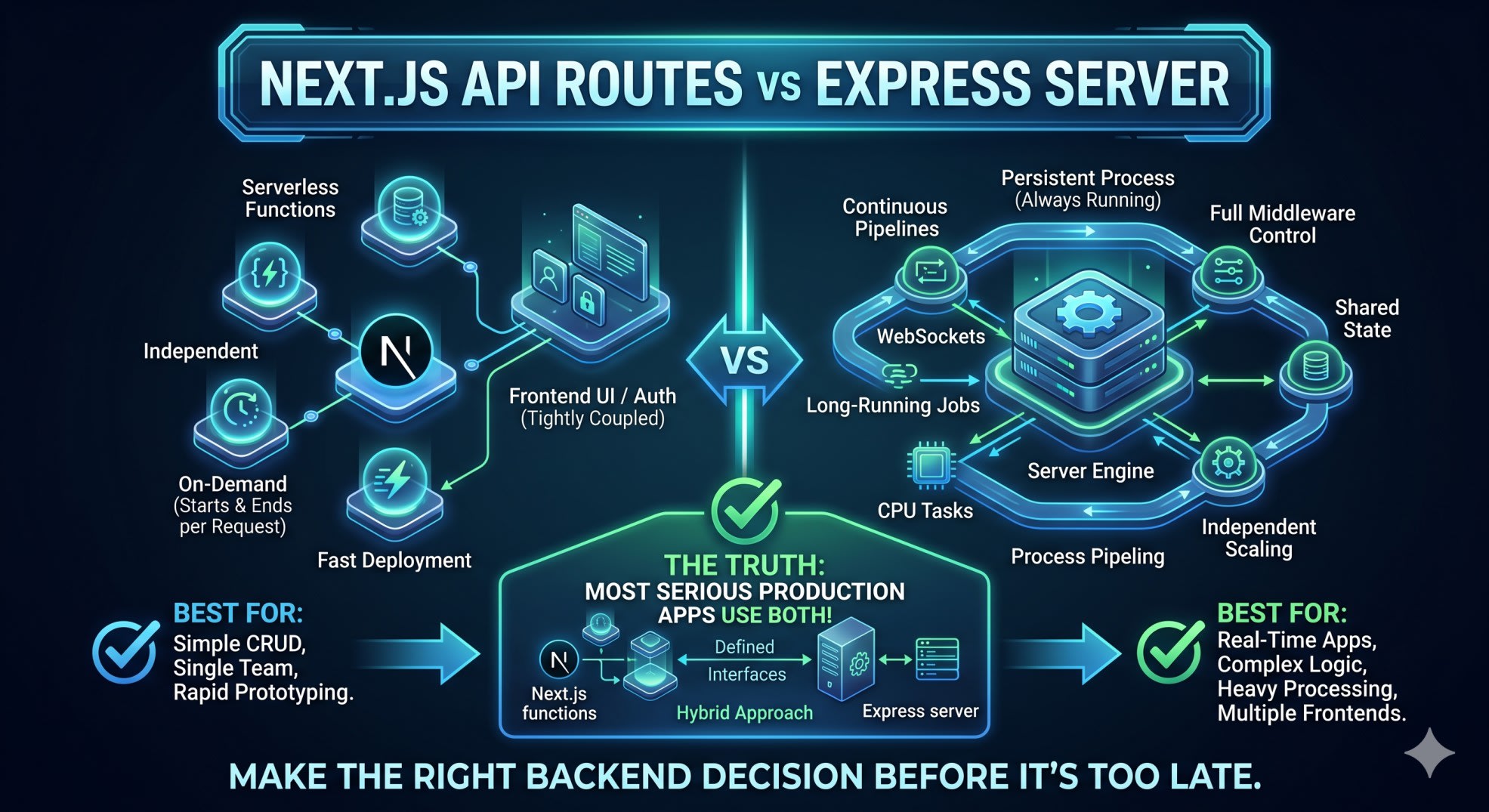
The real answer to next.js api routes vs express is that most serious production apps use both. Not because they could not decide, but because the two tools solve different problems well.
javascript
// Next.js handles frontend-specific API needs
// app/api/auth/[...nextauth]/route.js - authentication
// app/api/blogs/route.js - content that lives with the frontend
// app/api/user/preferences/route.js - user settings

// Separate Express service handles heavy lifting
// express-service/routes/video-processing.js - CPU intensive
// express-service/routes/email-queue.js - background jobs
// express-service/routes/websocket.js - real-time features
// express-service/routes/admin.js - internal tools
The split that works well in practice is this. Next.js API routes handle anything that is tightly coupled to the frontend - authentication, content fetching, user preferences, and simple CRUD operations. A separate Node.js service with Express handles background jobs, real-time features, heavy processing, and anything that needs a persistent process.
This is the same architecture pattern behind how MCP servers work with Claude Desktop - separate persistent Node.js processes that handle specific responsibilities, communicating through defined interfaces.
The connection between them is simple. Next.js calls the Express service for operations it cannot handle itself. The Express service does not know or care about Next.js. Both deploy and scale independently.
How to Actually Decide for Your Project
The decision framework is simpler than the debate makes it seem.
Choose Next.js API routes when your entire product is a Next.js app, you are the only developer or a small team, you deploy to Vercel and want zero infrastructure setup, all your API operations complete in under 10 seconds, and you do not need WebSockets or persistent connections.
Choose Express when you need WebSockets or real-time features, you have multiple frontend clients consuming the same API, backend operations regularly take more than a few seconds, you need complex middleware chains with shared state, or your backend team works separately from your frontend team.
Choose both when your app has grown beyond simple CRUD, you have some operations that fit serverless and some that do not, or you are building for a team that will scale.
javascript
// Decision checklist in code form
const projectNeeds = {
  websockets: false,        // → Express required
  longRunningJobs: false,   // → Express required
  multipleClients: false,   // → Express preferred
  separateTeams: false,     // → Express preferred
  simpleFullStack: true,    // → Next.js API routes
  deploySimplicity: true,   // → Next.js API routes
  singleDeveloper: true,    // → Next.js API routes
}

// If any required Express flag is true → Express
// If all preferred flags are false and simplicity matters → Next.js
// If mix → both
The mistake most developers make is picking based on what they are comfortable with rather than what the project actually needs. Both tools work. Both have real limits. Knowing the limits before you hit them is the whole game.
Key Takeaway
The next.js api routes vs express decision is not about which one is better. It is about what your project actually needs.
Next.js API routes are serverless functions - no persistent state, no WebSockets, execution time limits apply
Express is a persistent server process - full control, any Node.js feature, scales independently
Next.js wins for simple full-stack apps with one team and one deployment
Express wins for real-time features, background jobs, multiple clients, and complex middleware
Most production apps eventually use both - Next.js for frontend-coupled API needs, Express for heavy lifting
Choose based on your actual requirements, not comfort or convention
The earlier in a project you make this decision consciously, the less painful it is when you hit the limits of whichever approach you chose.
FAQs
Can I use Express inside a Next.js project? Yes, you can run a custom Express server with Next.js by using Next.js as middleware inside Express. But this approach disables several Next.js optimizations including automatic static optimization. A better approach for most projects is keeping them separate - Next.js API routes for frontend-coupled operations and a standalone Express service for everything else.
Are Next.js API routes good for production use? Yes, for the right use cases. Skilldham and many production applications run entirely on Next.js API routes without issues. The key is understanding they are serverless functions with execution time limits and no persistent connections. For simple CRUD operations, authentication, and content APIs, they are completely production-ready.
What is the main difference between Next.js API routes and Express? Next.js API routes are serverless functions that spin up on demand and shut down after each request. Express is a framework for building persistent Node.js servers that run continuously. The practical difference is that Next.js API routes cannot maintain WebSocket connections, cannot run background jobs beyond their execution time limit, and do not share state between requests without an external store like Redis.
Can Next.js API routes handle WebSockets? No. WebSockets require a persistent connection and a persistent server process. Next.js API routes are serverless functions that end when the response is sent. For WebSocket functionality in a Next.js app, you need a separate persistent server built with Express, Fastify, or another Node.js framework. Then connect your Next.js frontend to that separate WebSocket server.
Should I use Next.js API routes or Express for a mobile app backend? Express or another standalone Node.js framework is almost always the better choice for a mobile app backend. The backend should be independent of any frontend framework, deployable separately, and able to serve multiple clients. Tying your mobile backend to Next.js creates unnecessary coupling and limits your deployment options as the app scales.
When should I migrate from Next.js API routes to Express? Migrate when you need WebSockets or real-time features, when background jobs consistently timeout, when you need to serve multiple frontends from the same API, or when your team has split into dedicated frontend and backend roles. The hybrid approach - keeping Next.js API routes for simple operations and adding Express for complex ones - is often better than a full migration.
Is Next.js App Router better than Pages Router for API routes? The App Router introduced Route Handlers which use the Web Fetch API instead of Node.js request/response objects. They have better TypeScript support and can run at the edge. For new projects, Route Handlers in the App Router are the correct choice. The Pages Router API routes still work but are the older pattern.