
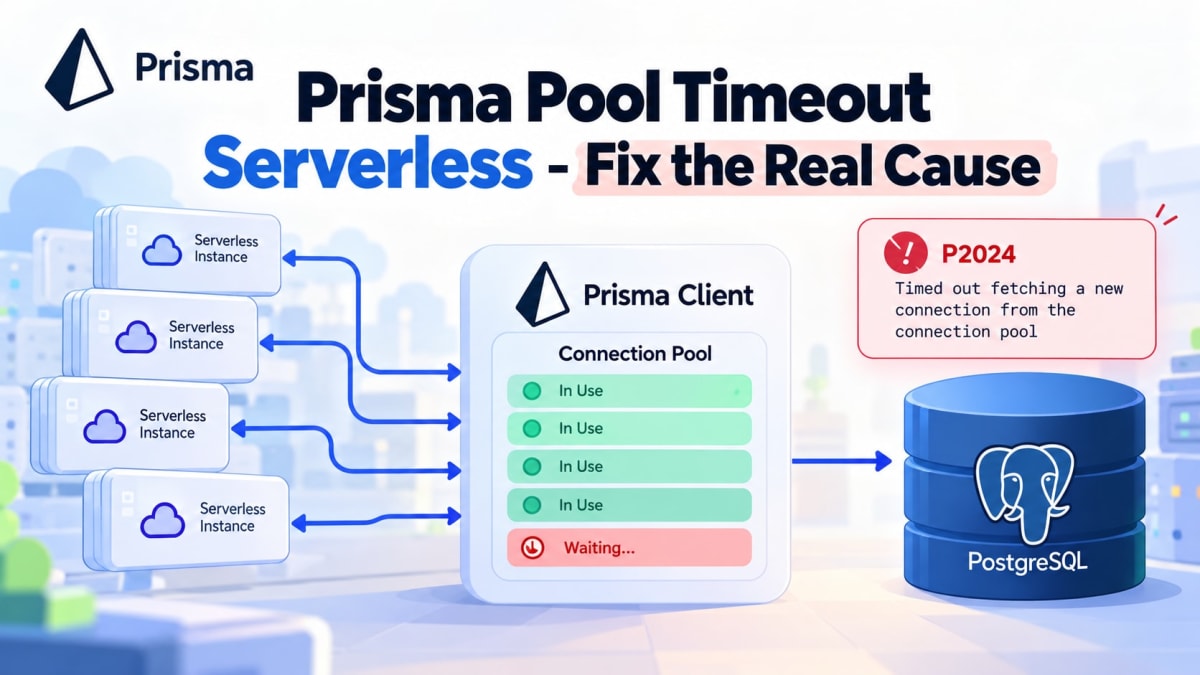
Prisma pool timeout serverless? Fix the Real Cause
Skilldham
Engineering deep-dives for developers who want real understanding.
Last updated: October 2026
Quick Answer
If prisma pool timeout serverless happens only in production, your database pool is usually getting exhausted. The cause may be too many serverless instances, slow queries, long transactions, or creating too many Prisma clients. Do not blindly increase connection_limit or pool_timeout. First find what is holding your connections. Then size the pool, reuse PrismaClient, optimize queries, and add a pooler when your architecture needs one.
Your App Works Locally. Production Suddenly Throws P2024.
Everything works perfectly on your machine.
You run the app locally. Queries return fast. Prisma connects without problems. You deploy the same code to Vercel or another serverless platform.
Then traffic increases.
Suddenly, requests start failing with an error like:
Timed out fetching a new connection from the connection poolPrisma reports this as P2024.
The first thing many developers do is increase the connection pool.
That can hide the problem for a while.
But it does not explain why the pool became exhausted.
This is where prisma pool timeout serverless problems become tricky. Your local application may have one process. Your production application may have many serverless instances running at the same time.
So the real question is not:
"How do I increase the pool?"
The better question is:
"Why are all available connections busy?"
That difference is important.
What P2024 Actually Means
The connection pool has a queue
Think of your Prisma connection pool like a small parking lot.
Your application sends database queries.
Each query needs a database connection.
If a connection is free, the query gets one immediately.
If every connection is busy, the query waits.
If it waits too long, Prisma throws P2024.
A simplified flow looks like this:
Request
   |
   v
Prisma Client
   |
   v
Connection Pool
   |
   +---- Connection 1 -> Query
   +---- Connection 2 -> Query
   +---- Connection 3 -> Query
   |
   +---- No free connection
            |
            v
        Query waits
            |
            v
          P2024
The important part is this:
P2024 does not automatically mean your database is down.
It means Prisma could not get a connection from its pool within the configured wait period.
Serverless makes the problem bigger
This is where local testing becomes misleading.
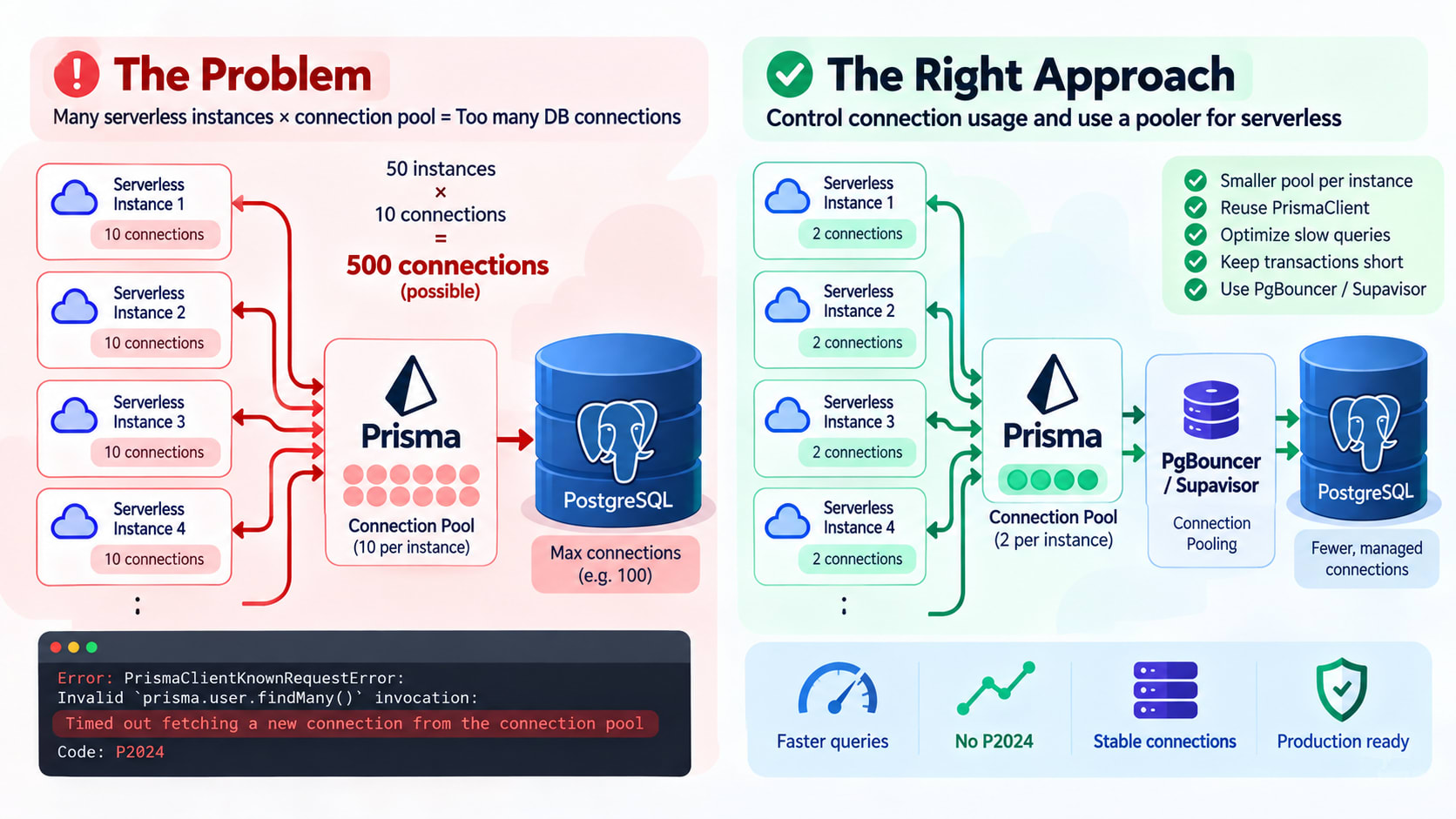
Imagine your application allows 10 database connections.
Locally:
1 application process
×
10 connections
=
10 possible connections
Production may look like this:
50 serverless instances
×
10 connections each
=
500 possible connections
Your database does not care that these came from one application.
It sees hundreds of possible connections.
And serverless instances can appear during traffic spikes.
That is why a prisma pool timeout serverless issue often appears only after deployment.
Start With the Connection Math
Calculate the possible database connections
Before changing Prisma settings, estimate your maximum connection pressure.
A simple model is:
Potential connections
=
number of application instances
×
connections per instance
For example:
20 instances
×
10 connections
=
200 connections
Now compare that number with your PostgreSQL connection capacity.
You also need to account for other applications.
Your database may already have connections from:
API services
Background workers
Cron jobs
Admin tools
Migrations
Monitoring systems
So giving every serverless instance a large pool is dangerous.
Do not blindly increase connection_limit
With older Prisma configurations, you may see settings such as:
connection_limit=10
pool_timeout=20
Increasing them can make the immediate error disappear.
But there is a catch.
If 50 instances can each create 20 connections, your theoretical capacity becomes:
50 × 20 = 1,000 connectionsThat may be far worse.
The database can become overloaded instead of Prisma timing out.
So treat connection_limit as a capacity decision, not a magic fix.
Check Your PrismaClient Lifecycle
Creating PrismaClient repeatedly is a problem
One common mistake looks like this:
// Wrong:
import { PrismaClient } from "@prisma/client";

export async function GET() {
  const prisma = new PrismaClient();

  const users = await prisma.user.findMany();

  return Response.json(users);
}
The function creates a new client whenever it runs.
Depending on the runtime and application architecture, that can create unnecessary connection pools.
The problem becomes worse under concurrent traffic.
Reuse a shared PrismaClient
A shared client is usually the better pattern.
For a traditional long-running Node.js process, keep the client outside request handlers:
// Correct:
import { PrismaClient } from "@prisma/client";

const prisma = new PrismaClient();

export async function GET() {
  const users = await prisma.user.findMany();

  return Response.json(users);
}
For Next.js development, you may also see a globalThis pattern.
The goal is simple:
Do not create a new PrismaClient for every request.
If you are migrating an older Prisma application to Prisma 7, configuration changes can also affect how your client is created. The Prisma 7 migration errors and driver adapter configuration guide covers those changes in more detail.
Slow Queries Can Cause P2024 Too
A slow query holds a connection
Imagine your pool has 10 connections.
Nine queries are fast.
One query takes 20 seconds.
That connection remains occupied during those 20 seconds.
Now imagine ten slow queries arriving together.
All connections are busy.
The next request has to wait.
Eventually, Prisma throws P2024.
So sometimes the pool is not too small.
The queries are simply holding connections for too long.
Look for:
Large findMany() calls
Missing database indexes
Expensive joins
Sorting huge datasets
Large aggregations
N+1 query patterns
Slow PostgreSQL queries
Promise.all() can create bursts
This code looks harmless:
// Wrong:
const [users, orders, products, invoices, reports] =
  await Promise.all([
    prisma.user.findMany(),
    prisma.order.findMany(),
    prisma.product.findMany(),
    prisma.invoice.findMany(),
    prisma.report.findMany(),
  ]);
Each operation may need a database connection.
Now imagine many requests executing this code at the same time.
You can create a sudden connection demand spike.
Promise.all() is not automatically bad.
The issue is concurrency multiplied by traffic.
So inspect your busiest endpoints before increasing pool sizes.
Check Transactions Before Changing Pool Settings
Long transactions hold connections
Transactions need special attention.
A database connection can remain occupied while a transaction is running.
For example:
// Wrong:
await prisma.$transaction(async (tx) => {
  const user = await tx.user.findUnique({
    where: { id: userId },
  });

  await callExternalAPI();

  await tx.user.update({
    where: { id: userId },
    data: { processed: true },
  });
});
The external API call does not need the database connection.
But your transaction may keep the database connection occupied while waiting for that API.
That is unnecessary pool pressure.
Keep database transactions short
Prefer keeping only database operations inside the transaction:
// Correct:
const user = await prisma.user.findUnique({
  where: { id: userId },
});

await callExternalAPI();

await prisma.user.update({
  where: { id: userId },
  data: { processed: true },
});
The exact solution depends on your consistency requirements.
But the principle stays the same:
Do not keep a database connection busy while waiting for unrelated work.
Prisma 6 and Prisma 7 Are Different
Prisma 6 used connection URL parameters
With Prisma 6, you may have configured PostgreSQL pooling through the database URL.
For example:
// Prisma 6:
postgresql://user:password@host/database?connection_limit=10&pool_timeout=20
This is why many older articles recommend changing connection_limit and pool_timeout.
But do not blindly copy those examples into a Prisma 7 project.
Prisma 7 uses driver adapters
Prisma 7 changed the setup for relational databases.
With PostgreSQL, the @prisma/adapter-pg adapter uses the underlying pg connection pool.
A simplified setup looks like this:
// Correct:
import { PrismaClient } from "@prisma/client";
import { PrismaPg } from "@prisma/adapter-pg";

const adapter = new PrismaPg({
  connectionString: process.env.DATABASE_URL!,
});

const prisma = new PrismaClient({
  adapter,
});
The pool behavior is therefore tied to the driver adapter configuration.
For a Prisma 7 + Next.js + Neon setup, the Prisma 7 NeonDB and Next.js driver adapter setup is useful because it covers the adapter-based architecture separately.
The key point is simple:
Prisma 6 advice is not automatically Prisma 7 advice.
P2024 is not the same as an idle connection problem
This distinction is easy to miss.
idleTimeoutMillis controls how long an idle connection can remain in the underlying pool.
P2024 happens when Prisma cannot obtain a connection quickly enough.
Those are different problems.
For example:
Idle connection problem
        |
        v
Unused connection stays open
        |
        v
idleTimeoutMillis matters


P2024
        |
        v
All usable connections are busy
        |
        v
New query waits
        |
        v
Timeout
If you are debugging an idle pool that does not close connections, see the PrismaPg idleTimeoutMillis pool not closing guide.
Do not treat that issue as the same thing as P2024.
When You Actually Need a Pooler
Serverless can need connection pooling outside Prisma
Sometimes application-level pooling is not enough.
This is especially true when you have:
Many serverless instances
High request concurrency
PostgreSQL connection limits
Multiple application services
Bursty workloads
A database-side pooler can help.
Common examples include:
PgBouncer
Supavisor
Managed database pooling
The architecture can look like this:
Serverless Functions
       |
       v
  Prisma Client
       |
       v
 Connection Pool
       |
       v
 PgBouncer / Supavisor
       |
       v
   PostgreSQL
The pooler helps manage database connections between many application clients and PostgreSQL.
Do not add a pooler blindly
A pooler is not automatically the answer.
You still need to understand:
Pool mode
Transaction behavior
Prepared statements
Connection limits
Application concurrency
Transaction duration
If your queries are slow, a pooler will not magically make them fast.
If your application creates excessive connections, you still need to fix the application architecture.
A pooler solves a different layer of the problem.
How I Would Debug P2024 in Production
Follow this order
When I see a production P2024, I would check things in this order:
1. Confirm the exact error
Look for:
Timed out fetching a new connection from the connection poolIf you have P2024, you are dealing with pool acquisition pressure.
2. Check Prisma version
Is the application using Prisma 6 or Prisma 7?
This changes how you should think about pool configuration.
3. Check PrismaClient creation
Search the codebase for:
// Check:
new PrismaClient()
Make sure you are not creating clients inside request handlers.
4. Check serverless concurrency
Find out how many instances or concurrent functions can run.
Then calculate:
instances × connections per instance5. Check slow queries
Look at database query duration.
A small pool can still fail if every connection is busy for too long.
6. Check transactions
Look for long-running $transaction() calls.
Pay special attention to external API calls inside transactions.
7. Check bursty concurrency
Search for heavy Promise.all() usage.
Especially inspect endpoints that run several database queries together.
8. Check pooling architecture
If you have a database-side pooler, verify its configuration.
Do not assume that adding another pool automatically improves the system.
The goal is to find the bottleneck
A useful mental model is:
P2024
 |
 +-- Too many instances?
 |
 +-- Too many connections per instance?
 |
 +-- New PrismaClient repeatedly?
 |
 +-- Slow queries?
 |
 +-- Long transactions?
 |
 +-- Concurrent query bursts?
 |
 +-- Missing external pooler?
 |
 +-- Incorrect pool configuration?
That gives you a much better debugging path than:
P2024
  |
  v
Increase connection_limit
Key Takeaways
prisma pool timeout serverless usually means pool exhaustion.
P2024 means Prisma waited too long for a connection.
Serverless instances multiply your possible database connections.
Do not blindly increase connection_limit.
Reuse your PrismaClient instead of creating it per request.
Slow queries can keep connections busy and trigger P2024.
Long transactions can exhaust a small pool.
Promise.all() can create connection bursts.
Prisma 7 uses driver adapters for relational databases.
idleTimeoutMillis is different from a P2024 pool acquisition timeout.
PgBouncer or Supavisor can help when your architecture needs external pooling.
FAQ
What causes Prisma P2024 in serverless?
P2024 occurs when Prisma cannot obtain a database connection from its pool within the allowed wait period. Serverless concurrency, slow queries, long transactions, and excessive PrismaClient creation can all contribute.
Should I increase connection_limit to fix P2024?
Not immediately. First find why connections are staying busy or why connection demand is too high. Increasing the limit can make database overload worse.
Does Prisma 7 still use connection_limit and pool_timeout?
Prisma 7 changed relational database configuration around driver adapters. PostgreSQL pool behavior is handled through the underlying adapter and driver configuration, so older Prisma 6 URL examples should not be copied blindly.
Does PrismaClient singleton fix serverless pool timeouts?
It can prevent unnecessary client and pool creation inside an application instance. However, it does not fix slow queries, excessive concurrency, or a database connection limit that is too low.
Can slow queries cause Prisma pool timeout?
Yes. A slow query keeps its database connection busy longer. Enough slow queries can occupy every available connection and cause later queries to wait.
Can Promise.all cause Prisma pool timeout?
Yes. Promise.all() can issue multiple database operations concurrently. Under high traffic, this can create a large burst of connection demand.
Should I use PgBouncer with Prisma?
It depends on your architecture. Poolers can help serverless applications manage database connections, especially when many application instances connect to PostgreSQL.
Is pool_timeout the same as query timeout?
No. A pool timeout concerns waiting for an available connection. A query timeout concerns how long database work is allowed to execute. They solve different problems.
Conclusion
A prisma pool timeout serverless error is rarely fixed by blindly increasing a number.
The real cause is usually connection pressure.
Start with the architecture.
Count your serverless instances. Check PrismaClient creation. Measure slow queries. Inspect transactions. Look for concurrency bursts.
Then decide whether the pool size, query design, or external pooling needs to change.
That approach fixes the root problem instead of hiding it.
If you are using Prisma 7 with PostgreSQL, make sure your debugging also matches the new driver-adapter architecture.
Found this useful? Save it for the next production P2024 incident and share it with your team.