

React 19 New Features - What Actually Changes
Skilldham
Engineering deep-dives for developers who want real understanding.
React 19 new features have been talked about for months, but most articles either list them without context or go so deep into internals that you lose the practical picture. This guide does neither.
Every feature covered here comes with a real code example and an honest explanation of when it actually matters for the apps you are building day to day. If you are on React 18 and wondering whether to upgrade, or preparing for interviews where React 19 is increasingly coming up, this is the guide to read.
What React 19 Actually Changes About How You Write React
Before getting into individual features, it helps to understand the shift React 19 represents. React has been a client-side UI library for most of its life. You rendered components in the browser, fetched data with useEffect, and managed loading and error states manually. That model works, but it puts a lot of responsibility on the developer.
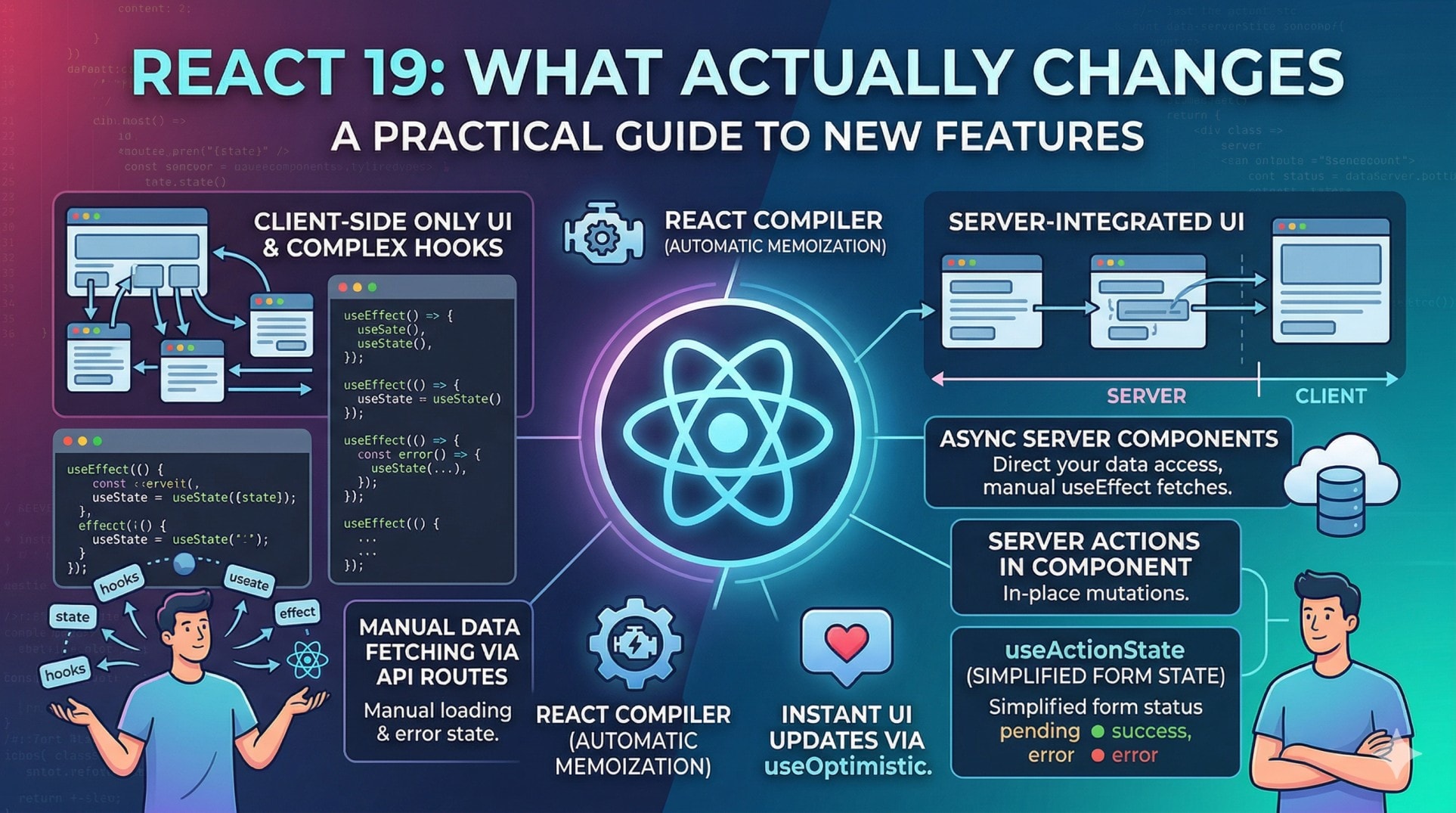
React 19 moves the boundary. Components can now run on the server. Mutations can happen without API routes. Forms can manage their own pending state. The compiler can handle memoization that you used to write by hand. None of this means the old model is wrong - it means React now has better defaults for the common cases, and you spend less time on boilerplate.
The practical result is that a React 19 codebase with Next.js looks meaningfully different from a React 18 one. Less useEffect for data fetching, less useState for loading states, fewer API routes for simple mutations. The code gets shorter without getting less readable.
Server Components Are Now Stable
React Server Components shipped as experimental in React 18 and are fully stable in React 19. This is the feature with the largest impact on how you structure applications.
A Server Component runs on the server and sends HTML to the browser. No JavaScript for that component ships to the client. This means you can fetch data, access databases, and use server-only packages directly inside a component without any of it reaching the browser.
jsx
// This component runs only on the server
// No "use client" directive - server by default in Next.js App Router
import { db } from "@/lib/db";

export default async function UserList() {
  // Direct database access - no API route needed
  const users = await db.user.findMany({
    select: { id: true, name: true, email: true },
    orderBy: { createdAt: "desc" },
    take: 20,
  });

  return (
    <ul className="space-y-2">
      {users.map((user) => (
        <li key={user.id} className="p-4 border rounded-lg">
          <p className="font-medium">{user.name}</p>
          <p className="text-sm text-gray-500">{user.email}</p>
        </li>
      ))}
    </ul>
  );
}
Compare this to the React 18 equivalent - you would have needed an API route at /api/users, a useEffect to fetch from it, useState for the data, loading state, and error state. That is five moving parts replaced by one async component.
The tradeoff is real: Server Components cannot use browser APIs, cannot hold state, and cannot use event handlers. Anything interactive still needs "use client". The pattern that works well is keeping Server Components as the outer shell that fetches data, and Client Components as the interactive pieces inside them.
For a practical example of how this changes data fetching patterns, our guide on why your API works in Postman but fails in the browser covers the network behavior that becomes less relevant when you move data fetching to the server.
Server Actions Replace Most of Your API Routes
Server Actions are the mutation side of Server Components. Where Server Components handle reading data on the server, Actions handle writing - form submissions, database updates, anything that changes state.
Before React 19, a form submission meant: write a handler, call fetch to an API route, handle the response, update state. With Actions, the server function is called directly from the component.
jsx
// actions.js - runs on the server
"use server";

export async function createPost(formData) {
  const title = formData.get("title");
  const content = formData.get("content");

  if (!title || !content) {
    return { error: "Title and content are required" };
  }

  await db.post.create({
    data: { title, content, authorId: getCurrentUserId() },
  });

  revalidatePath("/posts"); // refresh the posts list
}
jsx
// PostForm.jsx - the component that uses the action
import { createPost } from "./actions";

export default function PostForm() {
  return (
    <form action={createPost} className="space-y-4">
      <input
        name="title"
        placeholder="Post title"
        className="w-full border rounded px-3 py-2"
      />
      <textarea
        name="content"
        placeholder="Write your post..."
        className="w-full border rounded px-3 py-2 h-32"
      />
      <button type="submit" className="bg-blue-600 text-white px-4 py-2 rounded">
        Publish Post
      </button>
    </form>
  );
}
The form passes createPost directly as the action. No fetch call, no API route, no response handling in the component. The server function runs, the path revalidates, and the UI updates.
What you still need to handle manually here is the pending state - the button does not automatically disable while the action runs. That is what useActionState solves.
useActionState Makes Form State Management Simple
The most common pattern in any React form is tracking three things: is it submitting, did it succeed, did it fail. Before React 19 this meant three separate useState calls and manual updates inside a try/catch. useActionState handles all of it with one hook.
jsx
"use server";

export async function createPost(prevState, formData) {
  const title = formData.get("title");
  const content = formData.get("content");

  if (!title || content.length < 50) {
    return {
      success: false,
      error: "Title required and content must be at least 50 characters",
    };
  }

  try {
    await db.post.create({ data: { title, content } });
    revalidatePath("/posts");
    return { success: true, error: null };
  } catch (e) {
    return { success: false, error: "Something went wrong. Try again." };
  }
}
jsx
"use client";

import { useActionState } from "react";
import { createPost } from "./actions";

export default function PostForm() {
  const [state, formAction, isPending] = useActionState(createPost, {
    success: false,
    error: null,
  });

  return (
    <form action={formAction} className="space-y-4">
      {state.error && (
        <p className="text-red-600 text-sm bg-red-50 px-3 py-2 rounded">
          {state.error}
        </p>
      )}
      {state.success && (
        <p className="text-green-600 text-sm bg-green-50 px-3 py-2 rounded">
          Post published successfully.
        </p>
      )}
      <input
        name="title"
        placeholder="Post title"
        disabled={isPending}
        className="w-full border rounded px-3 py-2 disabled:opacity-50"
      />
      <textarea
        name="content"
        placeholder="Write your post..."
        disabled={isPending}
        className="w-full border rounded px-3 py-2 h-32 disabled:opacity-50"
      />
      <button
        type="submit"
        disabled={isPending}
        className="bg-blue-600 text-white px-4 py-2 rounded disabled:opacity-50"
      >
        {isPending ? "Publishing..." : "Publish Post"}
      </button>
    </form>
  );
}
Three things come back from useActionState: the current state returned by your action, the wrapped form action to pass to the form, and isPending which is true while the action is running. The button disables automatically, the error message shows when the action returns one, and the success state clears the form feedback. This used to take 40-50 lines written manually.
useOptimistic Makes Your UI Feel Instant
Optimistic updates are when you update the UI before the server confirms the change. A like button that fills in immediately instead of waiting for the API response. A comment that appears in the list before it is saved. This pattern has always been possible in React but required careful manual state management. useOptimistic makes it straightforward.
jsx
"use client";

import { useOptimistic, useTransition } from "react";
import { toggleLike } from "./actions";

export default function LikeButton({ postId, initialLikes, initialLiked }) {
  const [isPending, startTransition] = useTransition();

  const [optimisticState, setOptimistic] = useOptimistic(
    { likes: initialLikes, liked: initialLiked },
    (currentState, action) => ({
      likes: action === "like"
        ? currentState.likes + 1
        : currentState.likes - 1,
      liked: action === "like",
    })
  );

  function handleClick() {
    const action = optimisticState.liked ? "unlike" : "like";

    startTransition(async () => {
      // Update UI immediately - no waiting
      setOptimistic(action);
      // Then actually save to server
      await toggleLike(postId, action);
    });
  }

  return (
    <button
      onClick={handleClick}
      disabled={isPending}
      className={`flex items-center gap-2 px-4 py-2 rounded-full transition
        ${optimisticState.liked
          ? "bg-red-100 text-red-600"
          : "bg-gray-100 text-gray-600"
        }`}
    >
      {optimisticState.liked ? "❤️" : "🤍"}
      <span>{optimisticState.likes}</span>
    </button>
  );
}
When the user clicks, the heart fills and the count updates immediately. The server call happens in the background. If the server call fails, React rolls back the optimistic update automatically. The user experience feels instant because the UI does not wait for the network.
This pattern works well for anything where the success rate is high and the cost of a brief incorrect state is low - likes, follows, bookmarks, cart additions, read receipts.
The React Compiler Changes How You Think About Performance
The React Compiler is the most significant addition in React 19 for existing codebases. It analyzes your components at build time and automatically adds memoization where it helps. The practical effect is that you can remove most of your useMemo and useCallback calls and the compiler handles re-render optimization for you.
jsx
// React 18 - you wrote this manually:
function ProductList({ products, category, onSelect }) {
  const filtered = useMemo(
    () => products.filter((p) => p.category === category),
    [products, category]
  );

  const handleSelect = useCallback(
    (id) => onSelect(id),
    [onSelect]
  );

  return (
    <ul>
      {filtered.map((product) => (
        <ProductItem
          key={product.id}
          product={product}
          onSelect={handleSelect}
        />
      ))}
    </ul>
  );
}

// React 19 with compiler - write it naturally:
function ProductList({ products, category, onSelect }) {
  // Compiler automatically memoizes this
  const filtered = products.filter((p) => p.category === category);

  // Compiler handles referential stability
  const handleSelect = (id) => onSelect(id);

  return (
    <ul>
      {filtered.map((product) => (
        <ProductItem
          key={product.id}
          product={product}
          onSelect={handleSelect}
        />
      ))}
    </ul>
  );
}
The compiler understands React's rules - it knows when a value can change and when it cannot, and it adds memoization only where it actually helps. It does not blindly wrap everything in useMemo the way a developer might when optimizing prematurely.
The important caveat: the compiler only works correctly if your code follows React's rules. No mutation of props, no side effects during render, no breaking the rules of hooks. If your codebase has violations of these rules, the compiler will not be able to optimize those components and may produce unexpected behavior.
The official React Compiler documentation covers the setup and the eslint plugin that catches rule violations before the compiler runs.
Our guide on React state not updating covers the state mutation patterns that would prevent the compiler from working correctly - worth reading before enabling it on an existing codebase.
Key Takeaway
React 19 new features shift the framework toward better defaults and less boilerplate without changing the fundamental programming model.
Server Components eliminate the API route and useEffect pattern for read operations - data fetching moves to the server and the component just renders what it receives. Server Actions eliminate the API route pattern for write operations - mutations call server functions directly from the form. useActionState handles loading, success, and error state for those mutations without manual useState. useOptimistic makes UI feel instant by updating before the server confirms. The React Compiler removes the need to manually write useMemo and useCallback in most cases.
None of these features are mandatory. React 19 is fully backward compatible. But each one solves a real problem that most React codebases handle with more code than necessary, and adopting them progressively - starting with Server Components and Actions in a Next.js project - is the most practical path.
FAQs
Is React 19 backward compatible with React 18 code? Yes - React 19 is designed to be backward compatible. Existing components, hooks, and patterns from React 18 continue to work. You adopt the new features incrementally rather than rewriting everything at once. The main things that changed are some deprecated APIs being removed, which the React team documented with migration guides and codemods to automate the updates.
Do I need Next.js to use React 19 new features? Server Components and Server Actions require a framework that supports them - Next.js App Router is the most widely used option. The other features - useActionState, useOptimistic, the React Compiler, and the use hook - work in any React 19 setup including Vite-based projects. If you are on a plain React setup without a meta-framework, you get most of the benefits but not the server-side features.
Should I remove all my useMemo and useCallback after upgrading to React 19? Not immediately. Enable the React Compiler first, then use the eslint plugin to check for rule violations. Once the compiler is running, it will handle memoization automatically and you can remove manual useMemo and useCallback incrementally as you verify the compiler is handling those cases. Removing them all at once without the compiler running would likely hurt performance.
What is the difference between Server Components and Server Actions in React 19? Server Components handle reading - they fetch data on the server and render HTML that gets sent to the browser. Server Actions handle writing - they are functions that run on the server when called from a form or event handler in a Client Component. You typically use them together: a Server Component fetches and displays data, and a form with a Server Action handles creating or updating that data.
How does useOptimistic handle server errors in React 19? When you use useOptimistic inside a transition and the server action fails, React automatically rolls back the optimistic state to what it was before the update. The user sees the UI revert to its previous state. You should also handle the error explicitly in your action and return an error state so you can show the user what went wrong - the automatic rollback handles the UI state, but communicating the failure is still your responsibility.