
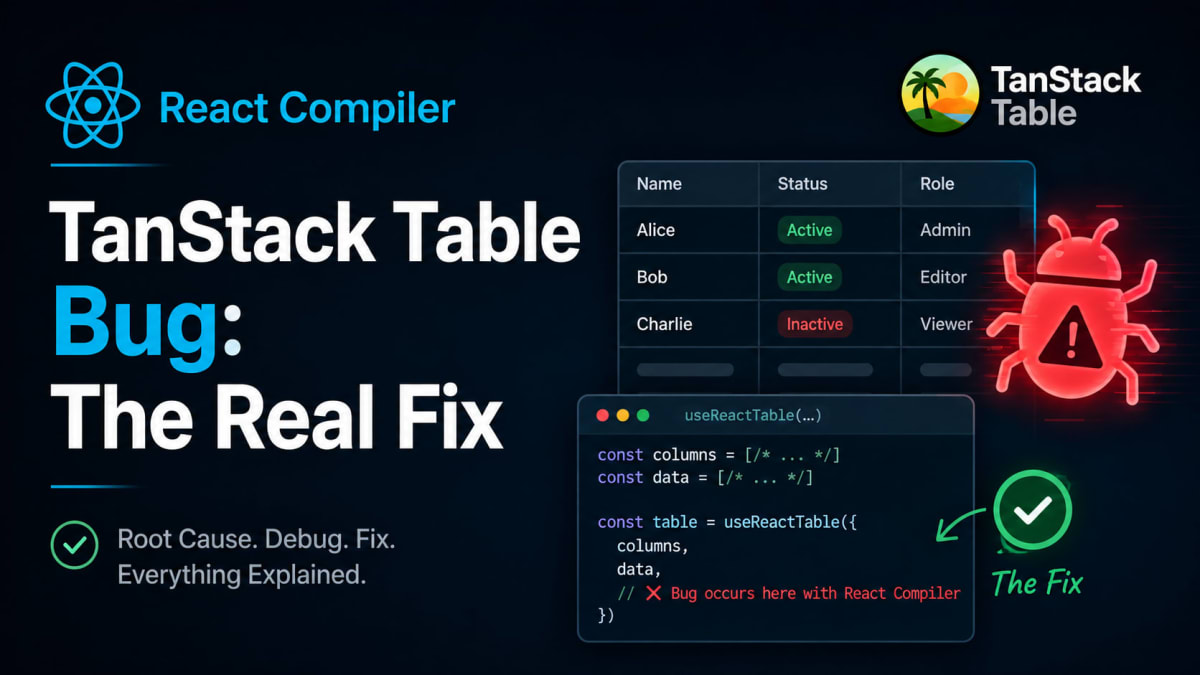
React Compiler TanStack Table Bug: The Real Fix
Skilldham
Engineering deep-dives for developers who want real understanding.
Last updated: August 2026
TL;DR
Your table stopped updating. You just turned on React Compiler. This is the react compiler tanstack table bug.
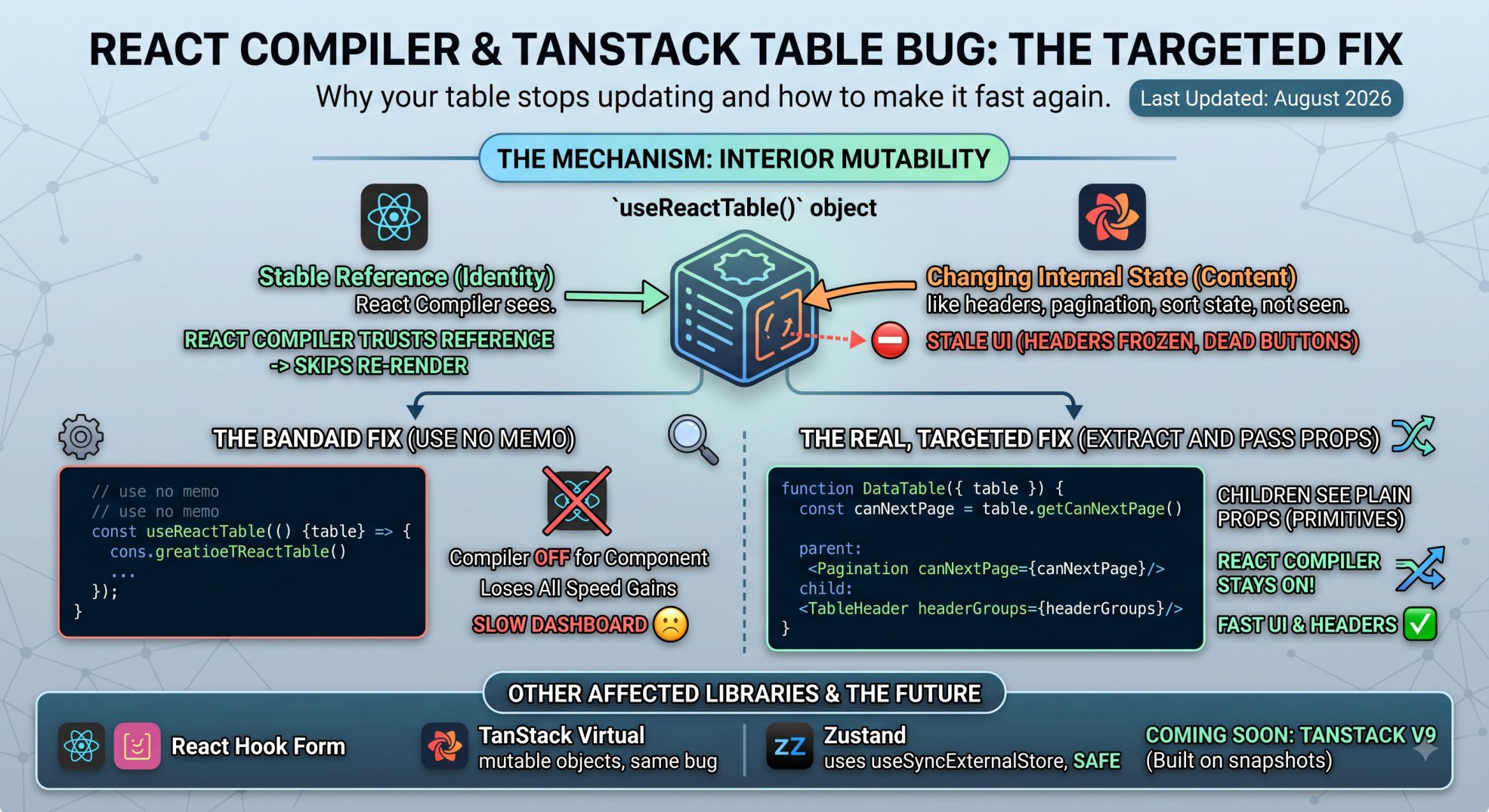
useReactTable() gives you an object. That object stays the same. But the data inside it keeps changing.
React Compiler trusts the object. It skips the re-render. You see old headers and dead buttons.
The quick fix is "use no memo". It works, but it turns off the compiler for the whole component.
The real fix is smaller. Pull out the values you need. Pass them down as plain props.
You turned on React Compiler. The build passed. Most things got faster.
Then someone clicked a column toggle. Nothing happened.
You reload the page. Same old columns.
You check the network tab. The API call fired. The data came back fine.
You search "react compiler tanstack table." You find three Medium posts. Each one shows your exact bug. Each one ends the same way: add "use no memo" and move on.
Here's what's really going on inside useReactTable(). And here's a fix that doesn't throw away your compiler gains for the whole component.
What Actually Breaks When React Compiler Meets TanStack Table
The react compiler tanstack table bug shows up the same way in every report.
The Symptom
A team turns on React Compiler. Most of the app gets faster.
Then the table breaks. Column headers freeze on old labels. Pagination buttons stay stuck.
Sort state changes under the hood. The rows on screen don't move.
Nothing throws an error. Nothing shows up in the console. The table just quietly goes stale.
Why This Took So Long to Show Up
React Compiler shipped stable with React 19, in late 2025. TanStack Table has been the top choice for data grids for years.
The two only started colliding in June 2026. That's when teams began shipping the compiler to production, not just testing it.
This is a timing problem. It's not a fresh bug in either library.
The Real Mechanism
How React Compiler Decides What to Skip
React Compiler runs on one rule. If a prop's reference didn't change, skip the re-render.
It checks identity. It does not check content.
For plain objects, this works well. Fresh data means a fresh reference. The compiler catches it every time.
What useReactTable() Actually Returns
useReactTable() gives you one object. That object keeps the same reference across renders.
That's on purpose. Rebuilding the whole thing every render would be slow.
But look inside that object. Methods like table.getHeaderGroups() read live state.
That state shifts on every click. The object around it never does.
This is called interior mutability. The outside looks frozen. The inside keeps moving.
React Compiler can't see past the shell.
This isn't a guess. useReactTable() sits on React Compiler's own incompatible-library list.
Turn on the eslint plugin and you'll see a warning: Compilation Skipped: Use of incompatible library. TanStack Table 8.21.3, tested on React 19.2, throws this warning directly.
Why "use no memo" Is a Bandaid
What You Lose
Add "use no memo" and the compiler skips that component. It always re-renders. It always reads fresh state.
That fixes the stale headers. But it also drops every other gain the compiler made in that component. Gains that had nothing to do with the table.
On a big dashboard, that component is often the whole table shell. Headers, rows, pagination, filters, all of it. One line quietly turns off the compiler for a huge chunk of your UI.
When It's Still Worth Using
"use no memo" isn't wrong. It's just a temporary tool.
Use it to confirm the table is the real cause. Then narrow the fix from there.
Leave a comment next to it. Say why it's there. The next person should know it's a debug step, not a decision.
The Real Fix
Target the exact spot where the reference and the real state split apart. Don't pass the whole table object down.
Pull out the values each child needs. Do that in the parent, on every render. Pass plain props down instead.
The Wrong Pattern
javascript
// Wrong: passing the whole table instance down
function DataTable({ table }: { table: Table<RowData> }) {
  return (
    <>
      <TableHeader table={table} />
      <Pagination table={table} />
    </>
  );
}

function Pagination({ table }: { table: Table<RowData> }) {
  return (
    <button disabled={!table.getCanNextPage()}>
      Next
    </button>
  );
}
Pagination reads table.getCanNextPage() off a frozen reference. The compiler stopped checking it. The button gets stuck on its first value.
The Correct Pattern
javascript
// Correct: extract the values in the parent, pass plain props down
function DataTable({ table }: { table: Table<RowData> }) {
  const headerGroups = table.getHeaderGroups();
  const canNextPage = table.getCanNextPage();
  const canPreviousPage = table.getCanPreviousPage();

  return (
    <>
      <TableHeader headerGroups={headerGroups} />
      <Pagination
        canNextPage={canNextPage}
        canPreviousPage={canPreviousPage}
        onNext={() => table.nextPage()}
        onPrevious={() => table.previousPage()}
      />
    </>
  );
}

function Pagination({
  canNextPage,
  canPreviousPage,
  onNext,
  onPrevious,
}: {
  canNextPage: boolean;
  canPreviousPage: boolean;
  onNext: () => void;
  onPrevious: () => void;
}) {
  return (
    <>
      <button disabled={!canPreviousPage} onClick={onPrevious}>
        Previous
      </button>
      <button disabled={!canNextPage} onClick={onNext}>
        Next
      </button>
    </>
  );
}
Why This Works
DataTable still holds the live table object. It reads fresh methods on every render. It sits closest to the source, so that's fine.
What it hands down is plain data: booleans, arrays, numbers.
React Compiler tracks plain data well. It always has.
Pagination and TableHeader never touch the table object. They only see props that truly change. The compiler stays on for both.
This is the same fix that works for React Hook Form. Pull out formState.errors.
Pull out formState.isSubmitting. Pass those down, not the whole form object.
Confirming the Fix Works
Reproducing the Bug
You don't need real data to see this bug. Build a small Pagination piece that reads table.getCanNextPage() directly.
Wrap it in a parent that calls useReactTable(). Turn on React Compiler.
Click "next page" once. In the broken version, nothing changes on screen.
The page moved. The button didn't notice.
A real GitHub issue on the React repo shows this exact pattern. Pull pagination logic into its own piece, and the bug shows up.
Read table methods there directly, and the buttons freeze in the wrong state. One team even triggered it by deleting a stray, unreachable line of code. That tiny change shifted how the compiler read the function.
Checking With React DevTools
Open React DevTools after you apply the fix. Look at the component tree. Optimized components carry a "Memo" badge.
Pagination and TableHeader should show that badge now. DataTable might not, and that's fine. It's the one piece that needs a fresh read every time.
Other Libraries With the Same Bug
This isn't just a TanStack Table problem. Any library that hands you a locked object with moving parts inside can trip this wire.
Form Libraries
React Hook Form's useForm() returns one stable object. Read form.formState inside a child, and you'll hit the same stale bug.
React Hook Form v8 is still in beta. It's rebuilding around a snapshot pattern to fix this for good.
Virtual List Libraries
TanStack Virtual has the same issue. useVirtualizer() returns a mutable object. It sits on the same incompatible-library list, for the same reason.
The fix looks the same too. Pull the visible items and scroll numbers out in the parent. Pass plain data down to each row.
Libraries That Are Safe
Not every state library breaks here. Zustand store hooks stay safe under React Compiler. Zustand runs on useSyncExternalStore under the hood.
That hook comes with a promise from React itself. It skips memoization on purpose.
It forces a fresh render every time the store changes. Any library built on that hook dodges this bug.
What's Coming
TanStack Table v9
This bug hits TanStack Table v8 specifically. Version 9 is in alpha right now. It's being rebuilt around a snapshot pattern, to match how React Compiler expects state to work.
Until Then
Until v9 lands, stick with the extract-and-pass-props fix above. It keeps the compiler on almost everywhere. The one exception is the single piece that reads the live table object.
Key Takeaways
The react compiler tanstack table bug comes from interior mutability, not a flaw in either tool.
useReactTable() keeps one fixed reference while the real state shifts underneath it.
React Compiler only checks identity. It can't see the shift, so it skips the re-render.
"use no memo" fixes the symptom. It turns off the whole component, not just the broken part.
The real fix pulls exact values from the table object. It passes them down as plain props.
Only the piece closest to useReactTable() needs to stay unmemoized. Everything below it stays fast.
The same fix works for React Hook Form and TanStack Virtual. Both share this same bug.
Libraries built on useSyncExternalStore, like Zustand, skip this bug entirely.
FAQ
Does this only hit TanStack Table, or other table tools too?
It hits any library where a hook hands back a locked object with moving parts inside. TanStack Table shows up most, since it's the most used. The same bug can hit any state tool that skips useSyncExternalStore.
Will TanStack Table v9 fix this on its own?
Version 9 is still in alpha. It's built around a snapshot pattern. That should make it play well with React Compiler by default. Until it lands, stick with the fix above on v8.
Can I just turn off React Compiler for the whole app?
You can. But you'd lose the speed gains everywhere else too, not just around the table. The targeted fix keeps those gains. It only touches the one broken part.
Does "use no memo" ever make sense here?
Yes, as a short debug step. It helps you confirm the table caused the bug. It shouldn't stay in your code as the real fix. It turns off the compiler for that whole piece.
How do I check if a component got optimized?
Open React DevTools. Look for the "Memo" badge in the tree. No badge means one of two things. Either the compiler skipped it, or it never needed the boost.
Does this bug hit TanStack Virtual too?
Yes. useVirtualizer() has the same locked-object design as useReactTable(). It sits on React Compiler's own incompatible-library list for that same reason.
Is this a bug in React Compiler itself?
No. React Compiler works exactly as designed. It trusts a stable reference, since that's the rule React sets. The real gap: TanStack Table's design came before that rule did.
Do I need the eslint plugin to catch bugs like this?
You don't need it to fix a bug you already found. But it's the fastest way to catch the next one. It flags skipped components before they hit production.
Real Fixes for Silent React Bugs
React Compiler should remove a whole class of manual memo work. When it hits a mutable table object, the failure stays silent. That's worse than the bugs it was built to stop.
The fix isn't to turn off the compiler. Find the exact spot where the reference and the real state split. Pull values out right there.
Stale UI isn't always a compiler problem. Sometimes it's a plain closure bug instead.
Why state doesn't update in React covers this same referential-equality issue from another angle. What's new in React 19 covers the full list of changes.
Get more breakdowns like this one. Real production bugs, not a rehash of the docs.