
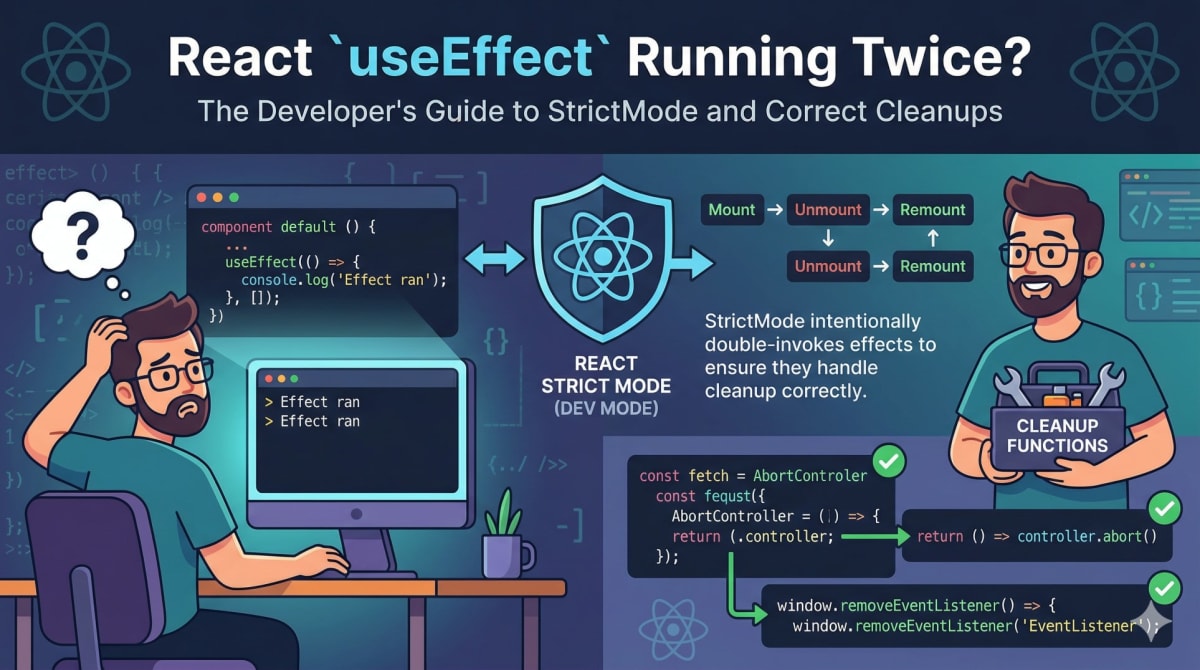
React useEffect Running Twice in StrictMode - Here's the Fix
Skilldham
Engineering deep-dives for developers who want real understanding.
Last updated: June 2026
You write a useEffect with an empty dependency array. You refresh the page. Your console shows the log twice. You stare at the code for ten minutes. The dependency array is correct. The component looks fine. There is no obvious reason why the effect would run more than once.
React useEffect running twice happens to almost every developer who upgrades to React 18 or starts a new project with it.React useEffect running twice is not a bug in your code - it is React doing something deliberately, for a specific reason, that only happens in one specific environment.
Here is exactly what is happening and what you should actually do about it.
StrictMode Is the Reason useEffect Runs Twice
The cause is almost always React StrictMode. If you created your app with Create React App or Vite in recent versions, StrictMode is enabled by default. It wraps your root component in your main.jsx or index.js file.
jsx
// This is what enables the double-invoke behavior
ReactDOM.createRoot(document.getElementById('root')).render(
  <React.StrictMode>
    <App />
  </React.StrictMode>
);
When StrictMode is active, React intentionally mounts your component, unmounts it, and then mounts it again. Both mount cycles run your effects. That is why you see the log twice.
jsx
// This effect runs twice in development with StrictMode
useEffect(() => {
  console.log('Effect ran');
}, []);

// Console output in development:
// Effect ran
// Effect ran

// Console output in production:
// Effect ran
The unmount between the two mounts is invisible in the UI. You only see the final rendered result. But both effect cycles happen.
Why React Does This on Purpose
This is not an oversight in React's design. It is intentional, and the reason matters for how you write effects.
React wanted to prepare codebases for a feature called concurrent rendering, where React can start rendering a component, pause it, throw it away, and start again. For this to work safely, your components and effects need to be written in a way that handles mounting and unmounting more than once without breaking.
StrictMode's double-invoke behavior forces this. If your effect breaks when it runs twice, it means your effect has a side effect that is not properly cleaned up - and that would also break in concurrent rendering.
Think of it as a stress test that only runs in development. React is checking: "If I mount this component, unmount it, and mount it again, does everything still work?"
For a deeper understanding of how this fits into React's rendering model, our guide on React state not updating covers how React decides when and why to re-render. And if your useEffect is failing for other reasons beyond StrictMode, our complete guide on why React useEffect is not working breaks down 7 more scenarios developers hit in production.

This Does Not Happen in Production
The most important thing to understand about React useEffect running twice: it only happens in development mode. In a production build, StrictMode checks are completely disabled. Your effects run once, exactly as you would expect.
jsx
// Development (StrictMode enabled):
// Effect runs → cleanup → effect runs again
useEffect(() => {
  console.log('Fetching data');
  fetchUserData();
}, []);

// Production:
// Effect runs once, cleanly
This means if you are seeing useEffect run twice, you do not have a production bug. You have a development warning that your effect may not be written safely.
The correct question is not "how do I stop this from running twice" - it is "why does my effect break when it runs twice, and how do I fix that?"
The Wrong Way to Fix It
When developers first encounter React useEffect running twice, the instinct is to prevent the second execution. Both common approaches are wrong.
Wrong fix 1 - using a flag variable:
jsx
// Wrong - do not do this
let hasRun = false;

useEffect(() => {
  if (!hasRun) {
    fetchData();
    hasRun = true;
  }
}, []);
This uses a module-level variable to prevent the second run. It works in development but creates subtle bugs - the variable persists across hot reloads, it is not reset between test runs, and it completely hides the underlying problem that StrictMode is trying to surface.
Wrong fix 2 - removing StrictMode:
jsx
// Wrong - removing StrictMode hides problems
ReactDOM.createRoot(document.getElementById('root')).render(
  <App /> // StrictMode removed
);
This makes the double-invoke stop, but it also disables every other check StrictMode performs - detection of deprecated lifecycle methods, warnings about legacy context API usage, and validation of ref usage. You are turning off a safety system because the alarm was inconvenient.
The Correct Fix - Write Effects That Are Safe to Run Twice
The right approach is to make your effect idempotent - meaning it produces the same result whether it runs once or twice. The way to do this is with cleanup functions.
For fetch requests - use AbortController:
jsx
// Correct - AbortController cancels the duplicate request
useEffect(() => {
  const controller = new AbortController();

  fetch('/api/user', { signal: controller.signal })
    .then(res => res.json())
    .then(data => setUser(data))
    .catch(err => {
      if (err.name === 'AbortError') return; // ignore cancelled requests
      console.error('Fetch failed:', err);
    });

  return () => controller.abort(); // cleanup cancels in-flight request
}, []);
When StrictMode unmounts the component between the two mounts, the cleanup function runs controller.abort(). The first fetch is cancelled. The component remounts, the effect runs again, and a fresh fetch starts. Only one request completes.
For subscriptions and event listeners:
jsx
// Correct - cleanup removes the listener
useEffect(() => {
  function handleResize() {
    setWidth(window.innerWidth);
  }

  window.addEventListener('resize', handleResize);

  return () => {
    window.removeEventListener('resize', handleResize); // cleanup
  };
}, []);
Without the cleanup, StrictMode's double-invoke would add the listener twice. With cleanup, the first listener is removed before the second mount adds a new one.
For timers:
jsx
// Correct - cleanup clears the timer
useEffect(() => {
  const timer = setTimeout(() => {
    setVisible(true);
  }, 1000);

  return () => clearTimeout(timer); // cleanup
}, []);
When useEffect Runs Twice for a Different Reason
StrictMode is the most common cause, but not the only one. If you are seeing React useEffect running twice in production - which should not happen with StrictMode - the cause is something else.
Object or array in the dependency array:
jsx
// Wrong - new object reference every render
useEffect(() => {
  fetchData(config);
}, [config]); // config = { page: 1, limit: 10 } - new object every render

// Correct - use primitive values
useEffect(() => {
  fetchData({ page, limit });
}, [page, limit]); // primitives only change when values change
Objects and arrays in React are compared by reference, not value. If you create a new object or array on every render and put it in a dependency array, the effect sees a "changed" dependency on every render and runs again.
For a complete breakdown of this specific problem, our guide on why React apps feel slow even when APIs are fast covers how unstable references cause unexpected re-renders and effect runs throughout a React application.
The official React documentation on useEffect covers the full reference for dependency array rules and cleanup patterns - this is the authoritative source worth bookmarking.
How to Debug useEffect Behavior Properly
When you are unsure whether an effect is running because of StrictMode or a real bug, these steps help narrow it down.
First, check whether StrictMode is enabled in your entry file. If it is, the double-invoke is expected and the fix is cleanup functions, not prevention.
Second, run a production build locally and check the behavior there:
bash
npm run build
npm run preview # or serve the build directory
If the effect runs once in production and twice in development, it is StrictMode. If it runs twice in both, you have a dependency array problem.
Third, look at your dependency array carefully. If any dependency is an object, array, or function created inside the component without useMemo or useCallback, it will have a new reference on every render.
Key Takeaway
React useEffect running twice in development is caused by StrictMode, which intentionally double-invokes effects to check that they are written safely. It does not happen in production. The correct response is not to disable StrictMode or add flags to prevent the second run - it is to write effects with proper cleanup functions so they work correctly regardless of how many times they run.
If your effect breaks when it runs twice, that is the bug StrictMode is trying to show you. Fix the cleanup, and the double-invoke stops being a problem.
FAQs
Why is React useEffect running twice in my app? Almost certainly because React StrictMode is enabled in your development environment. StrictMode intentionally mounts components, unmounts them, and mounts them again to verify that effects handle cleanup properly. This only happens in development - in production builds, effects run once as expected.
Should I remove StrictMode to stop useEffect running twice? No. Removing StrictMode hides the problem rather than fixing it. It also disables every other check StrictMode performs. The right fix is to add proper cleanup functions to your effects so they work correctly whether they run once or twice.
Does React useEffect running twice cause duplicate API calls in production? No - the double-invoke only happens in development with StrictMode. In production, your effect runs once. If you are seeing duplicate API calls in production, the cause is something else - most commonly an object or array in the dependency array that has a new reference on every render.
What is the correct way to handle fetch requests in useEffect? Use AbortController. Create a controller in the effect, pass its signal to fetch, and abort it in the cleanup function. When StrictMode unmounts between the two mounts, the cleanup aborts the first request. Only the second request completes, preventing duplicate data or state updates on unmounted components.
What is the difference between useEffect and useLayoutEffect? useEffect runs asynchronously after the browser has painted the screen. useLayoutEffect runs synchronously before the browser updates the screen. Use useLayoutEffect only when you need to measure DOM elements or make layout adjustments before the user sees the result - for example, positioning a tooltip relative to a button. For data fetching and subscriptions, useEffect is almost always the right choice.