
React App Feels Slow? Here Is Why
Skilldham
Engineering deep-dives for developers who want real understanding.
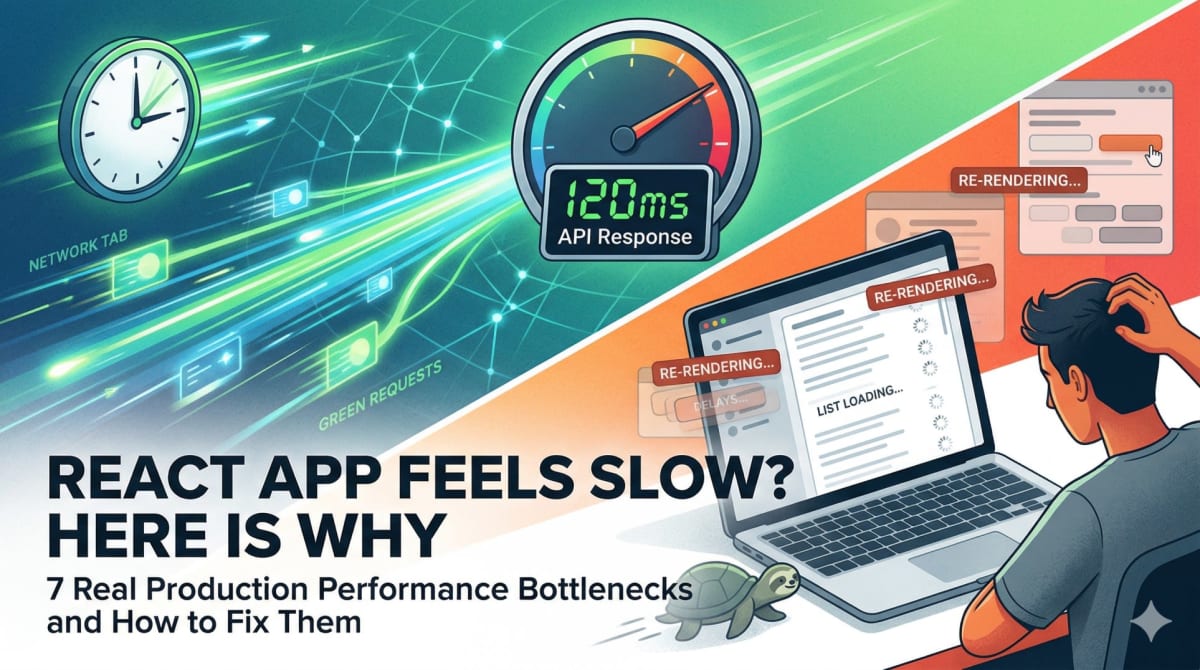
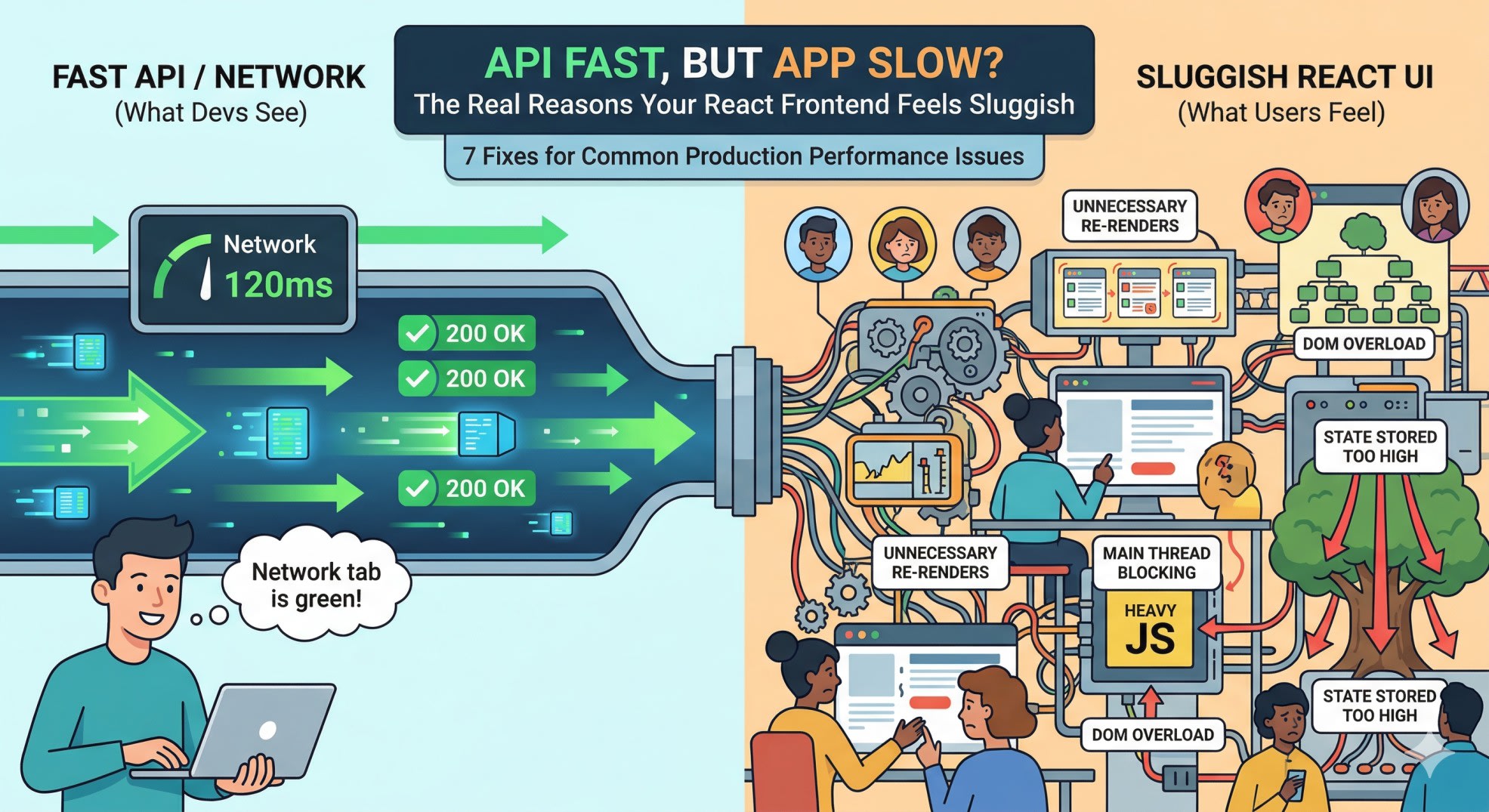
Your backend APIs respond in 120ms. You have checked the Network tab. Every request is green. But users are still saying the app feels slow. Buttons take a moment to respond. Lists take time to appear. Navigating between pages does not feel smooth.
This is one of the most frustrating performance problems in React development - because the obvious culprit is not the culprit at all. When a react app feels slow despite fast APIs, the problem is almost always in the frontend, not the network. And it is usually one of a handful of specific, fixable issues.
Here are the seven real reasons your React app feels slow in production, with exactly what to do about each one.
API Speed and UI Speed Are Two Different Things
Before getting into the fixes, this distinction matters: API response time and UI response time are not the same thing.
API time measures how long the server takes to send data back. UI time measures everything that happens after that - React processing the response, deciding which components need to update, re-rendering them, and committing changes to the DOM. Users do not feel the API call. They feel the UI response.
This is why an app can have perfectly optimized APIs and still feel sluggish. The bottleneck is not where you are looking.
A useful mental model: your React app has two performance budgets. One for the network, one for the browser. A fast network budget does not help if your browser budget is overspent. Most slow React apps are overspending their browser budget while their network budget sits unused.
Unnecessary Re-renders Are Costing You More Than You Think
This is the most common reason a react app feels slow in production, and it is also the most underestimated.
React re-renders a component when its props or state change. The problem is that in many real codebases, components re-render far more than they need to - because of how props are passed, how state is structured, and how inline functions are written.
The most common version of this problem looks like this:
jsx
// Wrong - new function created on every render
function ParentComponent() {
  return (
    <ChildComponent
      onSelect={(id) => handleSelect(id)}
      config={{ theme: "dark", size: "lg" }}
    />
  );
}
Both the arrow function and the inline object are recreated on every render. This means ChildComponent receives new props on every render, even when nothing meaningful changed. If ChildComponent is wrapped in React.memo, the memo does nothing - because the props reference is always new.
jsx
// Correct - stable references
function ParentComponent() {
  const handleSelectStable = useCallback((id) => handleSelect(id), []);
  const config = useMemo(() => ({ theme: "dark", size: "lg" }), []);

  return (
    <ChildComponent
      onSelect={handleSelectStable}
      config={config}
    />
  );
}
In a real dashboard I worked on, a single filter change was causing 18 child components to re-render - including heavy chart components. The API was returning data in under 150ms. But the render cascade after that was taking 600ms. The fix was stabilizing the parent props and memoizing the chart components. The app went from feeling sluggish to feeling instant.
For a deeper look at how React's rendering works, our guide on React useEffect running twice covers the rendering lifecycle in detail - understanding it directly helps you prevent unnecessary re-renders.
Rendering Too Many DOM Nodes at Once
When your API returns 500 items and React renders 500 DOM nodes simultaneously, the browser struggles - not because React is slow, but because DOM creation, layout calculation, and paint are expensive operations regardless of which framework triggers them.
jsx
// Wrong - renders all 500 items at once
function ItemList({ items }) {
  return (
    <div>
      {items.map(item => (
        <ItemCard key={item.id} item={item} />
      ))}
    </div>
  );
}
The right approach depends on your use case. For paginated data, server-side pagination is the cleanest solution - only send what the user needs to see. For infinite scroll or long lists that need to stay in view, virtualization renders only the items currently visible in the viewport.
jsx
// Correct - virtualized list with react-window
import { FixedSizeList } from 'react-window';

function ItemList({ items }) {
  return (
    <FixedSizeList
      height={600}
      itemCount={items.length}
      itemSize={80}
      width="100%"
    >
      {({ index, style }) => (
        <div style={style}>
          <ItemCard item={items[index]} />
        </div>
      )}
    </FixedSizeList>
  );
}
Virtualization means 500 items in your data but only 10-15 DOM nodes rendered at any time. Scroll is smooth because the DOM never gets large enough to be expensive.
useEffect Dependencies Are Triggering Extra API Calls
This is one of the most common causes of a react app that feels slow and unstable - components that keep re-fetching data unnecessarily, causing flickering loaders and repeated state updates.
The problem usually starts with an object or array in a dependency array:
jsx
// Wrong - filters object has new reference on every render
function DataTable({ filters }) {
  useEffect(() => {
    fetchData(filters);
  }, [filters]); // filters is a new object every render
}
Every time the parent re-renders, it creates a new filters object. Even if the values inside are identical, the reference is different. React sees a changed dependency and runs the effect again. The API gets called again. The loading state flickers again. Users see the table refresh when nothing actually changed.
jsx
// Correct - depend on primitive values, not objects
function DataTable({ categoryId, startDate, endDate }) {
  useEffect(() => {
    fetchData({ categoryId, startDate, endDate });
  }, [categoryId, startDate, endDate]); // primitives - stable references
}
Primitives like strings, numbers, and booleans only change when their value actually changes. This is a much more reliable dependency than object references.
Our post on React state not updating covers the reference equality issues that cause these kinds of problems in detail - the same mental model applies here.
JavaScript Blocking the Main Thread During Render
Even when React is correctly set up, heavy JavaScript operations running during render can freeze the UI. The main thread handles both JavaScript execution and user input - when it is busy, everything else waits.
The most common version of this is expensive calculations inside the render function:
jsx
// Wrong - sorting happens on every render
function ProductList({ products, searchQuery }) {
  const filtered = products
    .filter(p => p.name.toLowerCase().includes(searchQuery.toLowerCase()))
    .sort((a, b) => b.rating - a.rating);

  return filtered.map(p => <ProductCard key={p.id} product={p} />);
}
If products has 1000 items, this filter and sort runs on every render - including renders triggered by completely unrelated state changes. Typing in an unrelated form field, hovering over a button, anything that causes a parent re-render will trigger this expensive calculation.
jsx
// Correct - calculation only runs when dependencies change
function ProductList({ products, searchQuery }) {
  const filtered = useMemo(() => {
    return products
      .filter(p => p.name.toLowerCase().includes(searchQuery.toLowerCase()))
      .sort((a, b) => b.rating - a.rating);
  }, [products, searchQuery]);

  return filtered.map(p => <ProductCard key={p.id} product={p} />);
}
useMemo caches the result and only recalculates when products or searchQuery actually changes. For truly heavy computation that needs to run off the main thread entirely, our guide on JavaScript web workers shows how to move that work to a separate thread.
State Stored Too High in the Component Tree
When you store state at the top level of your app - in a root provider, in a top-level layout component, in a large context - every state change causes a re-render cascade through the entire tree. This is one of the most impactful causes of a react app feeling slow, and also one of the most common in large codebases.
jsx
// Wrong - modal state at app root causes full tree re-render
function App() {
  const [isModalOpen, setIsModalOpen] = useState(false);
  const [user, setUser] = useState(null);
  const [theme, setTheme] = useState('light');
  const [notifications, setNotifications] = useState([]);

  return (
    <AppContext.Provider value={{ isModalOpen, user, theme, notifications }}>
      <Router>
        <AllYourRoutes />
      </Router>
    </AppContext.Provider>
  );
}
When isModalOpen changes, every component that reads from AppContext re-renders - even if it only cares about theme.
jsx
// Correct - state lives as close to where it is used as possible
function ProductPage() {
  // Modal state stays local to this page
  const [isModalOpen, setIsModalOpen] = useState(false);

  return (
    <div>
      <ProductList />
      {isModalOpen && <ProductModal onClose={() => setIsModalOpen(false)} />}
    </div>
  );
}
Split your context by concern. User auth context, theme context, and notification context should be separate - so a notification update does not re-render components that only care about auth.
Perceived Slowness - When the UX Is the Problem
Sometimes your React app is actually fast, but it feels slow because of how loading states are handled. This is a real problem and it is worth taking seriously - perceived performance is what users actually experience.
The worst patterns for perceived performance are full-screen loading spinners that block all interaction, content that disappears and reappears during refetches, and components that completely unmount and remount during navigation.
Better patterns cost almost nothing to implement but make the app feel dramatically faster:
jsx
// Skeleton loaders instead of spinners
function ProductCard({ isLoading, product }) {
  if (isLoading) {
    return (
      <div className="card">
        <div className="skeleton h-40 w-full rounded-lg" />
        <div className="skeleton h-4 w-3/4 mt-4" />
        <div className="skeleton h-3 w-1/2 mt-2" />
      </div>
    );
  }

  return (
    <div className="card">
      <img src={product.image} alt={product.name} />
      <h3>{product.name}</h3>
      <p>{product.price}</p>
    </div>
  );
}
Keeping previous data visible while new data loads, optimistic UI updates that show the result before the server confirms it, and maintaining scroll position during navigation - these changes together can make an app feel twice as fast without changing a single API call.
Key Takeaway
When a react app feels slow despite fast APIs, the real causes are almost always in the browser, not the network. The most impactful fixes in order of frequency are stabilizing component props to prevent unnecessary re-renders, virtualizing long lists instead of rendering all DOM nodes, using primitive dependencies in useEffect instead of objects, memoizing expensive calculations with useMemo, and keeping state as local as possible rather than lifting everything to the top.
React is genuinely fast. The framework is not the problem. The way state flows, the way props are structured, and the way renders are triggered - that is where production performance is won or lost.
FAQs
Why does my React app feel slow even when the API is fast? API speed and UI speed are separate. Even a 100ms API response still requires React to process the data, decide which components to update, re-render them, and commit DOM changes. If you have unnecessary re-renders, heavy calculations in render, or too many DOM nodes, the frontend work after the API call is what users feel as slowness.
How do I find out why my React app is slow? Use the React Profiler in Chrome DevTools. It shows you exactly which components are rendering, how long each render takes, and why the render was triggered. Profile in a production build rather than development mode - React development mode includes extra checks that make render times significantly higher than what users actually experience.
Does useMemo and useCallback always help performance? No - they have overhead themselves. useMemo and useCallback only help when the component receiving the memoized value is either wrapped in React.memo or has the value in a dependency array. Using them everywhere without measurement often adds complexity without improving performance. Profile first, then optimize.
What is the difference between a React performance problem and a slow API? Open the Network tab and look at the API response time. Then open the React Profiler and look at render time. If the API is fast but render time is high, it is a React problem. If the API itself is slow, no amount of React optimization will fix the perceived performance. Both budgets matter, and they need to be measured separately.
How does state structure affect React performance? State stored at a high level in the component tree triggers re-renders across a large portion of the app whenever it changes. State stored locally only triggers re-renders in the component that owns it and its children. Keeping state as local as possible is one of the highest-leverage performance improvements you can make in a React application.