
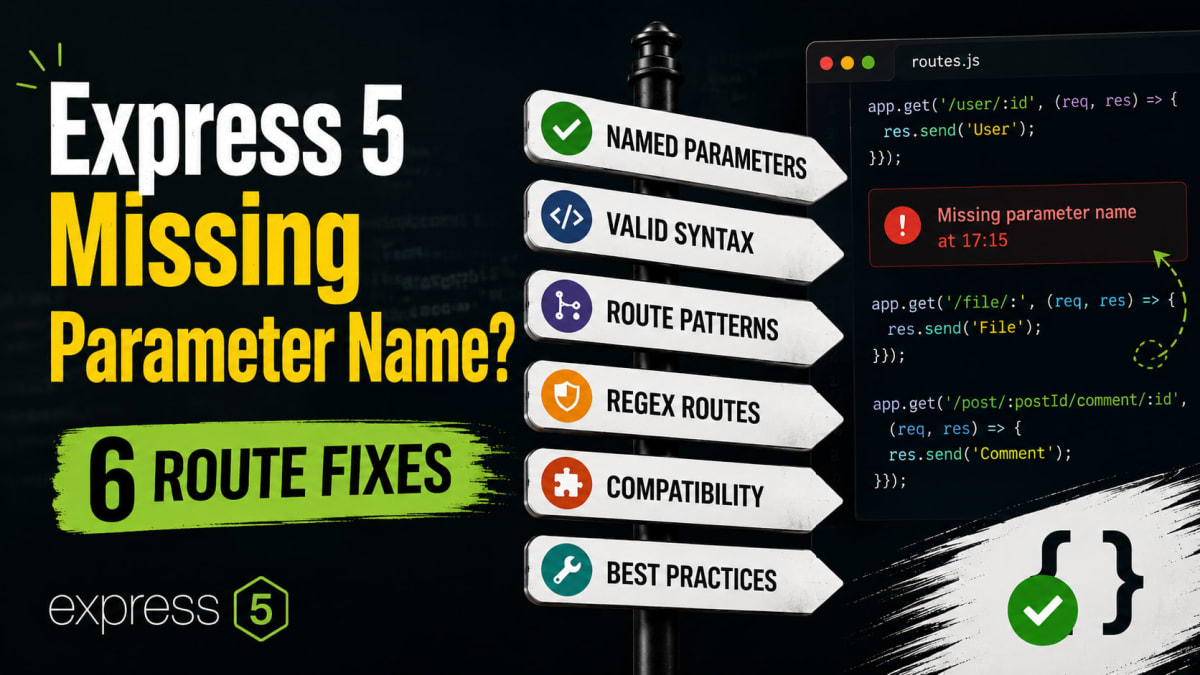
Fix Express 5 Missing Parameter Name in Wildcard Routes
Skilldham
Engineering deep-dives for developers who want real understanding.
Last updated: June 2026
TL;DR – Quick Fix
Express 5 missing parameter name error means your route has a bare wildcard with no name.
Error:
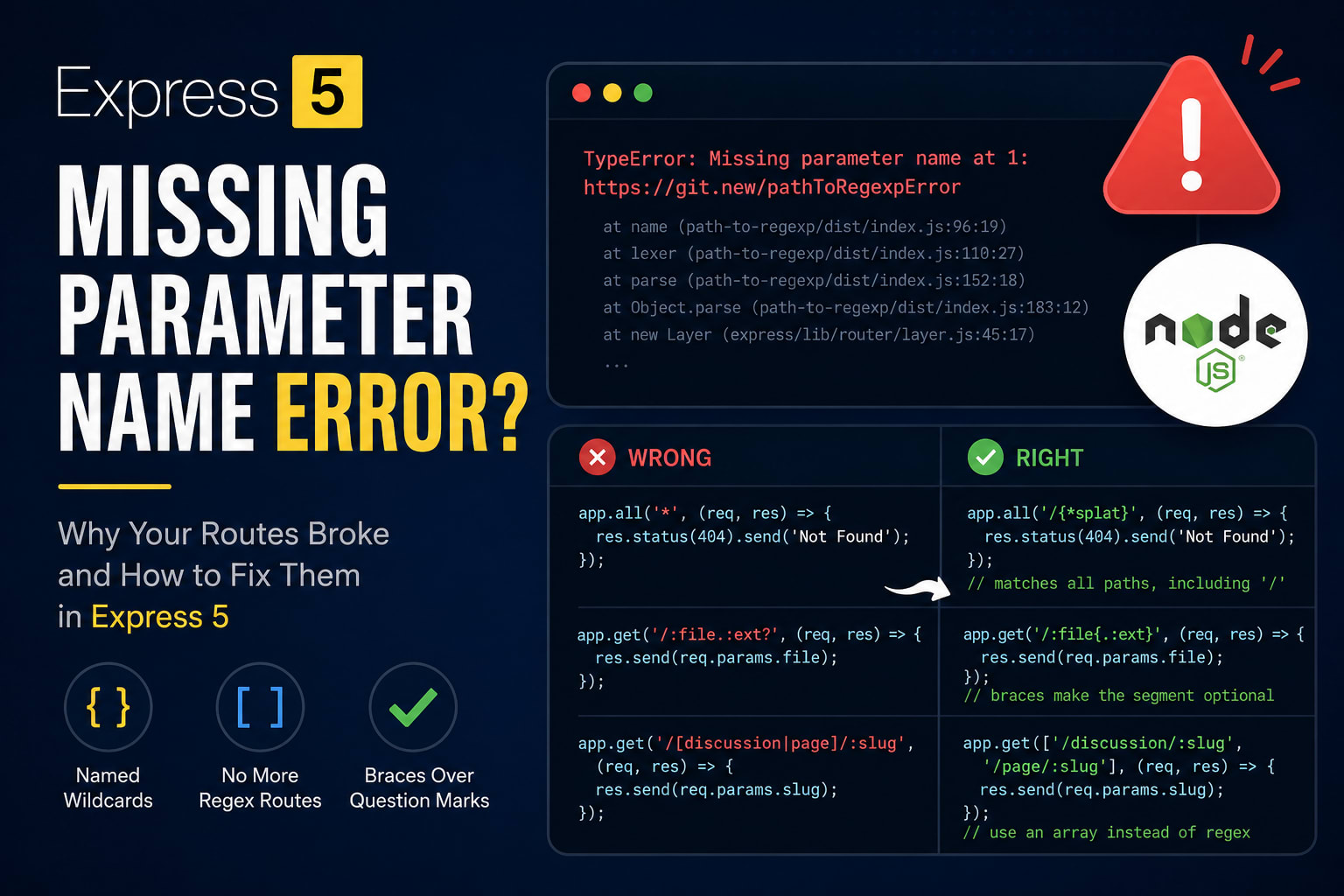
TypeError: Missing parameter name at 1: https://git.new/pathToRegexpErrorFix — change this:
js
// Wrong: Express 4 style — crashes Express 5 on startup
app.all('*', handler);
app.get('/*', handler);
To this:
js
// Correct: named wildcard — works in Express 5
app.all('/*splat', handler);

// Also matches root path "/"
app.all('/{*splat}', handler);
Express 5, Node 18+, NestJS 11, Vercel
You upgraded Express. You ran npm install express@5. The install was clean.
Then you started the server.
It crashed before the first request.
TypeError: Missing parameter name at 1: https://git.new/pathToRegexpErrorYou did not touch your routes. You changed one number in package.json. And now your catch-all app.get('*') route takes down the whole app on boot.
Here is the part that wastes hours: the stack trace points into path-to-regexp/dist/index.js, not your code. So you go hunting in the wrong place. This is the express 5 missing parameter name error - and it hits before your server handles a single request.
The fix is small once you know it. But there is more than one broken pattern, and most posts only show you the first. Let me map all of them.
If you are weighing Express against the alternatives, our guide on Next.js API Routes vs Express covers when each one fits. This post assumes you are staying on Express and just need it running again.
Quick Answer
The Express 5 missing parameter name error means your route uses a bare wildcard like or /. Express 5 switched to a stricter path-to-regexp version. Wildcards must now be named. Change /* to /*splat, or use /{*splat} to also match the root path. The name splat is arbitrary - call it anything.
What the Express 5 Missing Parameter Name Error Means
The express 5 missing parameter name error comes from one breaking change. Express 5 swapped its route parser for a newer path-to-regexp version.
path-to-regexp Got Stricter
In Express 4, * meant "match anything." The parser was loose.
Express 5 changed the rule. Every wildcard now needs a name, just like a :param does.
A bare has no name. So the parser stops cold. The full message reads: "Parameter names must be provided after : or , and they must be a valid JavaScript identifier."
This Is a Crash, Not a Warning
This matters more than a normal bug.
The error fires at route registration, not at request time. Your server never finishes starting. Tools like Firebase Functions report it as a deploy failure, which hides the real cause even more.
So the first thing to check after any Express 5 upgrade is every * in your route strings.
Fix the Catch-All: Name Your Wildcard
This is the pattern that breaks for almost everyone. The 404 handler.
Wrong: The Bare Star
javascript
// Wrong: bare wildcard - crashes Express 5 on startup
const express = require('express');
const app = express();

app.all('*', (req, res) => {
  res.status(404).send('Not Found');
});
This worked for years in Express 4. In Express 5 it throws Missing parameter name before your server binds to a port.
Right: /*splat and /{*splat}
Give the wildcard a name. That is the whole fix.
javascript
// Correct: named wildcard - matches any path except the root
app.all('/*splat', (req, res) => {
  res.status(404).send('Not Found');
});

// Correct: braces also match the root path "/"
app.all('/{*splat}', (req, res) => {
  res.status(404).send('Not Found');
});
Here is why the fix works. A named wildcard gives the parser a valid identifier to attach the match to. splat matches every path below the root. Wrapping it in braces - /{splat} - makes the segment optional, so it also catches / itself. The name splat carries no special meaning. You could write all or rest and get the same result.
This is the part most tutorials skip: the brace version is what you usually want for a true catch-all.
The Optional ? Is Gone - Use Braces
The ? optional marker no longer works. This one fails silently in your head until you test the route.
What Breaks
javascript
// Wrong: trailing ? optional - not supported in Express 5
app.get('/:file.:ext?', (req, res) => {
  res.send(req.params.file);
});
Express 5 reads ? as a reserved character now. The route either crashes or never matches.
The Brace Fix
javascript
// Correct: wrap the optional segment in braces
app.get('/:file{.:ext}', (req, res) => {
  res.send(req.params.file);
});
The braces mark the .:ext group as optional. So /report.pdf and /report both match. The mental model is simple. Old optional ? becomes a {} group around the part that may or may not exist.
Regex Routes Now Crash - Use an Array
Express 5 dropped regular-expression characters inside path strings. If you packed logic into the path, it breaks.
The Old Pattern That Breaks
javascript
// Wrong: regex-style path - unsupported in Express 5
app.get('/[discussion|page]/:slug', (req, res) => {
  res.status(200).send(req.params.slug);
});
Characters like [, ], (, ), +, and ! are reserved now. The full reserved set is ()[]?+!.
Two Ways to Replace It
The clean fix is an array of plain paths.
javascript
// Correct: pass an array of real paths instead of regex
app.get(['/discussion/:slug', '/page/:slug'], (req, res) => {
  res.status(200).send(req.params.slug);
});
If you truly need one of those reserved characters as a literal, escape it with a backslash.
javascript
// Correct: escape a reserved character to match it literally
app.get('/files/\\(archive\\)', (req, res) => {
  res.send('matched literal parentheses');
});
The array version reads better and is easier to maintain. Reach for escaping only when a literal symbol must stay in the URL.
Your req.params Shape Changed Too
This is the second-order bug. You fix the crash, the server starts, and then your handler reads the wrong value.
Wildcards Return Arrays Now
In Express 4, a wildcard match was a single string. In Express 5 it is an array of path segments.
javascript
// Express 5 behavior for GET /foo/bar
app.get('/*splat', (req, res) => {
  console.dir(req.params);
  // => [Object: null prototype] { splat: [ 'foo', 'bar' ] }
  res.send(req.params.splat.join('/')); // rebuild the path
});
If your old code did req.params[0] or treated the match as a string, it now returns undefined or breaks on .split(). Join the array to get the full path back.
Unmatched Params Disappear
Express 4 left unmatched optional params as undefined or empty strings. Express 5 omits them completely.
So req.params.ext may not exist at all, not just be undefined. Check with 'ext' in req.params or a fallback value. This is the kind of mismatch that passes in Postman but breaks a real client - our post on why your API works in Postman but fails in the browser covers more cases like it.
The NestJS 11 Trap
You may hit this error without ever installing Express yourself.
Express Changed Under You
NestJS 11 made Express 5 the default in January 2025. So a fresh nest new project now runs the stricter parser.
NestJS tries to auto-convert old syntax. But it logs a warning you should not ignore:
Unsupported route path: /api/*. In previous versions, the symbols ?, *, and +
were used to denote optional or repeating path parameters. The latest version
of path-to-regexp now requires the use of named parameters.
If you see 404s on routes that worked before the upgrade, this is why.
Fix Your Decorators
The fix in NestJS is the same idea. Name the wildcard.
typescript
// Wrong: bare wildcard in a NestJS 11 controller
@Get('users/*')
findAll() {
  return 'all users';
}

// Correct: named wildcard
@Get('users/*splat')
findAll() {
  return 'all users';
}
Note that NestJS 11 also requires Node.js 20 or higher, while plain Express 5 only needs Node 18. Check your runtime before you debug routes.
Bonus: Delete Your try/catch Wrappers
Here is the upgrade reward nobody mentions. Express 5 handles async errors for you.
Async Errors Auto-Forward Now
In Express 4, an async handler that threw left the request hanging. You had to catch and call next yourself.
javascript
// Express 4: manual catch required
app.get('/user/:id', (req, res, next) => {
  getUserById(req.params.id)
    .then((user) => res.send(user))
    .catch(next);
});
Express 5 forwards a rejected promise to your error handler automatically.
javascript
// Express 5: throw freely, the error reaches your handler
app.get('/user/:id', async (req, res) => {
  const user = await getUserById(req.params.id);
  res.send(user);
});
When You Still Need a Catch
This only covers the promise the handler returns.
Errors thrown inside a setTimeout, an event listener, or a non-awaited call still escape. Keep your try/catch for those. And keep it anywhere you want to shape a custom error response instead of a generic 500.
Key Takeaways
The express 5 missing parameter name error means a route uses a bare wildcard with no name - add splat to fix the crash
Use /*splat to match every path below the root, and /{*splat} when you also need to match /
The optional ? is gone - wrap the optional part in braces, like /:file{.:ext}
Regex characters in paths are dead; pass an array of real paths or escape reserved characters with \
Wildcard matches now arrive as arrays in req.params, and unmatched params are dropped entirely
NestJS 11 ships Express 5 by default, so the same fix applies to your @Get('*') decorators
Async handlers no longer need a manual .catch(next) - Express 5 forwards rejected promises for you
FAQs
Why does Express 5 throw "Missing parameter name"?
Your route uses a bare wildcard such as or /. Express 5 moved to a stricter path-to-regexp version that requires every wildcard to have a name. The parser cannot find a name after the *, so it throws at startup.
How do I fix app.all('*') in Express 5?
Change it to app.all('/*splat', ...) to match any path below the root. Use app.all('/{*splat}', ...) if you also need to match the root path itself. The braces make the wildcard segment optional.
What is splat in Express 5 routes?
It is just the name you give the wildcard parameter. It has no special meaning. You can call it anything that is a valid JavaScript identifier, like rest or path, and read it back from req.params.
What is the difference between /*splat and /{*splat}?
/*splat matches any path except the root. /{*splat} wraps the wildcard in braces, which makes it optional, so it matches the root path as well. Use the brace version for a true catch-all.
Does Express 5 still support optional route parameters?
Yes, but the syntax changed. The trailing ? is no longer supported. Wrap the optional segment in braces instead, for example /:file{.:ext} rather than /:file.:ext?.
Why did my regex route stop working in Express 5?
Express 5 no longer supports regular-expression characters inside path strings. Characters like ()[]?+! are now reserved. Replace a regex path with an array of plain paths, or escape a literal character with a backslash.
Does NestJS 11 use Express 5 by default?
Yes. NestJS 11 made Express 5 the default adapter in January 2025. So bare wildcard decorators like @Get('users/*') trigger the same error and should become @Get('users/*splat'). NestJS 11 also requires Node.js 20 or higher.
Do I still need try/catch in Express 5 async routes?
Not for the promise your async handler returns - Express 5 forwards rejected promises to your error handler automatically. You still need try/catch for errors thrown inside timers, event listeners, or when you want a custom error response.
Conclusion
Express 5 did not break your routes to annoy you - it traded a loose parser for a strict one that catches real bugs earlier. Once you name your wildcards and swap regex paths for arrays, the crash is gone for good.
Most upgrade pain traces back to these few patterns, and now you have all of them in one place. The same version-gap trap hits other tools too - if Prisma is in your stack, the Prisma 7 migration errors guide walks the same kind of cleanup.
If this saved you an evening, the SkillDham newsletter ships one real debugging breakdown like this each week.