

Fix Prisma 7 Migration Errors: Adapter, P1012 and SSL
Skilldham
Engineering deep-dives for developers who want real understanding.
Last updated: June 2026
TL;DR – Quick Fix
Prisma 7 migration errors arrive in a fixed order. Make these three changes and 90% of errors will resolve.
Step 1 – Install the driver adapter:
bash
npm install @prisma/adapter-pg pg
npm install -D @types/pg
Step 2 – Create prisma.config.ts at your project root:
ts
import "dotenv/config";
import { defineConfig, env } from "prisma/config";

export default defineConfig({
  schema: "prisma/schema.prisma",
  migrations: {
    path: "prisma/migrations",
  },
  datasource: {
    url: env("DATABASE_URL"),
  },
});
Step 3 – Remove the url from schema.prisma:
prisma
generator client {
  provider = "prisma-client"
  output   = "./generated/prisma"
}

datasource db {
  provider = "postgresql"
}
Prisma 7.6, PostgreSQL, Neon, Next.js, Vercel
You run npx prisma migrate dev. It worked yesterday on Prisma 6.
Now the terminal throws a prisma 7 migration error you have never seen.
You fix it. You run the command again.
A different error appears.
You fix that one. Run again. Another error.
This is how Prisma 7 migration errors feel. A chain, not a single wall.
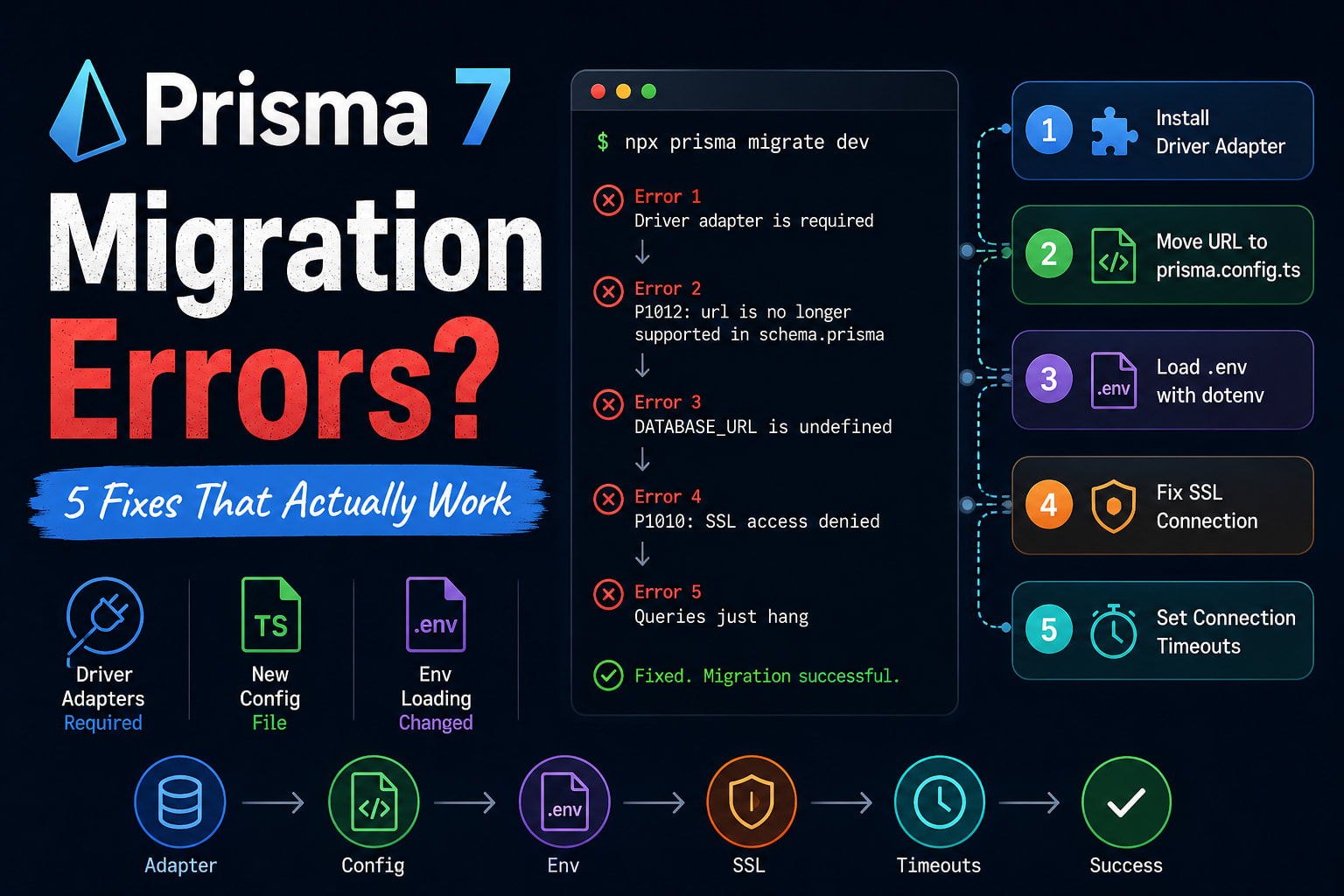
Most upgrade guides hand you a flat checklist. They never tell you the errors arrive in a fixed order. You hit the driver adapter error first. Then a config error. Then SSL. Then your queries hang for no reason at all.
I upgraded a Postgres and Neon project from 6.x to 7.6.0. Here is the exact cascade, in order, with the fix for each.
Quick Answer
Most Prisma 7 migration errors come from three required changes. Prisma 7 now needs a driver adapter for every database. It moves your database URL out of schema.prisma into prisma.config.ts. And it stops loading .env files on its own.
Fix them in this order: install the adapter, create the config file, then add dotenv. The SSL and timeout errors show up after that.
If you are still choosing an ORM, our Prisma vs Drizzle in Next.js guide compares both before you commit to this upgrade.
Why Prisma 7 Migration Errors Hit One After Another
Prisma 7 migration errors stack up because it is not a small bump. It dropped the Rust query engine. It made driver adapters required. It moved your config into a new file.
So a single command now touches three systems at once.
One Fix Surfaces the Next Error
Each fix unblocks the command just far enough to reach the next problem.
You add the adapter. Now the schema complains about your URL. You move the URL. Now the CLI can't read your .env. You load dotenv. Now SSL fails.
This is why a "single fix" never works. You are walking a ladder, not flipping a switch.
These Are the Versions That Matter
Prisma 7 needs Node 20.19.0 or higher. It needs TypeScript 5.4.0 or higher.
It also ships as ESM only. Your package.json needs "type": "module". MongoDB is not supported yet, so stay on Prisma 6 for Mongo projects.
Error 1: A Driver Adapter Is Now Required
In Prisma 6, you passed a URL and Prisma handled the connection. In Prisma 7, that is gone.
Every database now needs an explicit driver adapter.
What the Old Code Looks Like
typescript
// Wrong: v6 style - no adapter, Prisma 7 cannot connect
import { PrismaClient } from "@prisma/client";

export const prisma = new PrismaClient({
  datasourceUrl: process.env.DATABASE_URL,
});
This throws on startup. Prisma 7 has no built-in engine to open the connection for you. The datasourceUrl option no longer wires anything up.
The Fix With Working Code
Install the adapter and the native driver first.
bash
# For PostgreSQL
npm install @prisma/adapter-pg pg
npm install -D @types/pg
Then pass the adapter into the client.
typescript
// db.ts
// Correct: Prisma 7 client with the required pg driver adapter
import { PrismaClient } from "./generated/prisma/client";
import { PrismaPg } from "@prisma/adapter-pg";

const adapter = new PrismaPg({
  connectionString: process.env.DATABASE_URL,
});

const globalForPrisma = globalThis as unknown as {
  prisma?: PrismaClient;
};

export const prisma =
  globalForPrisma.prisma ?? new PrismaClient({ adapter });

if (process.env.NODE_ENV !== "production") {
  globalForPrisma.prisma = prisma;
}
Notice the import path. It is not @prisma/client anymore. Prisma 7 generates the client into a folder you choose, so you import from there. The singleton guard stops connection leaks in dev, which matters a lot on serverless.
For SQLite you would use @prisma/adapter-better-sqlite3 instead. The pattern is the same.
Error 2: P1012 - The url Property Is No Longer Supported
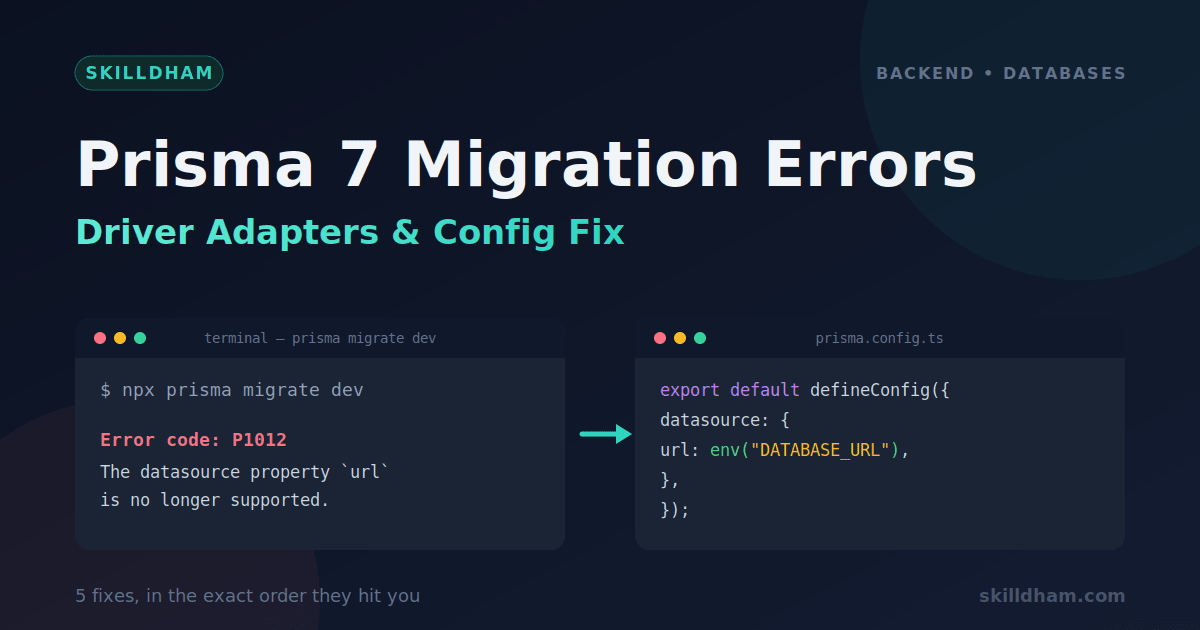
You fixed the adapter. Now npx prisma migrate dev throws this:
bash
Error code: P1012
error: The datasource property url is no longer supported in schema files.
Move connection URLs for Migrate to prisma.config.ts
This one confuses people the most. Your URL was always in the schema. Now the schema rejects it.
Why prisma.config.ts Now Owns the URL
The CLI and the runtime client are now separate. The client reads its URL through the adapter. The CLI reads its URL from a new file: prisma.config.ts.
So your datasource block keeps only the provider.
prisma
// schema.prisma
// Correct: provider only - the URL moves out
generator client {
  provider = "prisma-client"
  output   = "./generated/prisma"
}

datasource db {
  provider = "postgresql"
}
Two things changed here. The provider is now prisma-client, not prisma-client-js. And output is now required. Prisma 7 will not generate into node_modules for you.
Moving the URL the Right Way
Create prisma.config.ts at your project root, next to package.json.
typescript
// prisma.config.ts
import "dotenv/config";
import { defineConfig, env } from "prisma/config";

export default defineConfig({
  schema: "prisma/schema.prisma",
  migrations: {
    path: "prisma/migrations",
  },
  datasource: {
    url: env("DATABASE_URL"),
    shadowDatabaseUrl: env("SHADOW_DATABASE_URL"),
  },
});
The url here is what the CLI uses for migrations. If you used directUrl in v6, put that value in this url field. The CLI needs a direct connection, not a pooled one.
Error 3: Your DATABASE_URL Is Suddenly Undefined
Now the config exists, but the CLI says your URL is empty. The connection string looks blank.
You did not delete anything. So why is it gone?
Prisma 7 Stopped Loading .env For You
This is the change almost nobody reads. In Prisma 7, the CLI does not load .env files on its own.
In v6 it did this silently. In v7 you have to load them yourself.
Add dotenv to the Config
You already saw the fix in the config above. The first line does the work.
typescript
// prisma.config.ts
// Correct: this single import loads your .env before anything reads it
import "dotenv/config";
That import has to run before env("DATABASE_URL") is read. Keep it at the very top of the file. If you use Bun, you can skip this. Bun loads .env files automatically.
This same "env not loaded" trap shows up in builds too. If your deploy breaks for a similar reason, our guide on Next.js builds failing on Vercel covers the environment side of it.
Error 4: P1010 - SSL Access Denied On Connect
Migration now runs. But your app throws this when it tries to query:
bash
Error: P1010: User was denied access on the databaseThe URL is correct. The password is correct. It still fails.
Why the Old Engine Hid This
Prisma 7 uses the Node pg driver instead of the Rust engine. The Rust engine quietly ignored invalid SSL certificates. The pg driver does not.
So a cert that "worked" in v6 now gets rejected. Common with self-hosted Postgres and some managed providers.
Two Ways to Fix It
The quick fix matches the old behavior.
typescript
// db.ts
// Correct: accept the cert the way v6 did
import { PrismaPg } from "@prisma/adapter-pg";

const adapter = new PrismaPg({
  connectionString: process.env.DATABASE_URL,
  ssl: { rejectUnauthorized: false },
});
The proper fix is to trust your real certificate. Set NODE_EXTRA_CA_CERTS to your CA file, or run Node with --use-openssl-ca. Use the quick fix to unblock yourself, then move to the proper one before production.
Error 5: Migration Passes But Queries Just Hang
This is the worst one. Nothing errors. The migration succeeds. The app starts.
Then a query sits there. No response. No timeout. It just hangs.
Prisma 7 Driver Adapter Pool Configuration and Timeout Settings
The default pg driver ships with no pool limits. For production, these are the settings that match Prisma 6 behavior:
connectionTimeoutMillis: 5000 - fail fast instead of hanging
idleTimeoutMillis: 10000 - release idle connections
max: 10 - cap pool size for serverless
Tune max based on your host. Neon and Supabase recommend keeping it under 10 on the free tier.
The Connection Timeout Trap
Driver adapters use the pool settings of the native driver, not Prisma's old defaults.
Prisma 6 used a 5 second connection timeout. The pg driver uses 0, which means no timeout at all. So a connection that should fail fast now waits forever.
Restoring v6 Behavior
Pass pool options into the adapter to bring back sane limits.
typescript
// db.ts
// Correct: restore a real timeout and a pool size cap
import { PrismaPg } from "@prisma/adapter-pg";

const adapter = new PrismaPg({
  connectionString: process.env.DATABASE_URL,
  connectionTimeoutMillis: 5000,
  max: 10,
});
Now a bad connection fails in 5 seconds instead of hanging. The max value caps your pool so serverless functions do not exhaust the database. Tune these to match your host.
If you want the deeper story on why apps that look fine locally break in production, our post on why React apps work locally but break in production digs into these silent runtime gaps.
Key Takeaways
Prisma 7 migration errors arrive in a fixed order - fix the adapter, then the config, then env loading, then SSL, then pool timeouts.
A driver adapter like @prisma/adapter-pg is now required for every database, and the client import path changes to your generated output folder.
The P1012 error means your url must move from schema.prisma into prisma.config.ts, and your generator provider becomes prisma-client.
Prisma 7 no longer loads .env automatically - add import "dotenv/config" at the top of prisma.config.ts.
The P1010 SSL error appears because the pg driver rejects bad certificates that the old Rust engine ignored.
Queries that hang after a clean migration come from the pg driver having no default timeout - set connectionTimeoutMillis and max on the adapter.
FAQs
Why does Prisma 7 require a driver adapter?
Prisma 7 removed the bundled Rust query engine to make the client leaner and edge-friendly. Without that engine, the client has no way to open a connection on its own. You now pass an adapter like @prisma/adapter-pg so the native driver handles the connection.
What is the P1012 error in Prisma 7?
P1012 is a schema validation error. It fires because the url property is no longer allowed in the datasource block of schema.prisma. You move that URL into prisma.config.ts instead. The schema block keeps only the provider.
Do I need prisma.config.ts for Prisma 7?
Yes, if you run migrations or introspection. The CLI reads your database URL, schema path, and migration settings from prisma.config.ts now. Without it, migration commands fail because they cannot find a connection string.
Why is my DATABASE_URL undefined after upgrading to Prisma 7?
Prisma 7 stopped loading .env files automatically in the CLI. You have to load them yourself by adding import "dotenv/config" at the top of prisma.config.ts. Bun users can skip this since Bun loads .env on its own.
How do I fix the P1010 SSL error in Prisma 7?
The pg driver rejects invalid SSL certificates that the old Rust engine ignored. As a quick fix, pass ssl: { rejectUnauthorized: false } to the adapter. The proper fix is to trust your real certificate using NODE_EXTRA_CA_CERTS or the --use-openssl-ca flag.
Does Prisma 7 support MongoDB?
Not yet. Prisma 7 ships without MongoDB support at launch, and support is planned for a later release. If you run a MongoDB project, stay on Prisma 6 for now and do not migrate to the v7 SQL client path.
Why do my queries hang after a clean Prisma 7 migration?
The pg driver has no connection timeout by default, while Prisma 6 used 5 seconds. A bad connection now waits forever instead of failing. Set connectionTimeoutMillis and max on the adapter to restore sane limits.
Is prisma-client-js still supported in Prisma 7?
The prisma-client-js provider still works for now but it is being phased out. Prisma 7 wants the new prisma-client provider, which generates a Rust-free client with a required output path. Switch to it to get smaller bundles and faster queries.
Conclusion
Prisma 7 migration errors feel random but they are not. It split one job into three - the client connects through an adapter, the CLI reads from a config file, and your env loading is now your responsibility.
Once you see the errors as a ladder instead of random failures, the upgrade stops feeling hostile. Fix them in order and each one unlocks the next.
If you found this useful, our Prisma vs Drizzle in Next.js breakdown covers the next decision most teams face after an upgrade like this.