
MCP Explained - What Model Context Protocol Actually Is
Skilldham
Engineering deep-dives for developers who want real understanding.
You keep seeing MCP mentioned everywhere. GitHub discussions, developer podcasts, AI tool changelogs. Model Context Protocol. Everyone seems to think it is important. Most explanations either assume you already know what it is, or go so deep into the architecture that you lose the thread before understanding the basic idea.
Here is the simple version first, then the practical version.
MCP is a standard that lets AI models talk to external tools and data sources in a consistent, predictable way. That is it. The reason it matters is what that standard makes possible - and why without it, every AI integration becomes a custom engineering project from scratch.
The Problem MCP Solves
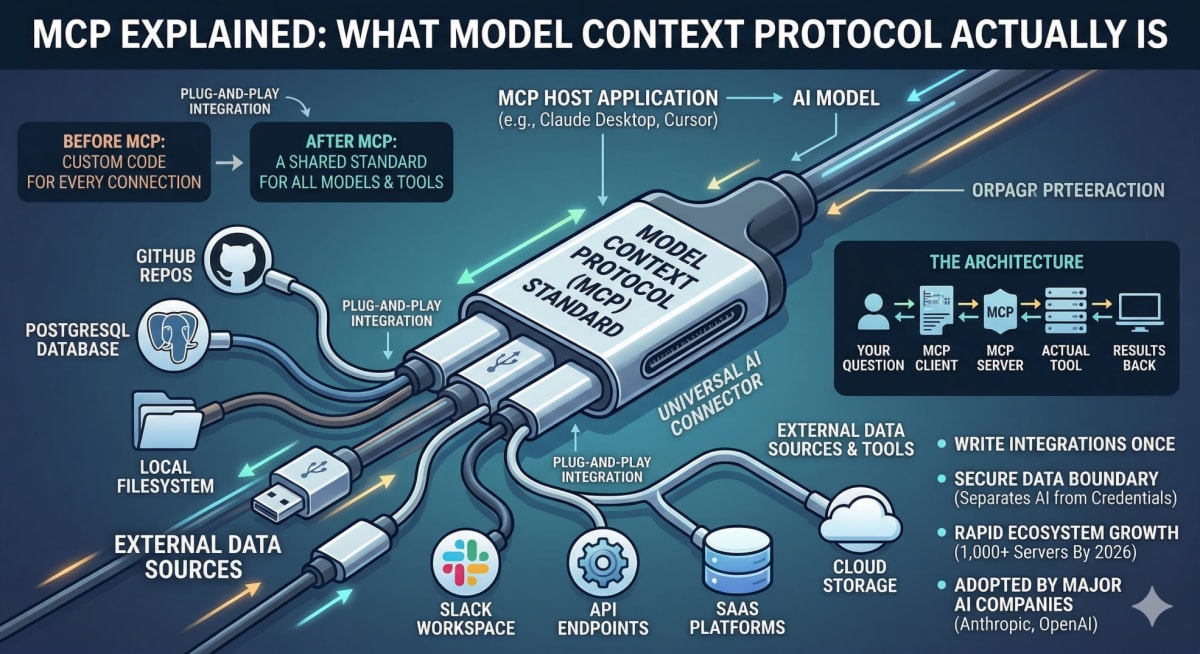
Before MCP, connecting an AI model to an external tool required custom code every single time. You wanted Claude to read your database? Write custom code. You wanted it to search your files? Write different custom code. You wanted it to call your API? Write more custom code. And none of that code worked with any other AI model - you built for Claude, it only worked with Claude. You built for GPT, it only worked with GPT.
This was the same problem the web solved with HTTP. Before HTTP, every server and client had to agree on their own communication protocol. HTTP gave everyone a shared standard - now any browser can talk to any server. MCP does the same thing for AI models and tools.
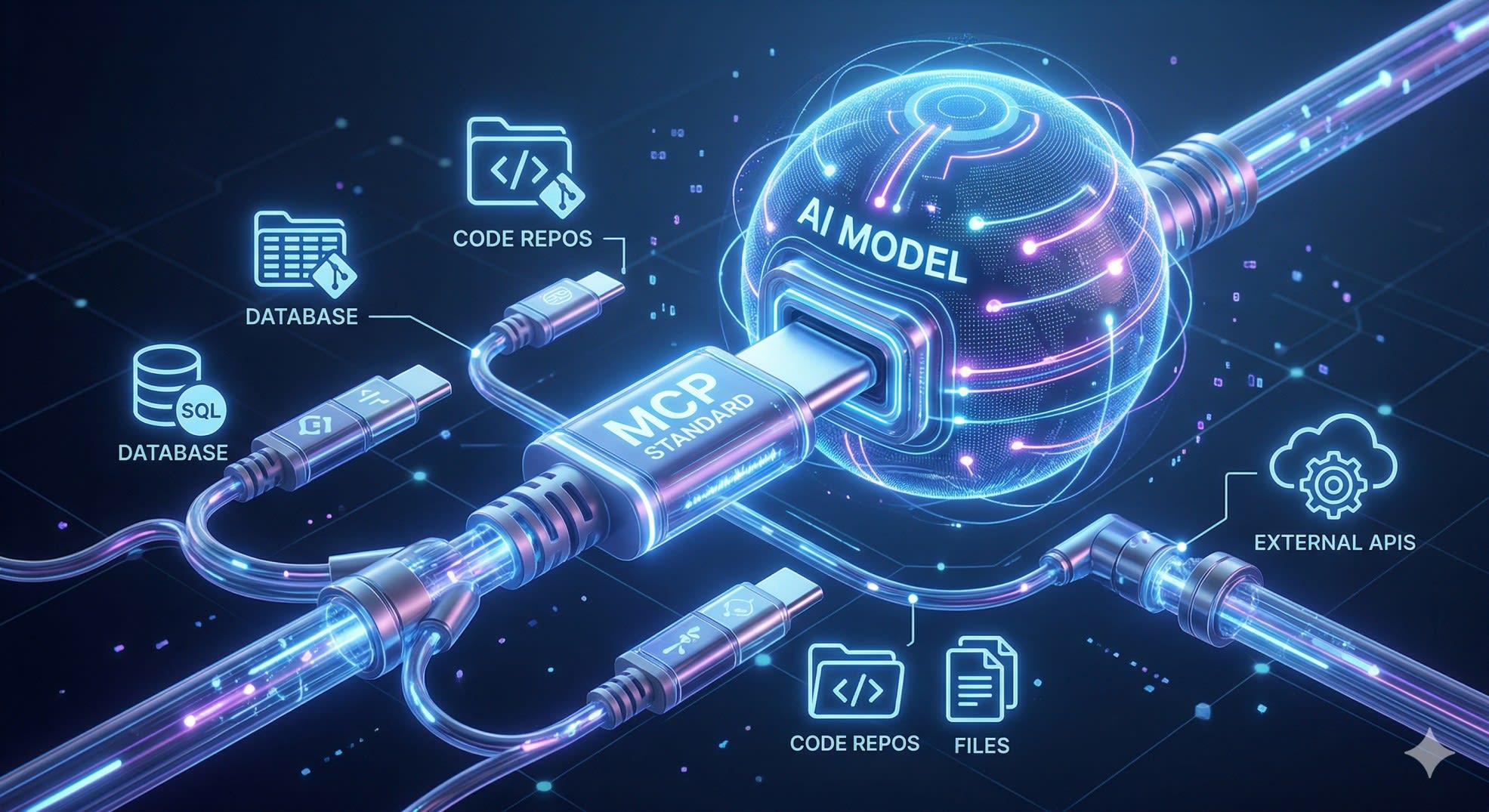
The analogy that actually sticks: think of MCP as a USB standard for AI. Before USB, every peripheral - keyboard, mouse, printer, camera - needed its own specific port and its own specific driver. USB gave everything a shared connector. Now any device works with any computer that has a USB port. MCP gives AI models a shared connector for external tools and data.
What MCP Actually Consists Of
MCP has three parts that work together. Understanding each one makes the whole thing click.
MCP Hosts are the AI applications that want to use external tools. Claude Desktop is an MCP host. Cursor is an MCP host. Any application that embeds an AI model and wants to give it access to tools is a host.
MCP Servers are the connectors that expose specific tools or data sources. A GitHub MCP server exposes your repositories and pull requests. A database MCP server exposes your tables and lets the AI run queries. A filesystem MCP server exposes your local files. These servers are not large - they are small, focused programs that translate between MCP's standard protocol and whatever specific service they connect to.
MCP Clients live inside the host application and manage the connection to MCP servers. When you ask Claude to check your GitHub issues, the MCP client inside Claude Desktop connects to your GitHub MCP server and passes the request through.
Your Question
     ↓
MCP Host (Claude Desktop / Cursor)
     ↓
MCP Client
     ↓
MCP Server (GitHub / Database / Filesystem)
     ↓
Actual Tool or Data Source
     ↓
Result back to AI → back to you
The key thing about this architecture is that the AI model does not need to know anything specific about GitHub or your database or your filesystem. It just knows how to speak MCP. The MCP server handles all the specifics of the actual tool.
Why This Became the Standard So Fast
MCP was introduced by Anthropic in late 2024. By early 2026, it had over 1,000 community-built MCP servers covering everything from Slack to PostgreSQL to custom enterprise systems. OpenAI adopted it in 2025 - which is the clearest possible signal that it had won. When a competitor adopts your protocol, the protocol has become infrastructure.
The reason adoption happened so fast is that MCP solved a real pain point that every team building AI features was hitting simultaneously. Every company trying to make their AI assistant actually useful - not just a chatbot but something that could read your data and take actions - was writing the same custom integration code over and over. MCP let them write it once, as an MCP server, and have it work with any AI model that supported the protocol.
For developers specifically, this matters because it means the integration work you do now compounds. You build an MCP server for your internal database once. Any AI tool your team uses that supports MCP can immediately use it - Claude, Cursor, any future tools that adopt the standard.
Our guide on AI agents for developers covers how MCP fits into the broader agentic AI architecture - understanding agents first makes MCP's role much clearer.
How MCP Works in Practice
When an AI model with MCP support wants to use a tool, here is the actual sequence:
The host application starts up and connects to whatever MCP servers you have configured. The MCP server tells the host what tools it has available - their names, what they do, and what parameters they accept. This is called the tool manifest.
When you ask the AI something that requires a tool, the AI decides which tool to use based on the manifest, constructs a call with the right parameters, and sends it through the MCP client to the server. The server executes the actual operation - queries the database, reads the file, calls the API - and sends the result back. The AI incorporates that result into its response.
js
// Example MCP tool definition (simplified)
{
  name: "query_database",
  description: "Run a SQL query against the production database",
  inputSchema: {
    type: "object",
    properties: {
      query: {
        type: "string",
        description: "The SQL query to execute"
      }
    },
    required: ["query"]
  }
}
The AI never sees your database credentials. It never connects to your database directly. It sends a structured request to the MCP server, which handles authentication and execution, and gets back results. This separation is one of MCP's underrated security benefits - the AI model is isolated from your actual credentials and infrastructure.
Building a Simple MCP Server
The MCP SDK makes building a basic server straightforward. Here is a minimal example that exposes one tool - reading a file from the filesystem:
js
import { Server } from "@modelcontextprotocol/sdk/server/index.js";
import { StdioServerTransport } from "@modelcontextprotocol/sdk/server/stdio.js";
import {
  CallToolRequestSchema,
  ListToolsRequestSchema,
} from "@modelcontextprotocol/sdk/types.js";
import fs from "fs/promises";

const server = new Server(
  { name: "file-reader", version: "1.0.0" },
  { capabilities: { tools: {} } }
);

// Tell the host what tools we have
server.setRequestHandler(ListToolsRequestSchema, async () => ({
  tools: [
    {
      name: "read_file",
      description: "Read the contents of a file",
      inputSchema: {
        type: "object",
        properties: {
          path: {
            type: "string",
            description: "Path to the file to read",
          },
        },
        required: ["path"],
      },
    },
  ],
}));

// Handle tool calls
server.setRequestHandler(CallToolRequestSchema, async (request) => {
  if (request.params.name === "read_file") {
    const { path } = request.params.arguments;

    try {
      const content = await fs.readFile(path, "utf-8");
      return {
        content: [{ type: "text", text: content }],
      };
    } catch (error) {
      return {
        content: [{ type: "text", text: `Error: ${error.message}` }],
        isError: true,
      };
    }
  }
});

// Start the server
const transport = new StdioServerTransport();
await server.connect(transport);
This server, once running, can be connected to Claude Desktop or any MCP-compatible host. The AI can then ask it to read files, and it will - without the AI ever having direct filesystem access.
Install the SDK with:
bash
npm install @modelcontextprotocol/sdkMCP in Real Projects - A Practical Example
The best way to understand MCP's value is through a problem it solves cleanly.
When I built the AI layer for Munshi - my personal finance tracker - I used RAG (Retrieval Augmented Generation) rather than MCP. The AI could answer questions about your expenses in Hindi, English, or Hinglish by retrieving relevant transactions from a vector database and passing them as context to the language model.
It worked. But the architecture had a limitation that MCP addresses more elegantly.
With RAG, the AI gets a chunk of retrieved data and reasons over it. With MCP, the AI can call specific, constrained tools and get structured, precise answers instead of working from retrieved text chunks. The AI asks for exactly what it needs, the server returns exactly that, and nothing else is exposed.
For a finance app like Munshi, an MCP server would expose tools like this:
const tools = [
  {
    name: "get_monthly_summary",
    description: "Get total income and expenses for a specific month",
    inputSchema: {
      type: "object",
      properties: {
        month: { type: "number", description: "Month (1-12)" },
        year:  { type: "number", description: "Year" },
      },
      required: ["month", "year"],
    },
  },
  {
    name: "get_expenses_by_category",
    description: "Get total spending in a specific category",
    inputSchema: {
      type: "object",
      properties: {
        category: { type: "string" },
        month:    { type: "number" },
      },
      required: ["category", "month"],
    },
  },
];
The AI never touches the database directly. It calls the tool, the server queries Postgres with proper authentication, and returns only what the tool is designed to return. The boundary is enforced by the server, not by trusting the AI to stay within limits.
This is the practical value of MCP - not just convenience, but a clean security boundary between what the AI can request and what your infrastructure actually does. RAG gives the AI information. MCP gives the AI actions, with constraints you define.
Our post on how I built the Munshi expense tracker covers the full RAG implementation in detail - reading both together shows exactly where RAG ends and where MCP begins.
What MCP Does Not Do
Understanding the boundaries matters as much as understanding what MCP enables.
MCP does not make AI models smarter. It gives them access to more information and more tools, but the quality of what they do with that access depends entirely on the model itself.
MCP does not handle authentication between you and your tools. Your MCP server handles that. The server connects to your database with credentials you configure - MCP just standardizes how the AI talks to the server.
MCP is not the same as function calling or tool use. Function calling is a capability of AI models - the ability to call functions. MCP is a transport protocol that standardizes how those function calls reach external systems. They work together but they are different things.
The official MCP documentation from Anthropic is the most complete reference - it covers server implementations in Python and TypeScript, the full protocol specification, and a growing directory of community servers.
Key Takeaway
Model context protocol explained simply: MCP is a standard that lets AI models connect to external tools and data sources without custom integration code for every combination. It works through three components - hosts that run AI applications, servers that expose specific tools, and clients that manage the connection between them.
The reason it matters right now is timing. MCP has already won - OpenAI's adoption confirmed that. The 1,000+ community servers mean there is likely already an MCP server for the tools your team uses. And the pattern of building constrained, specific MCP servers rather than giving AI direct access to your infrastructure is a better security posture regardless of which AI model you use.
If you are building anything with AI in 2026, understanding MCP is not optional knowledge. It is the infrastructure the ecosystem is building on.
FAQs
What is Model Context Protocol in simple terms? MCP is a standard protocol that lets AI models connect to external tools and data sources in a consistent way. Instead of writing custom integration code every time you want an AI to access a database, API, or file system, you build an MCP server once and any MCP-compatible AI tool can use it. Think of it as USB for AI - a shared connector that makes any device work with any compatible host.
Who created MCP and is it widely supported? MCP was created by Anthropic and introduced in late 2024. By 2026 it has become the de facto standard - OpenAI adopted it in 2025, there are over 1,000 community-built MCP servers, and major developer tools like Cursor and Claude Desktop support it natively. OpenAI's adoption in particular confirmed it as infrastructure rather than just an Anthropic-specific feature.
Do I need to know Python to use MCP? No. The official MCP SDK is available for both TypeScript and Python. If you are a JavaScript or TypeScript developer, you can build MCP servers entirely in Node.js. The SDK handles the protocol details - you just define your tools and implement the logic that runs when the AI calls them.
What is the difference between MCP and function calling? Function calling is an AI model capability - the ability to decide to call a function and format the parameters correctly. MCP is a transport protocol - a standard for how those function calls reach external systems and how results come back. They work together: the AI uses function calling to decide what to do, and MCP provides the standardized channel through which that call reaches your actual tool or data source.
Is MCP secure? MCP provides a clean security boundary between the AI model and your actual infrastructure. The AI never has direct access to your database credentials or filesystem - it sends requests to your MCP server, which handles authentication and decides what to expose. You control exactly what tools the server offers and what each tool can actually do. This constrained access model is more secure than giving an AI direct database access, as long as you build your MCP server with appropriate limits on what each tool can return or modify.