
typescript 7 nextjs error - useTypeScriptCli Fix
Skilldham
Engineering deep-dives for developers who want real understanding.
Last updated: July 2026
TL;DR
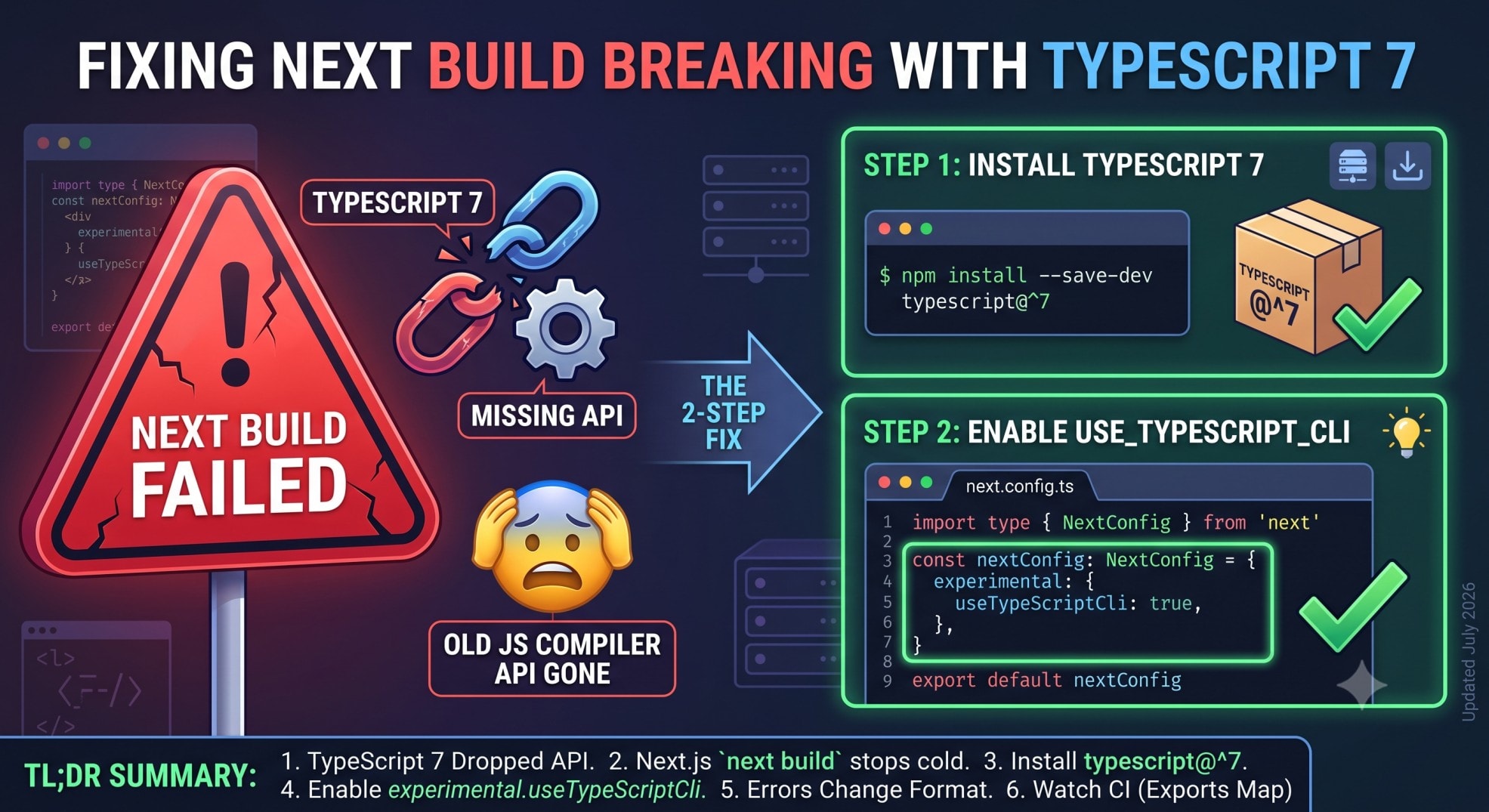
TypeScript 7 dropped the old JavaScript compiler API. Next.js needs that API to type-check your app. So next build stops cold until you do two things.
Install TypeScript 7. Then turn on experimental.useTypeScriptCli in next.config.ts. That flag runs your local tsc binary instead of the old API.
It works. But it changes how your errors print. And it can break CI in a way the docs don't mention yet.
You installed typescript@^7. You ran next build.
It failed before it touched your code.
Not a type error. Not a lint warning. Next.js just stopped.
The message tells you to downgrade. Or flip a flag you've never heard of.
You search useTypeScriptCli. You get almost nothing back.
A GitHub pull request. A docs page. No walkthrough.
Here's what's actually happening. And here are the two ways this still breaks a build, even after you follow the docs.
TypeScript 7 is a full rewrite. It's built in Go, not JavaScript.
It's much faster. But it drops the old JavaScript compiler API.
Next.js needs that API. It uses it to type-check your app during next build.
Without it, Next.js has nothing to call. So it stops and tells you to act.
The Fix: Installing TypeScript 7 and Enabling useTypeScriptCli
The fix has two steps. Skip either one and the build still fails.
Step 1 - install TypeScript 7.
bash
# Correct: install the TypeScript 7 line explicitly
npm install --save-dev typescript@^7
Step 2 - turn on CLI-based type checking.
typescript
// Correct: next.config.ts
import type { NextConfig } from 'next'

const nextConfig: NextConfig = {
  experimental: {
    useTypeScriptCli: true,
  },
}

export default nextConfig
Next.js does not enable this for you. Installing TypeScript 7 alone is not enough.
Skip the flag, and next build fails the same way. Even with TypeScript 7 sitting right there in node_modules.
Once both steps are done, next build stops calling the JavaScript API. It runs your project's own tsc command instead. That command does the type checking.
Why Your Type Errors Suddenly Look Different
This part catches people off guard. The build finally works. Then the error output looks wrong.
CLI-based checking prints raw tsc output. The old JavaScript API did more than that.
It added its own formatting. Code frames pointed straight at the broken line. They named the route, page, or layout file. They spoke in App Router terms.
That wrapping is gone once this flag is on.
You get plain tsc diagnostics instead. The file path and line number are still correct.
But the friendly, framework-aware error is gone. The one you're used to seeing for a broken route handler. Or a broken layout prop.
Do you grep your build logs for a specific Next.js error style? That habit breaks the moment this flag goes on.
Fix your log parsing before you roll this out to a team. Not after.
The CI Trap: When Next.js Tries to Auto-Repair and Fails
This is the part nobody has written up yet. It's also the one that breaks production builds.
Sometimes Next.js can't resolve the TypeScript install the way it expects. When that happens, it tries to self-heal. It runs a package install command mid-build.
On your laptop, that quietly works. node_modules is writable. The network is open. You never even notice.
On Vercel, and on most CI systems, that same install attempt fails hard.
CI environments often lock the install step. Or run with a frozen lockfile. A build-time install has nowhere to succeed.
The real cause sits deeper than "CI blocks installs," though.
TypeScript 7 ships an exports map in its package.json. TypeScript 6 never had one.
That map blocks certain deep imports other tools used to make. Older tools could once reach straight into typescript/lib/typescript.js. That always worked, on TypeScript 6.
TypeScript 7's exports map blocks that same deep path. Top-level resolution still works fine. It's the deep internal import that breaks.
That single broken import is what triggers the failed auto-repair step.
Does your Vercel build fail right after you add TypeScript 7? Even with the flag enabled?
Check this exports-map mismatch first. Don't assume it's your own config.
For build failures unrelated to TypeScript, the Next.js build fails on Vercel post covers the more common causes.
The node_modules Cleanup Step Nobody Mentions
Switching TypeScript versions on the same project has a sharp edge.
TypeScript 6 still lives in the normal node_modules/typescript folder. That's the version with the old JavaScript API.
TypeScript 7 installs under a different internal folder name. That keeps the two from colliding on disk.
But that split changes what your CLI commands point at.
Run tsc now, and you get the new Go-based compiler. Need the old compiler for something else? That's a separate command now. Not the default tsc anymore.
Migrating an existing project, not starting fresh? Delete node_modules and your lockfile first. Then reinstall.
A partial, mixed install of both TypeScript versions is the most common cause of confusing type errors during this switch.
Seeing unexpected lockfile changes during this process? It's worth a quick pass through the npm supply chain lockfile check before you commit a fresh package-lock.json.
Should You Turn This On Right Now?
experimental.useTypeScriptCli shipped as an experimental flag. It landed first in a Next.js 16.3 canary. It's since been backported to 16.2 as well.
Experimental means the flag's shape can still change. It also means the team wants real projects testing it and reporting bugs.
That's exactly what this post is doing.
Is TypeScript 7 not blocking you yet? Then leave this flag alone for now.
Is TypeScript 7 already blocking a build? Then this is the only supported path forward. Not a workaround. The path.
Also tracking the July 2026 Next.js security release? The July 2026 security release post covers what changed there. And whether it touches your version too.
Key Takeaways
A TypeScript 7 nextjs error on next build happens because TypeScript 7 dropped the JavaScript compiler API.
Fixing it takes two steps. Install typescript@^7. Then enable experimental.useTypeScriptCli in next.config.ts.
CLI-based checking prints plain tsc output. Not Next.js's usual route-aware formatting.
On Vercel and most CI systems, a failed auto-repair install usually points to a TypeScript 7 exports map issue. Not a config mistake on your end.
Delete node_modules and your lockfile when migrating a project. That avoids a mixed TypeScript 6 and 7 install.
This flag is experimental. It's live in Next.js 16.2 and 16.3.
FAQ
What does experimental.useTypeScriptCli actually do?
It switches next build away from the JavaScript compiler API. It runs your project's own tsc command instead. TypeScript 7 doesn't ship that API anymore, so this flag fills the gap.
Do I need TypeScript 7 to use this flag?
No. It also works with TypeScript 6. You'd mainly need it for TypeScript 7, since that version has no JavaScript API.
Why did my type errors change format after enabling this?
CLI-based checking prints native tsc diagnostics. Next.js's usual code frames only apply to the default JavaScript API path.
Does this work in Next.js 16.2?
Yes. It landed first in a 16.3 canary. It was backported to 16.2 shortly after.
Why does my Vercel build fail even after installing TypeScript 7?
Usually it's TypeScript 7's new exports map. It blocks a deep import Next.js used to rely on. That triggers a failed mid-build auto-repair. Check this before assuming it's your config.
Can I run TypeScript 6 and 7 side by side?
They install into different folders, so they don't overwrite each other. But tsc now points at TypeScript 7 once it's installed. Update any old scripts that assume otherwise.
Is experimental.useTypeScriptCli stable enough for production?
It's explicitly experimental. Adopt it if TypeScript 7 is already forcing your hand. Don't turn it on just because it exists.
What happens if I install TypeScript 7 but skip the flag?
next build exits before type checking even starts. It tells you to enable the flag, or install a supported TypeScript version. Installing TypeScript 7 alone won't fix it.
Conclusion
A TypeScript 7 nextjs error comes down to one missing flag. But two failure modes around it aren't in the docs yet.
Get the exports map issue right. Get the node_modules split right. Do both the first time, and this migration takes minutes, not an afternoon.
Touching build config this week? Check the Next.js build fails on Vercel and TypeScript build errors posts too. All three failure modes tend to show up in the same sprint.
Want posts like this as soon as they're written? Subscribe to the newsletter.