
AI SDK v6 migration - 3 Changes That Break Silently
Skilldham
Engineering deep-dives for developers who want real understanding.
You run npx @ai-sdk/codemod v6. The build passes. TypeScript is green.
You ship it.
Then your chat goes blank. No error in the terminal. No red squiggle in the editor. Just an empty assistant message where a streamed reply used to be.
The AI SDK v6 migration is mostly handled by codemods. That part is true. But a handful of changes slip past both the codemod and the type checker. They only show up when a real request hits your route in production.
This post covers those exact changes. Not all 17. The three that break silently, plus the provider and streamText shifts you will hit right after.
Quick Answer
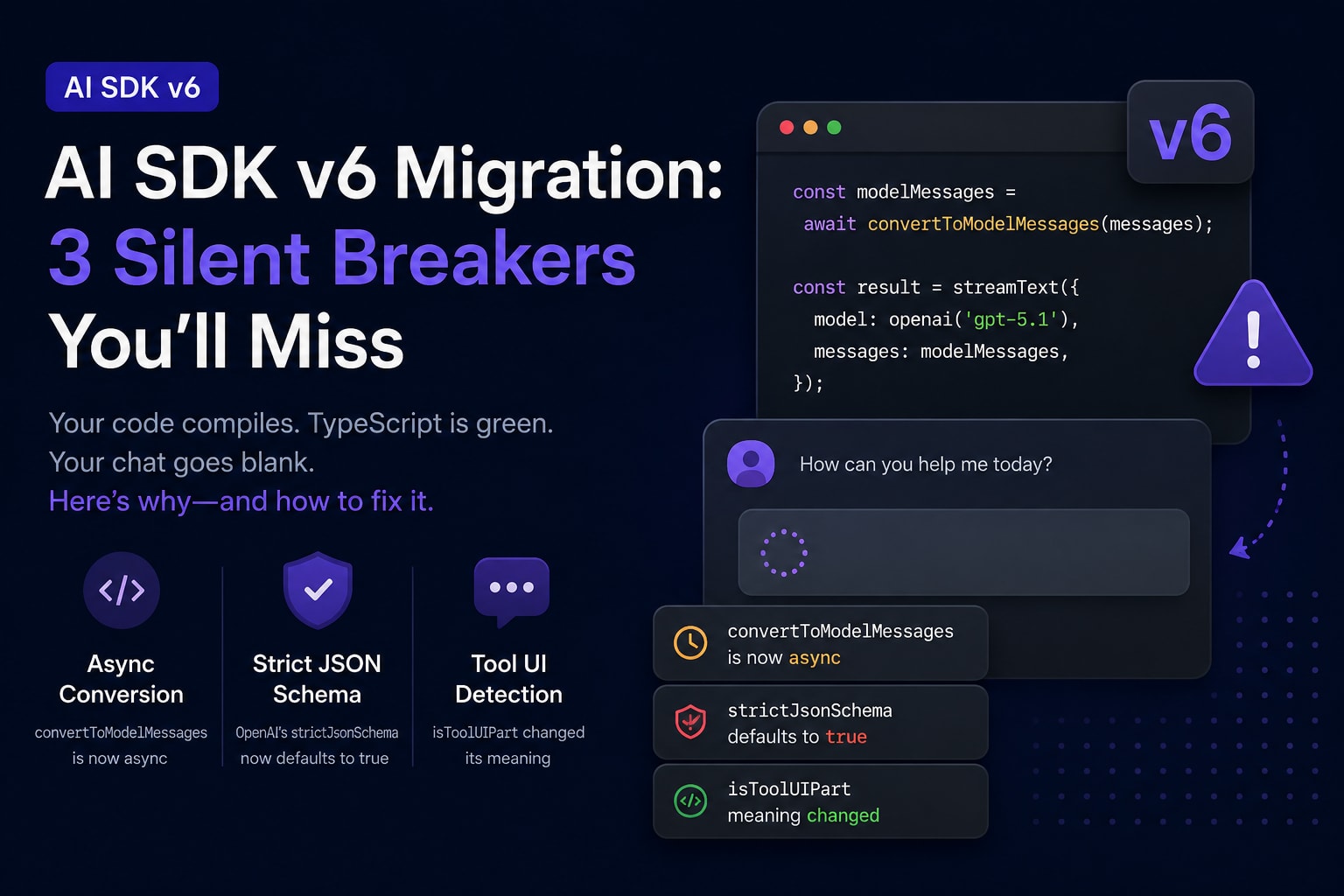
The AI SDK v6 migration breaks three things silently: convertToModelMessages is now async (forget await and streamText gets a Promise), OpenAI's strictJsonSchema now defaults to true (working schemas start getting rejected), and isToolUIPart changed meaning (your tool rendering quietly widens or drops).
Run npx @ai-sdk/codemod v6 first. Then fix these three by hand. None of them throw at build time.
What Changed in the AI SDK v6 migration
The official line is clear: v6 is not a redesign. Most of it is renames and one codemod command.
The packages you bump:
bash
# Correct: the v6 package floor
pnpm install ai@latest @ai-sdk/react@latest @ai-sdk/openai@latest
# ai -> ^6.0.0, @ai-sdk/provider -> ^3.0.0, @ai-sdk/* -> ^3.0.0
The Codemod Handles Most of It
The codemod renames the mechanical stuff. CoreMessage becomes ModelMessage. convertToCoreMessages becomes convertToModelMessages. ToolCallOptions becomes ToolExecutionOptions. The Vertex provider key flips from google to vertex.
bash
# Correct: run all v6 transforms from the project root
npx @ai-sdk/codemod v6
This covers maybe 70 percent of the work. The codemod is honest about it too. It tells you some changes need manual edits.
The Three Changes That Break Silently
Here is the part most tutorials skip.
A rename throws a TypeScript error. You see it, you fix it. A behavior change does not throw. Your code still compiles. It just does the wrong thing at runtime.
Three v6 changes are behavior changes. They are the rest of this post.
convertToModelMessages Is Now Async
This is the number one cause of the blank-chat bug.
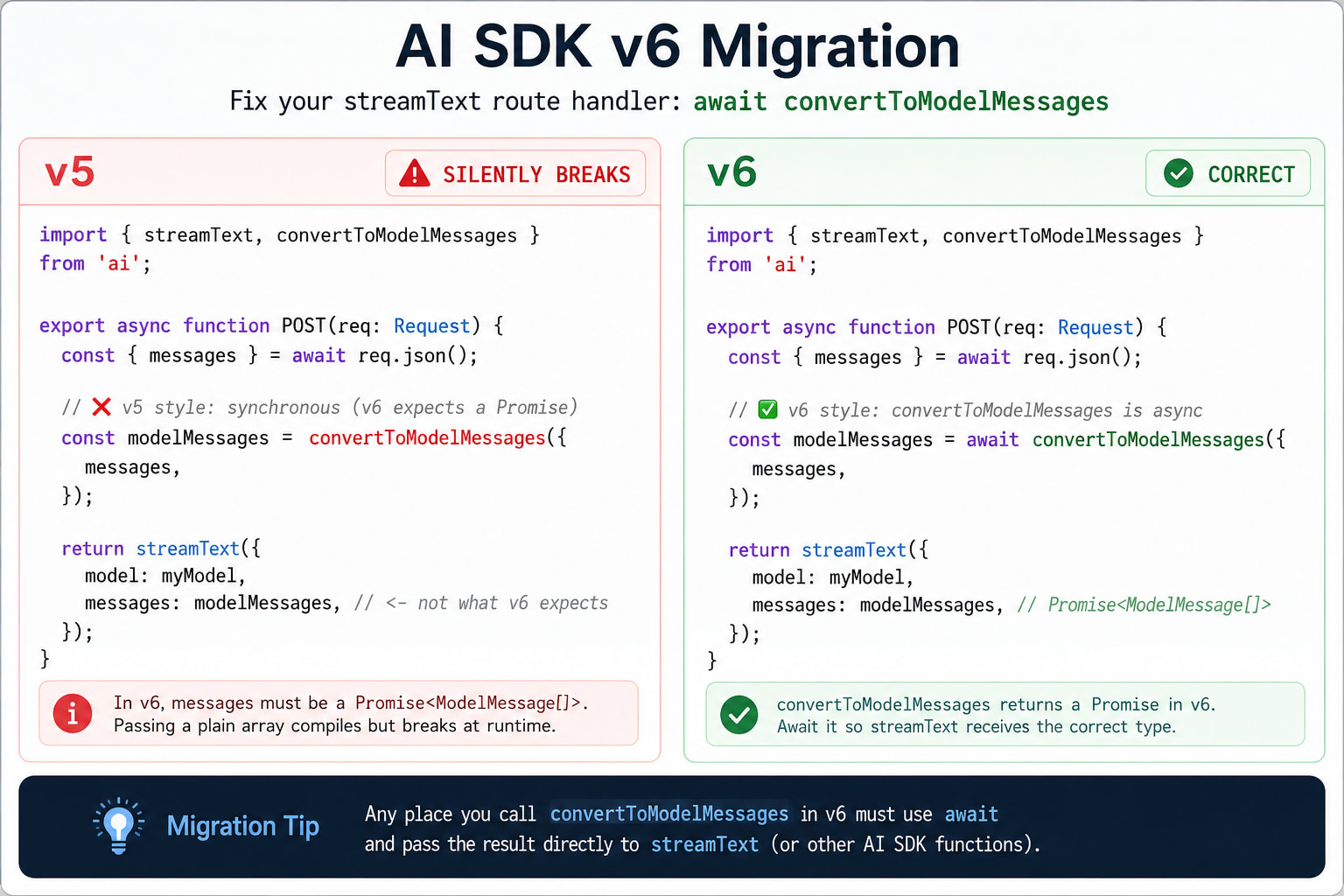
In v5, convertToModelMessages was synchronous. You called it, you got an array, you passed it to streamText. In v6 it returns a Promise. The reason is real: tools can now resolve their model output asynchronously.
What Breaks Without await
Here is the trap. If you forget await, you pass a Promise where streamText expects messages. No type error fires. The stream just produces nothing useful.
typescript
// Wrong: convertToModelMessages returns a Promise in v6
import { streamText, convertToModelMessages } from 'ai';
import { openai } from '@ai-sdk/openai';

export async function POST(req: Request) {
  const { messages } = await req.json();

  // This is a Promise, not an array. streamText silently mishandles it.
  const modelMessages = convertToModelMessages(messages);

  const result = streamText({
    model: openai('gpt-5.1'),
    messages: modelMessages,
  });

  return result.toUIMessageStreamResponse();
}
The route handler does not crash. The client useChat hook gets a malformed stream. You see an empty reply and no clue why.
The Fix in One Line
Add await. That is the whole fix.
typescript
// Correct: await the now-async conversion
import { streamText, convertToModelMessages } from 'ai';
import { openai } from '@ai-sdk/openai';

export async function POST(req: Request) {
  const { messages } = await req.json();

  // Awaited. Now modelMessages is a real array.
  const modelMessages = await convertToModelMessages(messages);

  const result = streamText({
    model: openai('gpt-5.1'),
    messages: modelMessages,
  });

  return result.toUIMessageStreamResponse();
}
The codemod ships a helper for this exact case: add-await-converttomodelmessages. Run it. Then grep your codebase for any convertToModelMessages call without await in front of it. The codemod misses calls inside complex expressions.
OpenAI strictJsonSchema Now Defaults to True
Your structured output worked yesterday. Today the same schema gets rejected. You changed nothing in your schema.
You changed your SDK version.
Why Your Working Schema Suddenly Fails
In v5, strictJsonSchema was false by default for OpenAI. Loose schemas passed through. In v6 it defaults to true. Strict mode is far pickier about what a valid schema looks like.
The most common rejection comes from optional fields. Strict mode does not accept undefined the way loose mode did. A field you marked optional now fails validation.
typescript
// Wrong: optional fields can trip strict mode in v6
import { openai } from '@ai-sdk/openai';
import { generateText, Output } from 'ai';
import { z } from 'zod';

const { output } = await generateText({
  model: openai('gpt-5.1'),
  output: Output.object({
    schema: z.object({
      name: z.string(),
      nickname: z.string().optional(), // can be rejected under strict
    }),
  }),
  prompt: 'Generate a person',
});
The Fix: null, Not undefined
You have two paths. Make the field nullable instead of optional. Or disable strict mode for that call.
typescript
// Correct: option A - use nullable so the field is always present
import { openai } from '@ai-sdk/openai';
import { generateText, Output } from 'ai';
import { z } from 'zod';

const { output } = await generateText({
  model: openai('gpt-5.1'),
  output: Output.object({
    schema: z.object({
      name: z.string(),
      nickname: z.string().nullable(), // null instead of undefined
    }),
  }),
  prompt: 'Generate a person',
});

// Correct: option B - turn strict off for this call
const result = await generateText({
  model: openai('gpt-5.1'),
  output: Output.object({ schema: z.object({ name: z.string() }) }),
  prompt: 'Generate a person',
  providerOptions: {
    openai: { strictJsonSchema: false },
  },
});
Prefer option A. Strict mode gives you valid JSON that matches your schema every time. That is worth keeping. If you hit a wall of schema errors during the upgrade, these usually surface as TypeScript build failures too - our guide on TypeScript build errors and fixes covers the patterns.
One more OpenAI change: the structuredOutputs chat option is gone. Use strictJsonSchema.
useChat Tool Parts: The Renamed Helpers
This is the useChat side of the silent-break problem. The function name stayed. The meaning changed.
isToolUIPart Now Means Something Else
In v5, isToolUIPart matched static tool parts only. In v6, the names shuffled:
isToolUIPart (v5, static only) is now isStaticToolUIPart
isToolOrDynamicToolUIPart (v5, both) is now isToolUIPart
So isToolUIPart still exists. It just matches more part types than it used to. If your v5 code used it to render static tool calls, your v6 code now matches dynamic ones too. No error. Different behavior.
tsx
// Wrong: assuming v5 semantics - this now matches more than you think
'use client';
import { useChat } from '@ai-sdk/react';
import { isToolUIPart } from 'ai';

// In v6, isToolUIPart matches BOTH static and dynamic tool parts.
// Your old "static only" branch now fires for dynamic parts too.
Render Every Part Type
The fix is to be explicit. Decide whether you want static only or both, and pick the right helper.
tsx
// Correct: v6 - render text and all tool parts explicitly
'use client';
import { useChat } from '@ai-sdk/react';
import { isToolUIPart, getToolName } from 'ai';

export function Chat() {
  const { messages } = useChat();

  return (
    <div>
      {messages.map((message) => (
        <div key={message.id}>
          {message.parts.map((part, i) => {
            if (part.type === 'text') {
              return <p key={i}>{part.text}</p>;
            }
            // isToolUIPart in v6 = static or dynamic tool parts
            if (isToolUIPart(part)) {
              return <ToolCard key={i} name={getToolName(part)} part={part} />;
            }
            return null;
          })}
        </div>
      ))}
    </div>
  );
}
Render every part type your agent can emit. Miss one and that tool call vanishes from the UI the moment the model invokes it. If you are wiring this into a mobile app, the flow is the same - see how to add AI chat to a React Native app.
generateObject and streamObject Are Deprecated
These two still work in v6. But they are deprecated and will be removed. Migrate now while the codemods are fresh.
Move to streamText with Output.object
The replacement folds structured output into streamText and generateText. You pass an output setting instead of a top-level schema.
typescript
// Wrong: deprecated in v6
import { streamObject } from 'ai';
import { z } from 'zod';

const { partialObjectStream } = streamObject({
  model: openai('gpt-5.1'),
  schema: z.object({ title: z.string(), tags: z.array(z.string()) }),
  prompt: 'Generate a blog post outline',
});
typescript
// Correct: v6 - streamText with Output.object
import { streamText, Output } from 'ai';
import { z } from 'zod';
import { openai } from '@ai-sdk/openai';

const { partialOutputStream } = streamText({
  model: openai('gpt-5.1'),
  output: Output.object({
    schema: z.object({ title: z.string(), tags: z.array(z.string()) }),
  }),
  prompt: 'Generate a blog post outline',
});

for await (const partial of partialOutputStream) {
  console.log(partial);
}
partialOutputStream Replaces partialObjectStream
Note the field name. partialObjectStream becomes partialOutputStream. The shape of each partial is the same. Only the property you read it from changed.
Provider Adapter Changes Across Vendors
The provider packages shifted in v6. Most are key renames the codemod handles. A few need your eyes.
Per-Tool strict Replaces strictJsonSchema
Tool strict mode moved from a provider-wide setting to a per-tool flag. This gives you control over each tool's schema.
typescript
// Correct: v6 - strict mode set per tool
import { streamText, tool } from 'ai';
import { z } from 'zod';
import { openai } from '@ai-sdk/openai';

const result = streamText({
  model: openai('gpt-5.1'),
  tools: {
    calculator: tool({
      description: 'A simple calculator',
      inputSchema: z.object({ expression: z.string() }),
      execute: async ({ expression }) => ({ result: eval(expression) }),
      strict: true, // per-tool now, not a provider option
    }),
  },
});
OpenAI, Anthropic, Google Vertex, Azure
Each vendor has one thing to check:
OpenAI: strictJsonSchema defaults to true. Covered above.
Anthropic: new structuredOutputMode option (outputFormat, jsonTool, or auto). Default auto is safe.
Google Vertex: providerOptions key changed from google to vertex. The codemod fixes this.
Azure: azure() now uses the Responses API by default. Use azure.chat() to keep the old Chat Completions behavior.
The Azure one is a silent behavior change like the others. If you depend on Chat Completions defaults, switch to azure.chat() and audit your config. If you are building agents on top of these, our guide to AI agents and agentic architecture explains how the tool loop ties into providers.
The "Failed to parse stream string" Error and v6
You may know this error from the v5 jump: Failed to parse stream string. No separator found. People hit it in 100-plus GitHub threads during the v4-to-v5 transition.
What Actually Causes It
This error is a wire-format mismatch. The client expects one streaming protocol. The server sends another. The classic v5 cause was an Express server still piping the old data-stream format while useChat expected the new UI message stream.
v6 does not bring this error back on its own. But the same root cause applies. Mix a v6 client with a v5 server and you get a protocol mismatch.
Keep Client and Server in Lockstep
The fix is boring and reliable. Upgrade the client and server packages together. Never ship one ahead of the other.
typescript
// Correct: v6 route handler returns the UI message stream
const result = streamText({ model: openai('gpt-5.1'), messages });
return result.toUIMessageStreamResponse();
If your route works in isolation but the chat stays empty, this is a version-skew problem, not a logic problem. It is the same class of bug as an API that works in Postman but fails in the browser - the contract between two sides drifted.
Key Takeaways
The AI SDK v6 migration is mostly handled by npx @ai-sdk/codemod v6, but three changes break silently at runtime with no type error
convertToModelMessages is now async - forget await and streamText gets a Promise, producing an empty chat reply
OpenAI's strictJsonSchema defaults to true in v6, so use .nullable() instead of .optional() or set strictJsonSchema: false
isToolUIPart kept its name but widened its meaning to match both static and dynamic tool parts - audit your useChat rendering
generateObject and streamObject are deprecated - move to streamText and generateText with Output.object and read partialOutputStream
Tool strict mode is now a per-tool strict: true flag, not a provider-wide option
Keep client and server SDK versions in lockstep to avoid the wire-format mismatch behind "Failed to parse stream string"
FAQs
Does the AI SDK v6 migration break useChat?
Mostly no, but tool rendering can change behavior silently. The isToolUIPart helper kept its name while widening to match both static and dynamic tool parts. Audit your part-rendering logic after upgrading.
Why is convertToModelMessages returning a Promise now?
It became async in v6 to support tools that resolve their model output asynchronously. You must add await in front of every call. Without it, you pass a Promise to streamText and get an empty stream with no error.
Do I have to run the codemod manually?
Yes, run npx @ai-sdk/codemod v6 from your project root. It handles renames like CoreMessage to ModelMessage, but it cannot fix behavior changes like the async conversion or the strict schema default. Those need manual edits.
Why does my OpenAI schema fail after upgrading to v6?
OpenAI's strictJsonSchema now defaults to true. Strict mode rejects schemas that loose mode accepted, especially optional fields. Use nullable instead of optional, or set strictJsonSchema to false for that call.
Is generateObject removed in AI SDK v6?
Not removed, but deprecated. It will be removed in a future version. Replace it with generateText or streamText using an Output.object setting, and read partials from partialOutputStream instead of partialObjectStream.
What package versions do I need for AI SDK v6?
Bump ai to caret 6.0.0, @ai-sdk/provider to caret 3.0.0, @ai-sdk/provider-utils to caret 4.0.0, and all scoped @ai-sdk providers to caret 3.0.0. Install them together so client and server stay in sync.
Why do my tool calls stop rendering after the v6 migration?
You are likely missing a part type in your useChat render loop, or relying on the old isToolUIPart meaning. In v6, render text parts and tool parts explicitly using isToolUIPart and getToolName for both static and dynamic tools.
Does v6 cause the Failed to parse stream string error?
Not on its own. That error is a wire-format mismatch between client and server. It appears if you run a v6 client against a v5 server or the reverse. Upgrade both sides together to avoid it.
Conclusion
The AI SDK v6 migration is not the breaking-change apocalypse some posts make it sound like. The codemod does the heavy lifting. What it cannot do is catch the three changes that compile fine and fail at runtime.
Those three are the whole game. The async conversion, the strict schema flip, and the tool-part rename. Fix them by hand and your upgrade is done.
If you are building on the AI SDK beyond chat, the Model Context Protocol explained guide covers the next layer most teams reach for after tool calls.